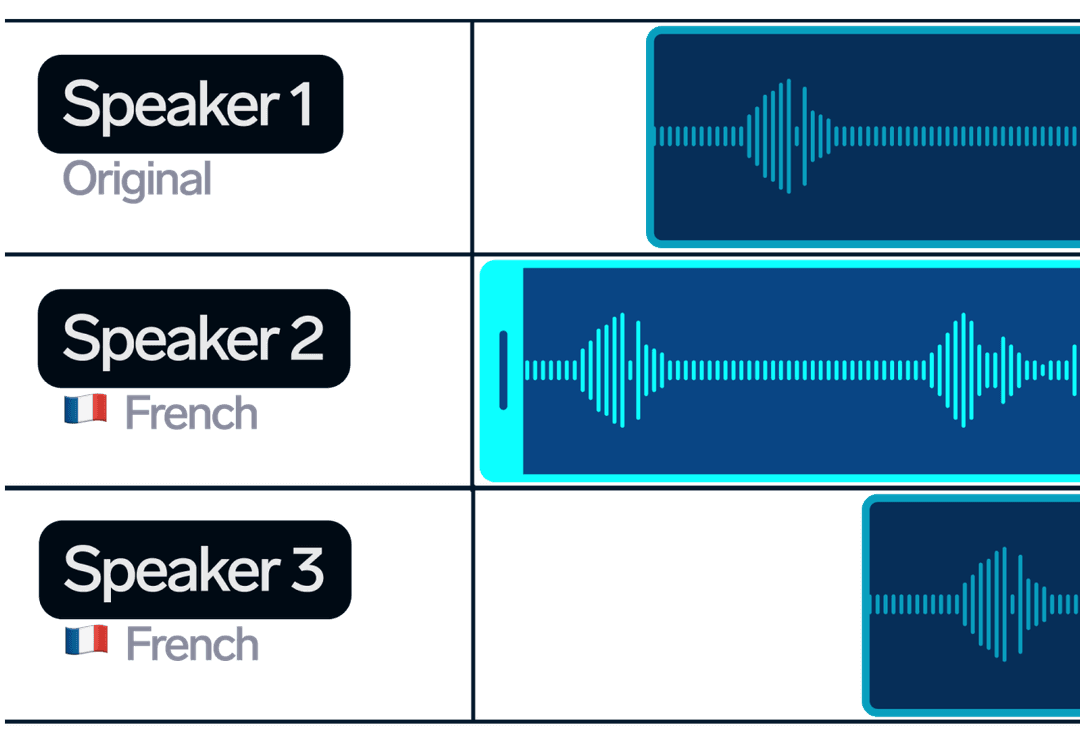
คุณสมบัติของ API การโคลนเสียงที่ทรงพลัง
ทุกสิ่งที่คุณต้องการเพื่อผสานรวมการโคลนนิ่งเสียงระดับมืออาชีพเข้ากับแอปพลิเคชันของคุณไม่จำกัด
โคลนเสียงไม่จำกัดสร้างเสียงพูดที่กำหนดเองได้ไม่จำกัดจากตัวอย่างเสียง อัปโหลดไฟล์เสียงในรูปแบบ MP3, WAV, AAC, M4A หรือ FLACคุณภาพพรีเมียม
เสียงคุณภาพสูงสร้างเสียงพูดที่ฟังดูเป็นธรรมชาติด้วยเทคโนโลยี AI ขั้นสูง รองรับหลายรูปแบบไฟล์เสียงและให้ผลลัพธ์คุณภาพสูงเหมาะสำหรับนักพัฒนา
การผสานรวมที่ง่ายดายSimple REST API พร้อมเอกสารที่ครอบคลุม. ผสานการโคลนเสียงเข้ากับแอปพลิเคชันของคุณได้เพียงไม่กี่ครั้งของการเรียก API.กระบวนการทำงานของ API การโคลนเสียง
สร้างเสียงพูดแบบกำหนดเองได้ง่ายๆ เพียงไม่กี่ขั้นตอนด้วย API01
อัปโหลดตัวอย่างเสียง
รับ URL ที่ลงนามล่วงหน้าและอัปโหลดไฟล์เสียงของคุณในรูปแบบที่รองรับ เช่น MP3, WAV, AAC, M4A หรือ FLACAPI Request
curl -X GET "https://dubsmart.ai/api/v1/upload?region=EU&fileExtension=mp3" \
  -H "Authorization: Bearer YOUR_API_KEY"

# Response:
{
  "url": "https://storage.dubsmart.ai/voice-cloning/...",
  "key": "voice-cloning/user_id/filename.mp3"
}

# Upload file
curl -X PUT -T your_audio_file.mp3 "https://storage.dubsmart.ai/voice-cloning/..."
02
สร้างเสียงพูดแบบกำหนดเอง
สร้างเสียงพูดที่กำหนดเองโดยใช้ตัวอย่างเสียงที่อัปโหลด ให้ชื่อและคีย์ไฟล์จากขั้นตอนที่อัปโหลดAPI Request
curl -X POST "https://dubsmart.ai/api/v1/custom-voices/create" \
  -H "Authorization: Bearer YOUR_API_KEY" \
  -H "Content-Type: application/json" \
  -d '{
    "name": "My Custom Voice",
    "examplePath": "voice-cloning/user_id/filename.mp3"
  }'

# Response:
{
  "id": "67c123...",
  "name": "My Custom Voice",
  "examplePath": "https://...",
  "createdAt": "2024-01-15T10:30:00Z"
}'
03
ใช้ในโครงการ TTS และ AI Dubbing
ใช้เสียง ID ที่คุณสร้างขึ้นเองในโครงการ TTS และการพากย์เสียงด้วย AIAPI Request
curl -X POST "https://dubsmart.ai/api/v1/projects/tts" \
  -H "Authorization: Bearer YOUR_API_KEY" \
  -H "Content-Type: application/json" \
  -d '{
    "title": "My TTS Project",
    "segments": [
      {
        "text": "Hello world!",
        "voice": "67c123...",
        "language": "en"
      }
    ]
}'จุดสิ้นสุดของ API การโคลนนิ่งเสียง
เอกสารอ้างอิง API แบบสมบูรณ์พร้อมตัวอย่างสำหรับทุกเอนด์พอยต์GET
/uploadรับ URL ไฟล์ที่อัปโหลด
รับ URL ที่ลงนามล่วงหน้าสำหรับการอัปโหลดไฟล์และส่งคีย์ไฟล์กลับRequest
JSON
Query Parameters:
- region: string (default: "EU")
- fileExtension: string (mp3, wav, aac, m4a, flac)
Response
JSON
{
  "url": "https://storage.dubsmart.ai/voice-cloning/...",
  "key": "voice-cloning/user_id/filename.mp3"
}
POST
/custom-voices/createสร้างเสียงที่กำหนดเอง
สร้างเสียงพูดแบบกำหนดเองใหม่โดยใช้ตัวอย่างเสียงที่อัปโหลดRequest
JSON
{
  "name": "My Custom Voice",
  "examplePath": "voice-cloning/user_id/filename.mp3"
}
Response
JSON
{
  "id": "67c123...",
  "name": "My Custom Voice",
  "examplePath": "https://...",
  "createdAt": "2024-01-15T10:30:00Z"
}
POST
/custom-voices/listรับเสียงพูดที่ปรับแต่งตามความต้องการ
ดึงเสียงที่คุณกำหนดเองทั้งหมดกลับมาพร้อมการจัดหน้าRequest
JSON
{
  "limit": 10,
  "cursor": "cursor_value"
}
Response
JSON
{
  "items": [
    {
      "id": "custom_voice_id",
      "name": "My Custom Voice",
      "examplePath": "https://...",
      "createdAt": "2024-01-15T10:30:00Z"
    }
  ],
  "nextCursor": "next_cursor_value"
}
DELETE
/custom-voices/{id}ลบเสียงที่กำหนดเอง
ลบเสียงพูดที่กำหนดเองออกจากบัญชีของคุณRequest
JSON
Path Parameters:
- id: string (voice ID)
Response
JSON
{
  "id": "custom_voice_id",
  "success": true
}ตัวอย่างโค้ด API การโคลนเสียง
ตัวอย่างโค้ดพร้อมใช้งานในหลายภาษาการเขียนโปรแกรมJavaScript Example
// JavaScript/Node.js Example
const axios = require('axios');

const API_KEY = 'your_api_key_here';
const BASE_URL = 'https://dubsmart.ai/api/v1';

async function createCustomVoice() {
  try {
    // Step 1: Get upload URL
    const uploadResponse = await axios.get(`${BASE_URL}/upload`, {
      params: {
        region: 'EU',
        fileExtension: 'mp3'
      },
      headers: { 'Authorization': `Bearer ${API_KEY}` }
    });

    console.log('Upload URL:', uploadResponse.data.url);

    // Step 2: Upload audio file (you would use the presigned URL here)
    // This is typically done with a PUT request to the presigned URL

    // Step 3: Create custom voice
    const voiceResponse = await axios.post(`${BASE_URL}/custom-voices/create`, {
      name: 'My Custom Voice',
      examplePath: uploadResponse.data.key
    }, {
      headers: { 'Authorization': `Bearer ${API_KEY}` }
    });

    console.log('Custom voice created:', voiceResponse.data);

    // Step 4: List custom voices
    const voicesResponse = await axios.post(`${BASE_URL}/custom-voices/list`, {
      limit: 10
    }, {
      headers: { 'Authorization': `Bearer ${API_KEY}` }
    });

    console.log('Custom voices:', voicesResponse.data.items);

    return voiceResponse.data;
  } catch (error) {
    console.error('Error:', error.response?.data || error.message);
  }
}

// Usage
createCustomVoice();
Python Example
# Python Example
import requests
import json

API_KEY = 'your_api_key_here'
BASE_URL = 'https://dubsmart.ai/api/v1'

def create_custom_voice():
    headers = {'Authorization': f'Bearer {API_KEY}'}

    try:
        # Step 1: Get upload URL
        upload_response = requests.get(f'{BASE_URL}/upload',
            params={'region': 'EU', 'fileExtension': 'mp3'},
            headers=headers
        )
        upload_data = upload_response.json()

        print(f"Upload URL: {upload_data['url']}")

        # Step 2: Upload audio file (you would use the presigned URL here)
        # This is typically done with a PUT request to the presigned URL

        # Step 3: Create custom voice
        voice_data = {
            'name': 'My Custom Voice',
            'examplePath': upload_data['key']
        }

        voice_response = requests.post(f'{BASE_URL}/custom-voices/create',
            json=voice_data,
            headers=headers
        )

        voice_result = voice_response.json()
        print(f"Custom voice created: {voice_result}")

        # Step 4: List custom voices
        list_data = {'limit': 10}
        voices_response = requests.post(f'{BASE_URL}/custom-voices/list',
            json=list_data,
            headers=headers
        )

        voices_result = voices_response.json()
        print(f"Custom voices: {voices_result['items']}")

        return voice_result

    except requests.exceptions.RequestException as e:
        print(f"Error: {e}")

# Usage
create_custom_voice()
cURL Example
# cURL Examples

# Step 1: Get upload URL
curl -X GET "https://dubsmart.ai/api/v1/upload?region=EU&fileExtension=mp3" \
  -H "Authorization: Bearer YOUR_API_KEY"

# Response:
# {
#   "url": "https://storage.dubsmart.ai/voice-cloning/...",
#   "key": "voice-cloning/user_id/filename.mp3"
# }

# Step 2: Upload audio file
curl -X PUT -T your_audio_file.mp3 "https://storage.dubsmart.ai/voice-cloning/..."

# Step 3: Create custom voice
curl -X POST "https://dubsmart.ai/api/v1/custom-voices/create" \
  -H "Authorization: Bearer YOUR_API_KEY" \
  -H "Content-Type: application/json" \
  -d '{
    "name": "My Custom Voice",
    "examplePath": "voice-cloning/user_id/filename.mp3"
  }'

# Response:
# {
#   "id": "67c123...",
#   "name": "My Custom Voice",
#   "examplePath": "https://...",
#   "createdAt": "2024-01-15T10:30:00Z"
# }

# Step 4: List custom voices
curl -X POST "https://dubsmart.ai/api/v1/custom-voices/list" \
  -H "Authorization: Bearer YOUR_API_KEY" \
  -H "Content-Type: application/json" \
  -d '{"limit": 10}'

# Step 5: Delete custom voice
curl -X DELETE "https://dubsmart.ai/api/v1/custom-voices/VOICE_ID" \
  -H "Authorization: Bearer YOUR_API_KEY"
PHP Example
<?php
// PHP Example
$apiKey = 'your_api_key_here';
$baseUrl = 'https://dubsmart.ai/api/v1';

function createCustomVoice($apiKey, $baseUrl) {
    $headers = [
        'Authorization: Bearer ' . $apiKey,
        'Content-Type: application/json'
    ];

    try {
        // Step 1: Get upload URL
        $uploadUrl = $baseUrl . '/upload?region=EU&fileExtension=mp3';
        $uploadResponse = file_get_contents($uploadUrl, false, stream_context_create([
            'http' => [
                'method' => 'GET',
                'header' => $headers
            ]
        ]));

        $uploadData = json_decode($uploadResponse, true);
        echo "Upload URL: " . $uploadData['url'] . "\n";

        // Step 2: Upload audio file (you would use the presigned URL here)
        // This is typically done with a PUT request to the presigned URL

        // Step 3: Create custom voice
        $voiceData = [
            'name' => 'My Custom Voice',
            'examplePath' => $uploadData['key']
        ];

        $voiceContext = stream_context_create([
            'http' => [
                'method' => 'POST',
                'header' => $headers,
                'content' => json_encode($voiceData)
            ]
        ]);

        $voiceResponse = file_get_contents($baseUrl . '/custom-voices/create', false, $voiceContext);
        $voiceResult = json_decode($voiceResponse, true);

        echo "Custom voice created: " . json_encode($voiceResult) . "\n";

        // Step 4: List custom voices
        $listData = ['limit' => 10];
        $listContext = stream_context_create([
            'http' => [
                'method' => 'POST',
                'header' => $headers,
                'content' => json_encode($listData)
            ]
        ]);

        $voicesResponse = file_get_contents($baseUrl . '/custom-voices/list', false, $listContext);
        $voicesResult = json_decode($voicesResponse, true);

        echo "Custom voices: " . json_encode($voicesResult['items']) . "\n";

        return $voiceResult;

    } catch (Exception $e) {
        echo "Error: " . $e->getMessage() . "\n";
    }
}

// Usage
createCustomVoice($apiKey, $baseUrl);
?>
คำถามที่พบบ่อยเกี่ยวกับ API การโคลนเสียง
อะไรคือ Voice Cloning API และมันทำงานอย่างไร?
API การโคลนเสียงของเราช่วยให้คุณสามารถสร้างเสียง AI แบบกำหนดเองจากตัวอย่างเสียงได้อย่างง่ายดาย เพียงอัปโหลดไฟล์เสียง สร้างเสียงที่กำหนดเอง และนำไปใช้ในโครงการ TTS และการพากย์เสียง AI ของคุณ
รูปแบบเสียงใดบ้างที่รองรับสำหรับการโคลนเสียง?
เราสนับสนุนไฟล์เสียงในรูปแบบ MP3, WAV, AAC, M4A และ FLAC ไฟล์เสียงควรมีความยาว 20 วินาทีโดยไม่มีเสียงรบกวนพื้นหลังเพื่อให้ได้ผลลัพธ์การโคลนเสียงที่ดีที่สุด
ฉันสามารถสร้างเสียงพูดที่กำหนดเองได้กี่เสียง?
ในแผนชำระเงิน คุณสามารถสร้างเสียงพูดที่กำหนดเองได้ไม่จำกัด
การสร้างเสียงพูดแบบกำหนดเองใช้เวลานานเท่าไร?
การโคลนเสียงโดยทั่วไปใช้เวลาเพียงไม่กี่วินาที ขึ้นอยู่กับความยาวและความซับซ้อนของเสียง
ฉันสามารถใช้เสียงที่กำหนดเองในโปรเจ็กต์ TTS ได้หรือไม่
ใช่! เมื่อสร้างเสร็จแล้ว คุณสามารถใช้เสียงที่คุณปรับแต่งเองในโปรเจ็กต์ TTS ได้โดยการอ้างอิง ID ของเสียงนั้น ๆ เสียงเหล่านี้ทำงานร่วมกับ Text-to-Speech API ของเราได้อย่างราบรื่นเพื่อสร้างเสียงพูดที่ฟังดูเป็นธรรมชาติ
ฉันสามารถใช้เสียงที่กำหนดเองในโปรเจ็กต์การพากย์เสียงด้วย AI ได้หรือไม่?
ใช่! เมื่อสร้างเสร็จแล้ว คุณสามารถใช้เสียงที่คุณปรับแต่งเองได้ในโปรเจ็กต์ AI Dubbing โดยอ้างอิงถึง ID ของเสียงนั้น ๆ เสียงเหล่านี้ทำงานร่วมกับ AI Dubbing API ของเราได้อย่างราบรื่นเพื่อสร้างเสียงพูดที่ฟังดูเป็นธรรมชาติ
ข้อมูลเสียงของฉันปลอดภัยและเป็นส่วนตัวหรือไม่?
แน่นอน. เราให้ความสำคัญกับความเป็นส่วนตัวของข้อมูลอย่างจริงจัง. ไฟล์เสียงของคุณถูกเข้ารหัสและเก็บไว้อย่างปลอดภัย. คุณสามารถลบเสียงที่คุณสร้างเองและข้อมูลเสียงที่เกี่ยวข้องได้ทุกเมื่อ.