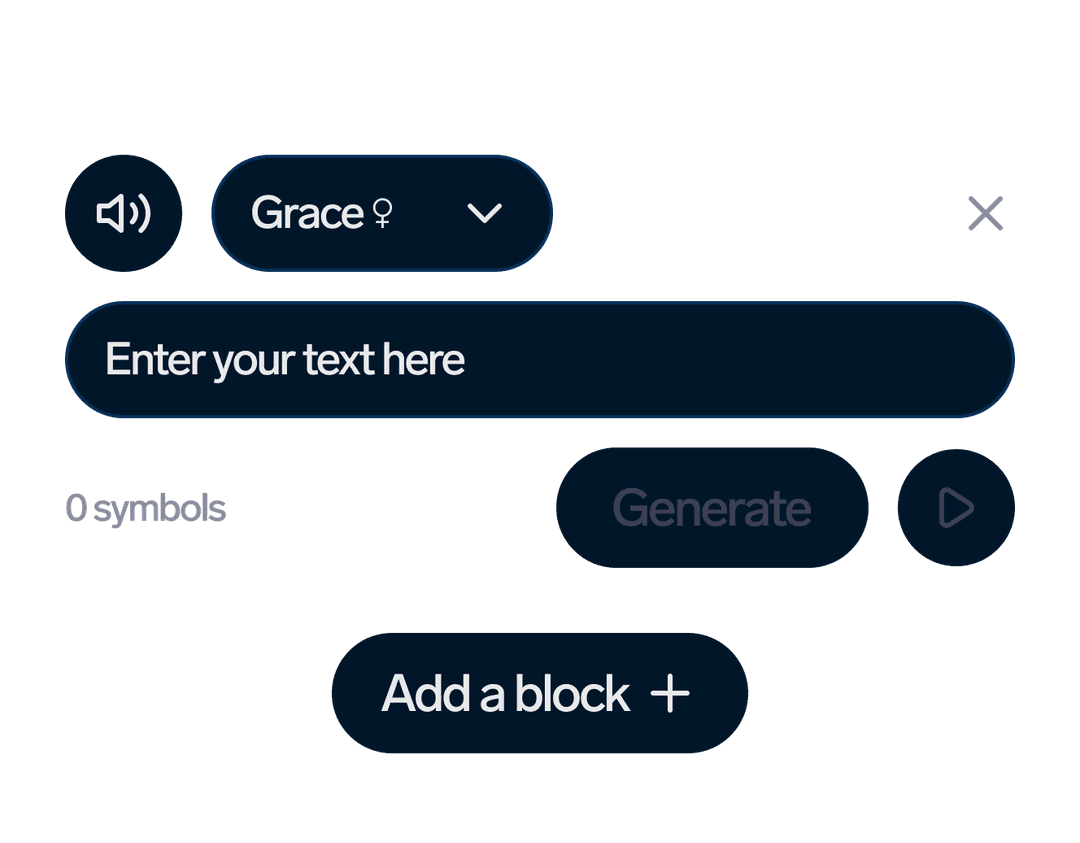
คุณสมบัติ API TTS ที่ทรงพลัง
ทุกสิ่งที่คุณต้องการเพื่อผสานระบบเสียงพูดจากข้อความแบบมืออาชีพเข้ากับแอปพลิเคชันของคุณระบบสร้างเสียงพูดด้วยระบบประสาท
เสียง AI 300+ เสียงเข้าถึงเสียงประสาทระดับพรีเมียมในกว่า 33 ภาษา รวมถึงภาษาอังกฤษ, โปรตุเกส, สเปน, ฝรั่งเศส, เยอรมัน, จีน, ญี่ปุ่น และอื่นๆไม่จำกัด
การโคลนเสียงสร้างเสียงพูดแบบกำหนดเองจากตัวอย่างเสียงด้วยการโคลนเสียงไม่จำกัด เหมาะอย่างยิ่งสำหรับเนื้อหาส่วนบุคคลและเสียงแบรนด์ระดับโลก
33+ ภาษารองรับมากกว่า 33 ภาษา รวมถึงภาษาอังกฤษ, โปรตุเกส, สเปน, ฝรั่งเศส, เยอรมัน, จีน, ญี่ปุ่น และอีกมากมายกระบวนการทำงานของ TTS API
แปลงข้อความเป็นเสียงพูดด้วยการเรียกใช้ API เพียงไม่กี่ขั้นตอนง่ายๆ01
สร้างโปรเจ็กต์ TTS
สร้างโปรเจ็กต์ข้อความเป็นเสียงใหม่ด้วยเนื้อหาข้อความของคุณและตัวเลือกเสียงที่คุณต้องการAPI Request
curl -X POST "https://dubsmart.ai/api/v1/projects/tts" \
  -H "Authorization: Bearer YOUR_API_KEY" \
  -H "Content-Type: application/json" \
  -d '{
    "title": "My TTS Project",
    "segments": [
      {
        "text": "Hello, this is a test message",
        "voice": "anna_en_v2",
        "language": "en"
      }
    ]
  }'
02
การตรวจสอบการประมวลผล
ติดตามความคืบหน้าของโครงการ TTS ของคุณขณะที่กำลังประมวลผลข้อความของคุณให้กลายเป็นเสียงพูดที่เป็นธรรมชาติAPI Request
curl -X GET "https://dubsmart.ai/api/v1/projects/tts/{projectId}" \
  -H "Authorization: Bearer YOUR_API_KEY"

# Response:
{
  "id": "project_id",
  "status": "processing",
  "progress": 75,
  "segments": [
    {
      "id": "segment_id",
      "status": "completed",
      "audioUrl": "https://..."
    }
  ]
}
03
ดาวน์โหลดเสียง
ดาวน์โหลดไฟล์เสียงคุณภาพสูงเมื่อการประมวลผลเสร็จสมบูรณ์ รับไฟล์ในรูปแบบ MP3 คุณภาพ 22kHzAPI Request
curl -X GET "https://dubsmart.ai/api/v1/projects/tts/{projectId}" \
  -H "Authorization: Bearer YOUR_API_KEY"

# When status is "completed":
{
  "id": "project_id",
  "status": "completed",
  "audioUrl": "https://storage.dubsmart.ai/audio.mp3",
  "segments": [
    {
      "id": "segment_id",
      "audioUrl": "https://storage.dubsmart.ai/segment.mp3"
    }
  ]
}จุดสิ้นสุด API ของ TTS
เอกสารอ้างอิง API แบบสมบูรณ์สำหรับฟังก์ชันแปลงข้อความเป็นเสียงPOST
/projects/ttsสร้างโปรเจ็กต์ TTS
สร้างโปรเจ็กต์ Text-to-Speech ใหม่พร้อมส่วนข้อความและการตั้งค่าเสียงRequest
JSON
{
  "title": "My TTS Project",
  "segments": [
    {
      "text": "Hello world! This is a test message.",
      "voice": "anna_en_v2",
      "language": "en",
      "speed": 1.0,
      "pitch": 1.0
    }
  ]
}
Response
JSON
{
  "id": "64f8a2b1c3d4e5f6a7b8c9d0",
  "title": "My TTS Project",
  "status": "pending",
  "progress": 0,
  "createdAt": "2023-09-06T10:30:00Z",
  "segments": [
    {
      "id": "segment_1",
      "text": "Hello world! This is a test message.",
      "status": "pending"
    }
  ]
}
GET
/projects/ttsรับโครงการ TTS
ดึงรายการโครงการ TTS ของคุณพร้อมตัวเลือกการแบ่งหน้าและการกรองRequest
JSON
Query Parameters:
- limit: number (default: 20, max: 100)
- cursor: string (for pagination)
- status: "pending" | "processing" | "completed" | "failed"
Response
JSON
{
  "items": [
    {
      "id": "64f8a2b1c3d4e5f6a7b8c9d0",
      "title": "My TTS Project",
      "status": "completed",
      "progress": 100,
      "createdAt": "2023-09-06T10:30:00Z",
      "audioUrl": "https://storage.dubsmart.ai/audio.mp3"
    }
  ],
  "nextCursor": "next_cursor_value"
}
GET
/projects/tts/{projectId}รับโครงการ TTS โดยใช้รหัสประจำตัว
ดึงข้อมูลรายละเอียดเกี่ยวกับโครงการ TTS เฉพาะเจาะจงRequest
JSON
Path Parameters:
- projectId: string (required)
Response
JSON
{
  "id": "64f8a2b1c3d4e5f6a7b8c9d0",
  "title": "My TTS Project",
  "status": "completed",
  "progress": 100,
  "createdAt": "2023-09-06T10:30:00Z",
  "audioUrl": "https://storage.dubsmart.ai/audio.mp3",
  "segments": [
    {
      "id": "segment_1",
      "text": "Hello world! This is a test message.",
      "status": "completed",
      "audioUrl": "https://storage.dubsmart.ai/segment_1.mp3"
    }
  ]
}
POST
/projects/tts/{projectId}/segmentsสร้างส่วน TTS
เพิ่มส่วนข้อความใหม่ไปยังโปรเจ็กต์ TTS ที่มีอยู่แล้วRequest
JSON
{
  "text": "This is a new segment to add to the project.",
  "voice": "john_en_v2",
  "language": "en",
  "speed": 1.2,
  "pitch": 0.9
}
Response
JSON
{
  "id": "segment_2",
  "text": "This is a new segment to add to the project.",
  "voice": "john_en_v2",
  "status": "pending",
  "createdAt": "2023-09-06T10:45:00Z"
}
PUT
/projects/tts/{projectId}/segments/{segmentId}แก้ไขส่วน TTS
อัปเดตเนื้อหาข้อความ เสียง หรือคุณสมบัติอื่น ๆ ของเซ็กเมนต์Request
JSON
{
  "text": "Updated segment text with new content.",
  "voice": "sarah_en_v2",
  "speed": 1.1
}
Response
JSON
{
  "id": "segment_2",
  "text": "Updated segment text with new content.",
  "voice": "sarah_en_v2",
  "status": "pending",
  "updatedAt": "2023-09-06T11:00:00Z"
}ตัวอย่างโค้ด API ของ TTS
ตัวอย่างโค้ดพร้อมใช้งานในหลายภาษาการเขียนโปรแกรมJavaScript Example
// JavaScript/Node.js Example
const axios = require('axios');

const API_KEY = 'your_api_key_here';
const BASE_URL = 'https://dubsmart.ai/api/v1';

async function createTTSProject() {
  try {
    // Create TTS project
    const projectResponse = await axios.post(`${BASE_URL}/projects/tts`, {
      title: 'My TTS Project',
      segments: [
        {
          text: 'Hello! This is a sample text for text-to-speech conversion.',
          voice: 'anna_en_v2',
          language: 'en',
          speed: 1.0,
          pitch: 1.0
        },
        {
          text: 'This is the second segment with a different voice.',
          voice: 'john_en_v2',
          language: 'en',
          speed: 1.1,
          pitch: 0.9
        }
      ]
    }, {
      headers: { 'Authorization': `Bearer ${API_KEY}` }
    });

    console.log('Project created:', projectResponse.data);

    // Monitor project status
    const projectId = projectResponse.data.id;
    await monitorProjectStatus(projectId);

    return projectResponse.data;
  } catch (error) {
    console.error('Error:', error.response?.data || error.message);
  }
}

// Monitor project status
async function monitorProjectStatus(projectId) {
  let status = 'pending';

  while (status !== 'completed' && status !== 'failed') {
    await new Promise(resolve => setTimeout(resolve, 5000)); // Wait 5 seconds

    const response = await axios.get(`${BASE_URL}/projects/tts/${projectId}`, {
      headers: { 'Authorization': `Bearer ${API_KEY}` }
    });

    status = response.data.status;
    console.log(`Project status: ${status}, Progress: ${response.data.progress}%`);

    if (status === 'completed') {
      console.log('Audio URL:', response.data.audioUrl);
      console.log('Segments:', response.data.segments);
    }
  }
}

// Usage
createTTSProject();
Python Example
# Python Example
import requests
import time

API_KEY = 'your_api_key_here'
BASE_URL = 'https://dubsmart.ai/api/v1'

def create_tts_project():
    headers = {'Authorization': f'Bearer {API_KEY}'}

    try:
        # Create TTS project
        project_data = {
            'title': 'My TTS Project',
            'segments': [
                {
                    'text': 'Hello! This is a sample text for text-to-speech conversion.',
                    'voice': 'anna_en_v2',
                    'language': 'en',
                    'speed': 1.0,
                    'pitch': 1.0
                },
                {
                    'text': 'This is the second segment with a different voice.',
                    'voice': 'john_en_v2',
                    'language': 'en',
                    'speed': 1.1,
                    'pitch': 0.9
                }
            ]
        }

        project_response = requests.post(
            f'{BASE_URL}/projects/tts',
            json=project_data,
            headers=headers
        )
        project_response.raise_for_status()

        project = project_response.json()
        print(f'Project created: {project}')

        # Monitor project status
        project_id = project['id']
        monitor_project_status(project_id, headers)

        return project

    except requests.exceptions.RequestException as e:
        print(f'Error: {e}')
        if hasattr(e, 'response') and e.response is not None:
            print(f'Response: {e.response.text}')

def monitor_project_status(project_id, headers):
    status = 'pending'

    while status not in ['completed', 'failed']:
        time.sleep(5)  # Wait 5 seconds

        response = requests.get(
            f'{BASE_URL}/projects/tts/{project_id}',
            headers=headers
        )
        response.raise_for_status()

        project_data = response.json()
        status = project_data['status']
        progress = project_data.get('progress', 0)

        print(f'Project status: {status}, Progress: {progress}%')

        if status == 'completed':
            print(f'Audio URL: {project_data.get("audioUrl")}')
            print(f'Segments: {project_data.get("segments")}')

# Usage
if __name__ == '__main__':
    create_tts_project()
cURL Example
# cURL Examples

# 1. Create TTS Project
curl -X POST "https://dubsmart.ai/api/v1/projects/tts" \
  -H "Authorization: Bearer YOUR_API_KEY" \
  -H "Content-Type: application/json" \
  -d '{
    "title": "My TTS Project",
    "segments": [
      {
        "text": "Hello! This is a sample text for text-to-speech conversion.",
        "voice": "anna_en_v2",
        "language": "en",
        "speed": 1.0,
        "pitch": 1.0
      },
      {
        "text": "This is the second segment with a different voice.",
        "voice": "john_en_v2",
        "language": "en",
        "speed": 1.1,
        "pitch": 0.9
      }
    ]
  }'

# 2. Get Project Status
curl -X GET "https://dubsmart.ai/api/v1/projects/tts/{projectId}" \
  -H "Authorization: Bearer YOUR_API_KEY"

# 3. Get All TTS Projects
curl -X GET "https://dubsmart.ai/api/v1/projects/tts?limit=20" \
  -H "Authorization: Bearer YOUR_API_KEY"

# 4. Add Segment to Project
curl -X POST "https://dubsmart.ai/api/v1/projects/tts/{projectId}/segments" \
  -H "Authorization: Bearer YOUR_API_KEY" \
  -H "Content-Type: application/json" \
  -d '{
    "text": "This is a new segment to add to the project.",
    "voice": "sarah_en_v2",
    "language": "en",
    "speed": 1.2
  }'

# 5. Edit Segment
curl -X PUT "https://dubsmart.ai/api/v1/projects/tts/{projectId}/segments/{segmentId}" \
  -H "Authorization: Bearer YOUR_API_KEY" \
  -H "Content-Type: application/json" \
  -d '{
    "text": "Updated segment text with new content.",
    "voice": "mike_en_v2",
    "speed": 1.0
  }'

# 6. Delete Project
curl -X DELETE "https://dubsmart.ai/api/v1/projects/tts/{projectId}" \
  -H "Authorization: Bearer YOUR_API_KEY"
PHP Example
<?php
// PHP Example
$apiKey = 'your_api_key_here';
$baseUrl = 'https://dubsmart.ai/api/v1';

function createTTSProject() {
    global $apiKey, $baseUrl;

    $headers = [
        'Authorization: Bearer ' . $apiKey,
        'Content-Type: application/json'
    ];

    try {
        // Create TTS project
        $projectData = [
            'title' => 'My TTS Project',
            'segments' => [
                [
                    'text' => 'Hello! This is a sample text for text-to-speech conversion.',
                    'voice' => 'anna_en_v2',
                    'language' => 'en',
                    'speed' => 1.0,
                    'pitch' => 1.0
                ],
                [
                    'text' => 'This is the second segment with a different voice.',
                    'voice' => 'john_en_v2',
                    'language' => 'en',
                    'speed' => 1.1,
                    'pitch' => 0.9
                ]
            ]
        ];

        $projectResponse = httpRequest(
            $baseUrl . '/projects/tts',
            'POST',
            $projectData,
            $headers
        );

        echo "Project created: " . json_encode($projectResponse);

        // Monitor project status
        $projectId = $projectResponse['id'];
        monitorProjectStatus($projectId, $headers);

        return $projectResponse;

    } catch (Exception $e) {
        echo "Error: " . $e->getMessage();
        return null;
    }
}

function monitorProjectStatus($projectId, $headers) {
    global $baseUrl;
    $status = 'pending';

    while (!in_array($status, ['completed', 'failed'])) {
        sleep(5); // Wait 5 seconds

        $response = httpRequest(
            $baseUrl . '/projects/tts/' . $projectId,
            'GET',
            null,
            $headers
        );

        $status = $response['status'];
        $progress = $response['progress'] ?? 0;

        echo "Project status: $status, Progress: $progress%" . PHP_EOL;

        if ($status === 'completed') {
            echo "Audio URL: " . ($response['audioUrl'] ?? 'N/A') . PHP_EOL;
            echo "Segments: " . json_encode($response['segments'] ?? []) . PHP_EOL;
        }
    }
}

function httpRequest($url, $method, $data, $headers) {
    $ch = curl_init();

    curl_setopt($ch, CURLOPT_URL, $url);
    curl_setopt($ch, CURLOPT_RETURNTRANSFER, true);
    curl_setopt($ch, CURLOPT_HTTPHEADER, $headers);

    if ($method === 'POST') {
        curl_setopt($ch, CURLOPT_POST, true);
        curl_setopt($ch, CURLOPT_POSTFIELDS, json_encode($data));
    } elseif ($method === 'PUT') {
        curl_setopt($ch, CURLOPT_CUSTOMREQUEST, 'PUT');
        curl_setopt($ch, CURLOPT_POSTFIELDS, json_encode($data));
    }

    $response = curl_exec($ch);
    $httpCode = curl_getinfo($ch, CURLINFO_HTTP_CODE);

    curl_close($ch);

    if ($httpCode >= 200 && $httpCode < 300) {
        return json_decode($response, true);
    } else {
        throw new Exception("HTTP Error: " . $httpCode);
    }
}

// Usage
$project = createTTSProject();
?>
คำถามที่พบบ่อย
TTS API คืออะไรและทำงานอย่างไร?
API TTS ของเราเป็นบริการแบบ RESTful ที่แปลงข้อความให้เป็นเสียงพูดที่ฟังเป็นธรรมชาติโดยใช้เทคโนโลยี AI ขั้นสูง เพียงส่งคำขอ POST พร้อมเนื้อหาข้อความและตัวเลือกเสียงที่คุณต้องการ แล้วรับไฟล์เสียงคุณภาพสูงกลับคืนมา
มีเสียงและภาษาให้เลือกกี่แบบ?
API TTS ของเราให้การเข้าถึงเสียง AI คุณภาพสูงกว่า 300 เสียงในกว่า 33 ภาษาและสำเนียง ซึ่งรวมถึงภาษาที่ได้รับความนิยม เช่น อังกฤษ สเปน ฝรั่งเศส เยอรมัน จีน ญี่ปุ่น และอีกมากมาย
ฉันสามารถใช้การโคลนเสียงกับ API ได้หรือไม่?
ใช่! API ของเราสนับสนุนการสร้างเสียงจำลองแบบกำหนดเองได้ไม่จำกัด คุณสามารถสร้างเสียงส่วนตัวได้โดยให้ตัวอย่างเสียง จากนั้นใช้เสียงที่กำหนดเองเหล่านี้ในโครงการ TTS ของคุณ
API รองรับรูปแบบเสียงและคุณภาพอะไรบ้าง?
API TTS สร้างเสียงคุณภาพสูงในรูปแบบ MP3
การดำเนินการคำขอ TTS ใช้เวลานานเท่าใด
ระยะเวลาในการประมวลผลขึ้นอยู่กับปริมาณและความซับซ้อนของข้อความ โดยปกติข้อความขนาดสั้น (1-2 ประโยค) จะใช้เวลาประมวลผล 10-30 วินาที