How to Transcribe Video to Text with AI in Minutes
You're sitting on a 45-minute interview that needs a transcript by tomorrow. The freelancer you used last quarter quoted $90 and a three-day turnaround. Your other option is to do it yourself, which means a full afternoon staring at a waveform, scrubbing back five seconds at a time, hating every minute. There's a third path that didn't exist for most creators three years ago: video to text transcription ai that converts your full file in roughly the time it takes to brew a pot of coffee.
This guide walks through what's actually happening inside those engines, how to pick the right output format the first time, the click-by-click process to get from raw file to polished transcript, and the workflows that turn one transcript into five distribution channels.
Table of Contents
- The Real Cost of Manually Transcribing Video (And Why Most Creators Still Do It Wrong)
- How AI Video-to-Text Engines Actually Work in 2025
- Choosing the Right Output Format Before You Hit "Transcribe"
- The 6-Step Walkthrough — From Raw Video File to Polished Transcript in Under 5 Minutes
- Accuracy Is About Audio Quality, Not Tool Choice — Here's How to Prove It
- What to Do With Your Transcript Once You Have It — Five High-Leverage Workflows
- Your First Transcription — The Pre-Flight, In-Flight, and Post-Flight Checklist
The Real Cost of Manually Transcribing Video (And Why Most Creators Still Do It Wrong)
Start with the time math. A trained human transcriptionist averages 4–6 hours of work per hour of finished video, according to transcription provider SpeakWrite. For an untrained creator transcribing their own footage, the realistic pace is closer to six minutes of work for every minute of video — which means a 45-minute interview eats a full workday once you account for rewinds, fact-checks, and the inevitable "wait, what did he just say?" moments.
AI compresses that same 45-minute interview into roughly 5 minutes of processing time, per benchmarks published by TrulyScribe. That's not a 10% improvement. That's not even a 10x improvement. It's a category change in how transcription fits inside your workflow.
Now run the dollar math. Freelance transcription in the US market runs $1.50–$3.00 per audio minute, plus 24–72 hours of turnaround. A monthly podcast operation producing four 60-minute episodes at the midpoint of that range costs roughly $480 per month before any editing markup. A weekly YouTube channel with a 30-minute show pays about $180–$360 per month. Across a year, that's $2,000–$5,800 spent on text that AI can now produce for fractions of a dollar per hour.
The dollar cost is the obvious problem. The hidden cost is worse.
When a freelancer transcribes your content, they don't know that "Cura Nettis" should be "Kubernetes." They don't know your CFO is named Aoife and not Eva. They don't know your product launched as "DubKit" and rebranded to "DubFlow" eight months ago. Every domain-specific term — every name, every acronym, every internal codename — needs a correction pass on your end anyway. You're paying $90 for a draft that still requires your eyes on every line.
The question isn't whether to transcribe your video — it's whether you can keep affording the six-hour time tax when a five-minute AI pass gets you 95 percent of the way there.
The deeper trap is the workflow itself. Most creators delay manual transcription because it feels optional. Captions can wait. Show notes can wait. Blog repurposing can wait. The result: video archives become unsearchable. A team sitting on 200 hours of Zoom recordings has zero ability to answer "when did we talk about the Q3 pricing change?" That archive isn't an asset — it's a haystack you'll never search.
Manual transcription also breaks down structurally as your output scales. A creator publishing two videos a week can maybe transcribe one of them, badly, on a Sunday night. A team publishing twenty videos a month can't. They give up entirely and ship videos with auto-captions that nobody reviewed. Search loses. Accessibility loses. Localization is off the table.
AI transcription doesn't just collapse the time and dollar cost. It changes which workflows are even possible. When a 30-minute video becomes a fully-timestamped transcript in five minutes for under a dollar, you stop thinking of transcription as a per-video expense and start treating it as the default first step after the export. Captions follow. Blog drafts follow. Translation follows. The archive becomes searchable. The math is no longer close.
The pivot is simple: AI transcription has matured to the point where the only reason to keep paying the time tax is inertia. A video to text transcription ai workflow that ships 95%+ accurate output on clean audio, in five minutes, for cents per hour of video — and lets you polish the result in another ten minutes — has crossed the line from "interesting tool" to "default infrastructure" for anyone publishing more than two videos a month.
The rest of this guide assumes you've made that decision and now want to actually use speech to text well, not just point at it and hope.
How AI Video-to-Text Engines Actually Work in 2025
You don't need to read a research paper to use AI transcription well, but understanding the pipeline tells you which knobs matter and which complaints are actually about audio, not algorithms.
A modern AI transcription engine moves your file through five distinct stages:
- Audio extraction and normalization. Before anything else, the system strips the audio track from your container (MP4, MOV, WebM) and normalizes loudness so quiet and loud sections sit at comparable levels. The cleaner this input, the better everything downstream gets. Audio below ~65 dB signal-to-noise ratio needs heavy pre-processing, while professional broadcast-grade transcription expects ≥85 dB SNR, per the National Association of Broadcasters Engineering Handbook.
- Speech recognition (ASR) inference. A neural acoustic model — typically a transformer-based variant of Whisper, NVIDIA Canary, or a proprietary equivalent — converts audio waveforms into phonemes, then phonemes into words. Word Error Rate on studio audio sits at 3–5%, but climbs to 15–30% on noisy field recordings, per benchmarks aggregated by WhisperBot. This is the stage that gets blamed for "bad AI transcription" when the real issue was almost always upstream.
- Language identification and code-switching. Modern engines auto-detect language from the first 5–15 seconds of audio and can handle mid-sentence code-switching across 60+ source languages. Accuracy drops 15–30% on non-native speakers and technical terminology, according to NIST speech recognition evaluations — which is why setting the language manually beats trusting auto-detect whenever you know the source.
- Speaker diarization (the "who said what" layer). A separate model clusters audio segments by speaker identity. In controlled two-speaker environments, accuracy lands at 78–85%. In natural conversation with frequent turn-taking and cross-talk, it collapses to 45–60%, per NVIDIA Canary-1B benchmarks referenced in Latenode's research video. Diarization is the stage most pipelines treat as an afterthought, and it's where multi-speaker content most often falls apart.
- Timestamp alignment and post-processing. Every word receives a millisecond-level timestamp, which is what enables clickable transcripts, frame-accurate captions, and word-level search. Professional broadcast standards require timecode drift below 150ms per hour, per SMPTE, and quality engines stay well inside that tolerance.

Here's why this is now a five-minute job instead of a five-hour job: cloud GPU inference on A100s and H100s processes audio at 50–100x real-time speed. The reason consumer-grade AI transcription wasn't viable in 2018 wasn't bad algorithms — researchers had decent acoustic models a decade ago. The bottleneck was that nobody could afford to rent the compute. Today the per-minute compute cost for ASR inference is fractions of a cent, which is why credit-based platforms can charge in single-digit dollars per hour of video to text conversion and still operate sustainably. The engine pipeline didn't change overnight. The economics around it did, and that's what finally pushed AI transcription into default-tool territory.
Choosing the Right Output Format Before You Hit "Transcribe"
Pick the output format before you upload, not after. Re-running a 90-minute file because you exported TXT when you needed SRT is a 20-minute mistake that doesn't need to happen.
| Format | Best Use Case | Timecode Detail | Line Length | Where It Plugs In |
|---|---|---|---|---|
| Plain text (TXT) | Blog posts, knowledge base, AI summarization input | None | No limit | Notion, Google Docs, CMS paste |
| SRT (SubRip) | YouTube, social video captions | Frame-accurate, HH:MM:SS,ms | 42 chars/line, 2 lines max | YouTube Studio, Premiere, DaVinci |
| WebVTT (.vtt) | HTML5 web video, styled captions | Frame-accurate + CSS styling | 42 chars/line recommended | JW Player, Video.js, web players |
| Timestamped TXT | Podcast show notes, navigation links | Per-paragraph or per-speaker | No limit | Podcast hosts, blog embeds |
| JSON | API workflows, search indexing, custom apps | Word-level timestamps | N/A (structured) | Developer pipelines, databases |
The 42-character-per-line, two-lines-per-frame SRT constraint isn't arbitrary — it's the SubRip specification and the reason platforms reject SRT files that violate it. WebVTT's CSS styling layer is defined in the W3C WebVTT specification, and broader streaming timed-text formatting falls under ISO/IEC 23009-1.
Now the consequences of picking wrong. Three workflows, three formats, three different decisions:
A YouTube creator localizing globally should export SRT first. YouTube Studio ingests SRT directly for captions, and the same SRT file becomes the input for translated subtitle generation and the source-of-truth document for any translated captions and dubbed voiceovers you produce downstream. Pick TXT here and you've thrown away the timestamps; you'll either re-transcribe or manually re-time every line.
A B2B podcaster building show notes should export timestamped TXT. Listeners click timestamps to jump to topics. Show-note builders like Descript, Castos, and Podpage parse the format natively. SRT would technically work but its line-length constraints fight the natural paragraph rhythm of podcast notes, and you'd spend time stripping bracketed timecodes out of the text.
A developer building a video search tool should export JSON with word-level timestamps. Now every keyword in the transcript can link to its exact millisecond in the video. A user searches "pricing strategy," and the result jumps the player to second 1,847. This is impossible with SRT-level granularity, where timestamps only mark caption blocks, not individual words.
One more consideration if your end goal is multilingual reach: the SRT file you generate today becomes the source-of-truth document for tomorrow's translated captions and dubbed voiceovers. Picking SRT now means the localization pipeline starts when you're ready — not later, when you have to backtrack to generate the timestamps you skipped.
The 6-Step Walkthrough — From Raw Video File to Polished Transcript in Under 5 Minutes
This is the click-path, start to finish. Total elapsed time for a 30-minute video: roughly 15 minutes including the editing pass.
Step 1 — Prep your file (90 seconds)
Confirm format compatibility first: MP4, MOV, WebM, M4A, WAV, and MP3 are universally supported across major platforms. Most engines cap individual uploads at 1–2 GB or 4 hours of duration; split longer videos before you start. If your audio is noisy — phone-recorded interviews, conference-room mics, outdoor footage with wind or traffic — run it through a speech separator first to isolate the voice from background noise. This single pre-processing step can drop Word Error Rate from 18% to under 5%, which is the difference between a transcript you polish in ten minutes and one you spend an hour fixing.
Step 2 — Upload and select language (30 seconds)

Drag the file into the platform's upload zone. Set the source language explicitly when you know it, rather than relying on auto-detect. Manual selection avoids language-ID errors on the first 10 seconds of audio — which is exactly where auto-detect makes its decision, and exactly where intros, music stings, and silence tend to live.
Step 3 — Pick your output format and start processing (15 seconds)
Reference the format table from the previous section: TXT for blogs, SRT for captions, timestamped TXT for podcasts, JSON for developers. Toggle speaker diarization on for any video with more than one voice. Hit transcribe.
Step 4 — Use the processing window productively (3–5 minutes)
A 30-minute video typically processes in 3–5 minutes on modern cloud infrastructure. Don't sit watching the progress bar. Draft your YouTube description, write your blog headline, queue up the next video to upload, or answer email. The biggest workflow gain from AI transcription isn't the transcription itself — it's that you can multitask while it runs. Manual transcription locks your attention for hours. AI transcription returns it in under five minutes.
Step 5 — Review the first pass and fix the predictable mistakes (8–10 minutes)
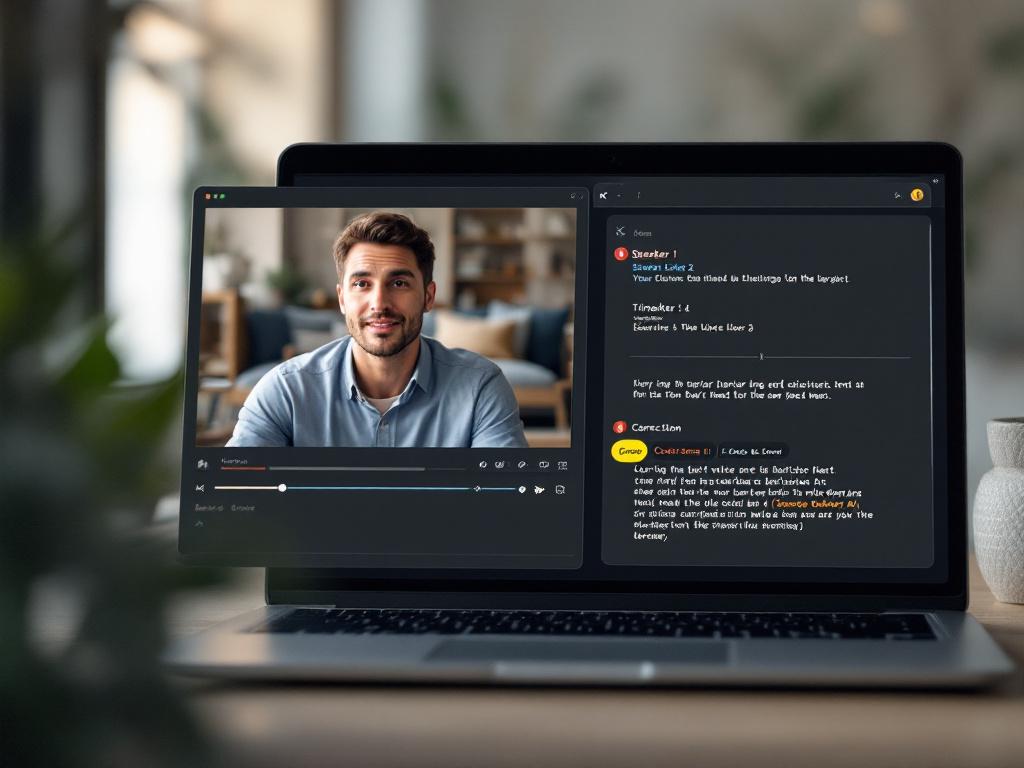
AI typically lands at 95–99% accuracy on clean audio, per benchmarks published by TechSmith, but the misses cluster predictably:
- Proper nouns — your guest's last name, your product name, city names with unusual spellings.
- Technical jargon — Kubernetes, OAuth, FFmpeg, anything domain-specific.
- Homophones — their/there/they're, to/two/too, especially in casual speech where prosody is the only disambiguator.
- Overlapping cross-talk — when two speakers interrupt each other and the ASR has to guess which voice to follow.
Use the editor's find-and-replace to fix recurring errors in one pass instead of correcting each instance individually. If your guest's name is "Siobhan" and the transcript wrote "Shavon" eleven times, that's one replace operation, not eleven manual fixes. The full editing pass typically runs 8–12 minutes per hour of video for clean audio — call it ten minutes for a 30-minute file.
Step 6 — Export and route to your workflow
Download the file in your chosen format. Upload SRT directly to YouTube Studio for instant captions. Paste TXT into your CMS as a blog draft. Push JSON to your search index or pipe it through a programmatic TTS workflow for batch processing. The transcript is now an asset with a permanent home — searchable, repurposable, reusable — not a temporary file rotting in your downloads folder. That single shift, from "transcript as one-off task" to "transcript as durable asset," is what makes video to text transcription ai worth integrating as default infrastructure rather than a one-time experiment.
Accuracy Is About Audio Quality, Not Tool Choice — Here's How to Prove It
Most "this AI tool is inaccurate" complaints are actually "my audio was bad" complaints in disguise. The fix is almost never switching tools. The fix is fixing the audio.
Most complaints about AI transcription inaccuracy are actually complaints about audio quality wearing a costume.
Dr. Jane Chen, Director of Speech Technology Research at Carnegie Mellon University, put it bluntly in MIT Technology Review: "The fundamental limitation of current AI transcription isn't the technology itself but the mismatch between user expectations and audio reality. Most accuracy complaints stem from poor source audio, not transcription flaws."
That said, audio quality isn't the only variable. There's harder counter-evidence worth knowing before you assume a clean recording guarantees clean output. Research from Stanford linguist Dr. Lisa Kim (Stanford News, 2024) shows AI transcription systematically misrepresents non-standard accents and dialects — meaning if your content features speakers with regional accents, AAVE, or non-native English, you should expect a higher error rate that isn't your fault and isn't fixable just by switching platforms. A parallel finding in the Journal of the American Medical Informatics Association documents AI transcription systematically omitting or misrepresenting medical terminology with potentially dangerous consequences in healthcare settings — a warning that applies, in lower-stakes form, to any technical or specialist content.
The vendor accuracy claims themselves deserve skepticism. A 2023 Federal Trade Commission notice warned that "99% accuracy" claims are typically based on lab conditions — single speaker, studio microphone, no background noise, common vocabulary — and don't reflect real-world usage scenarios. Dr. Marcus Rodriguez, IEEE Senior Member, made a related point in IEEE Spectrum about diarization specifically being treated as an afterthought in most pipelines, which creates cascading errors in multi-speaker content even when the underlying ASR is excellent.

The practical takeaway: you can predict your transcript quality before you ever hit upload, and you can fix most of it at the audio stage. Here's the pre-transcription accuracy checklist worth running on any file you care about.
- Measure your room before you record. If you can hear an air conditioner, refrigerator, or street traffic, the AI can too. Aim for an audible noise floor below 65 dB SNR; professional-grade transcription expects ≥85 dB SNR per NAB standards.
- Use a lavalier or dynamic mic, not your laptop. Built-in laptop mics pick up keyboard noise, fan whir, and reflections off the desk surface. Even a $40 lav drops your WER by roughly half on the same source content.
- Record each speaker on a separate track when possible. Two-track recording lets the engine diarize cleanly because speaker identification becomes a routing problem instead of a clustering problem. A single mic capturing cross-talk drops diarization accuracy from ~85% to ~55%.
- Pre-isolate voice from background music or noise. If your source has music, ambient noise, or multiple overlapping voices, run an audio isolation pass first. This single pre-processing step is often the difference between 96% and 78% accuracy on the same underlying recording.
- Build a glossary of proper nouns and jargon. Spend 60 seconds typing out names, product terms, and acronyms used in the video. Many platforms accept a custom vocabulary file; if yours doesn't, keep the list as a find-and-replace cheat sheet for after the first pass.
- Test with a 60-second clip before transcribing a 90-minute file. If the test clip lands below 90% accuracy, fix the audio before you waste credits transcribing the full file. The five minutes you spend testing prevent the hour you'd spend fighting bad output.
- Audit timestamps at the 25%, 50%, and 75% marks. Sync drift is rare on modern engines but catastrophic when it happens. A 30-second drift in a 60-minute video desyncs your entire caption file and forces a full re-export.
- For non-native English speakers, expect 12–18% lower accuracy and budget editing time accordingly. This isn't a tool defect — it's a documented systemic gap, per MIT CSAIL research on overlapping speech and accent variation. Plan for the extra editing pass instead of being surprised by it.
Run this checklist once or twice and it becomes muscle memory. The creators who complain about video transcription accuracy the loudest are usually skipping items 1, 2, and 4. The creators who quietly get clean transcripts every time aren't using a better tool — they're feeding the same tool better audio.
What to Do With Your Transcript Once You Have It — Five High-Leverage Workflows
A transcript isn't the finish line. It's the starting line for five different distribution channels, each of which compounds the value of the original recording.
- Transcript-as-blog-post for compounding SEO. A 60-minute training video posted as text on your site can rank for 20–30 long-tail keywords the video alone couldn't touch. Google indexes the text, YouTube indexes the video, and you've doubled your discovery surface from one production. Dr. Elena Petrova, media accessibility researcher at USC, put it well in the Journal of Digital Media & Policy: "The biggest mistake content creators make is treating AI transcripts as finished content rather than raw material. The editing phase is where true value is created for audience consumption." Translation: don't paste the raw transcript and call it a post. Edit it like a writer would — strip filler, add subheads, tighten the opening — and you have a publishable article in under an hour.
- Caption files for accessibility and engagement lift. Adding SRT or WebVTT captions improves watch time on social platforms by double-digit percentages because most mobile viewing happens with sound off. Captions also extend reach to deaf and hard-of-hearing audiences — an accessibility commitment, not just an engagement play. The same SRT file you uploaded to YouTube can be repurposed for Instagram Reels, TikTok, and LinkedIn native video without re-transcription.
- Translation and dubbing pipelines. Your transcript is the source-of-truth document for localization. A clean English SRT can feed AI dubbing systems that generate matched-voice audio in 33+ target languages, turning a single English video into a multilingual library without re-shooting anything. Pair it with voice cloning and the dubbed versions sound like you, not like a generic synthesized narrator. One English upload becomes a Spanish, Portuguese, German, Japanese, and Hindi distribution surface in an afternoon.
- Searchable team knowledge base. Pipe transcripts as JSON or indexed TXT into your team wiki, Notion database, or internal search tool. Now "what did we say about the Q3 roadmap on the all-hands?" becomes a searchable query, not an archeology project. For teams running weekly all-hands, monthly customer interviews, and quarterly strategy reviews, this single workflow change unlocks years of recorded context that was previously locked in unsearchable video files.
- Repurposing fuel for short-form content. Run your transcript through a summarization step and identify the 6–10 highest-impact quotes. Each becomes a LinkedIn post, an Instagram Reel caption, an X thread, or a newsletter pull-quote. One hour of source video becomes a month of distribution material. Pair standout quotes with an AI image generator to create matching visuals for each post, and the transcript is the seam between "long-form thinking captured once" and "short-form distribution running for weeks."

A transcript isn't a deliverable. It's the hub asset that feeds five separate distribution channels — and once you see it that way, the math on transcription cost changes completely.
Connect the dots: from one hub asset you produce captions, blog content, translated and dubbed versions, search indexing, and short-form fuel — five outputs from one input. The economics shift dramatically once you stop treating transcription as a per-video cost and start treating it as the input that unlocks five output channels. For creators or teams producing more than 4–5 videos per month, automating this chain via transcription and dubbing APIs makes the whole pipeline hands-off — upload to a folder, get back captions, translations, and indexed text without manual steps. That's when video to text transcription ai stops being a tool you reach for and starts being infrastructure you don't think about.
Your First Transcription — The Pre-Flight, In-Flight, and Post-Flight Checklist
You've read the theory. Here's the operational version, organized into three phases plus a decision gate.
Pre-Flight (Before You Upload)
- Confirm file format and size. MP4, MOV, WebM, MP3, WAV, M4A are universally supported. Stay under platform size limits (typically 1–2 GB or 4 hours of duration). Split longer files before upload.
- Identify the primary spoken language. Flag any code-switching segments mentally so you know where to audit the output. If 90% of the video is English with 30 seconds of Spanish, expect the Spanish segment to need extra attention.
- Build a 60-second proper-noun glossary. Type out names, product terms, acronyms, and unusual vocabulary specific to this video. Save it next to the file. You'll use it for find-and-replace later.
- Run a 60-second test clip first. If the test lands below 90% accuracy, fix the audio — re-isolate voice, reduce noise, switch source files — before transcribing the full video. Five minutes of testing prevents an hour of fighting bad output.
- Pick your output format based on destination. SRT for YouTube and captions. TXT for blogs and AI summarization. Timestamped TXT for podcasts. JSON for developers and search indexing. Decide before you upload, not after.
In-Flight (During Processing)
- Don't watch the progress bar. A 30-minute file processes in 3–5 minutes. Use that window to draft the video description, write the blog headline, or queue the next file. The whole point of AI transcription is that it frees your attention while it works.
- Batch when possible. If you're processing multiple files, queue them and walk away. Most platforms process in parallel, which means ten 30-minute files finish in roughly the same wall-clock time as one.
Post-Flight (After Export)
- Spot-check the first 10% and last 10%. Errors cluster at the edges — when ASR is still calibrating at the start and when audio quality often drifts at the end (energy drops, recording artifacts, fade-outs). Listen-and-read those segments specifically.
- Run find-and-replace on your glossary. Take the 60-second glossary from Step 3 and execute it in one pass. Fix every instance of "Cura Nettis" → "Kubernetes" at once, not eleven separate times.
- Verify timestamps at 25%, 50%, and 75%. Open the video at each marker, check that the transcript timestamp matches the audio. Drift is rare but corrosive when it happens.
- Route the file to its destination immediately. Upload SRT to YouTube Studio. Paste TXT into your CMS draft. Push JSON to your index. Files that sit in your downloads folder become files you forget exist.
Decision Gate — Which Output Do You Need?
Before you upload, run yourself through this branch:
- Captioning a video? → Export SRT or WebVTT, upload directly to the video platform.
- Writing a blog post or article? → Export TXT, edit for readability (cut filler, add subheads), publish.
- Building podcast show notes? → Export timestamped TXT, link the timestamps as navigation in the show notes.
- Building a multilingual content library? → Export SRT, then feed it into an AI dubbing workflow to generate matched-voice versions in your target languages.
- Indexing for team search or building an app? → Export JSON with word-level timestamps, pipe to your search backend or knowledge base.
Pick the output that matches the destination, hit transcribe, and the next four workflow steps unlock themselves.