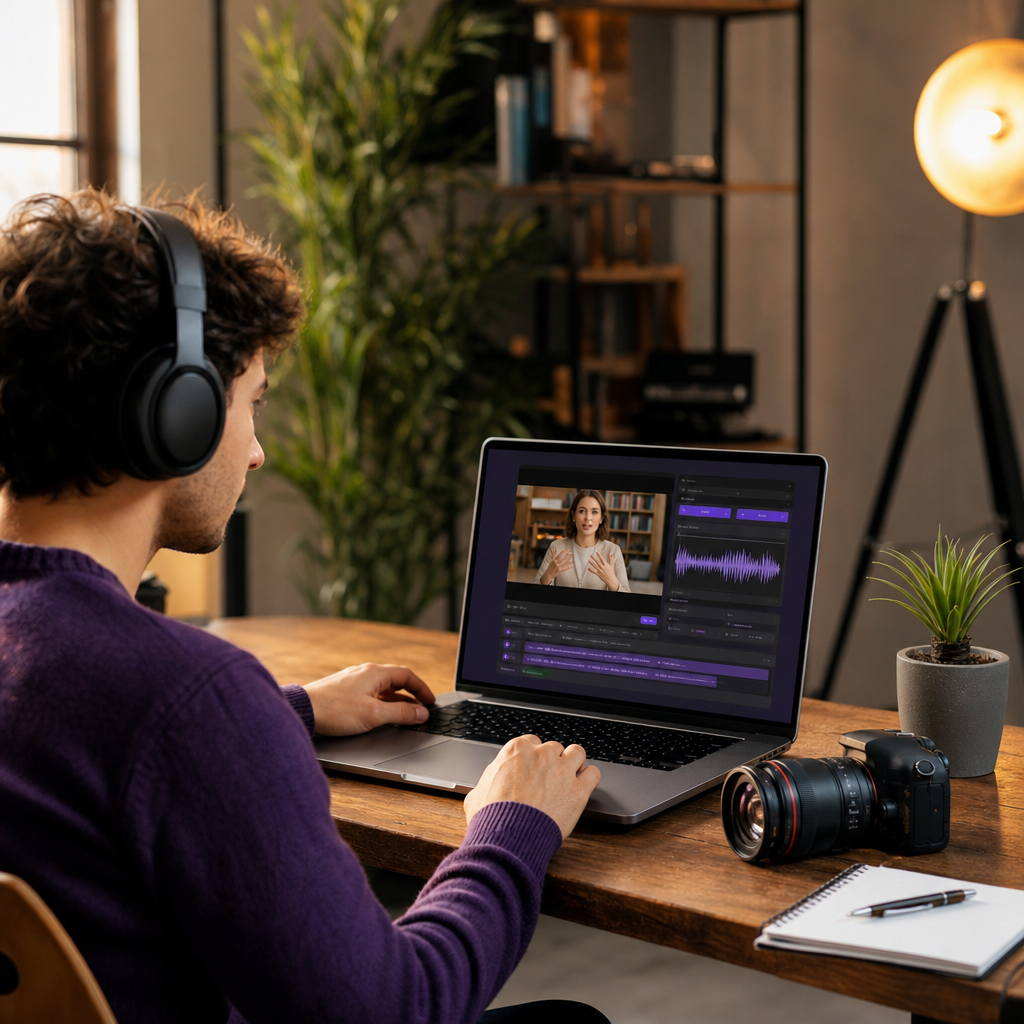
Dubbing a video into French with AI means replacing the original dialogue with natural-sounding French speech while keeping the timing, meaning, and viewing experience intact. The quickest route is an AI dubbing platform that transcribes the source, translates the lines, generates French audio, and aligns everything to the video. With our AI Dubbing, you upload a video or paste a YouTube link, choose French as the target language, review the transcript and timing, edit individual segments, and export a finished project. Our AI Dubbing supports source material from more than 60 languages into 33 target languages, so a French version is a few decisions away rather than a studio booking.
This guide walks through the decision you are actually making: not "can AI do it," but how to produce a French dub that sounds like it was written for French speakers, with the right voice, natural phrasing, and clean sync.
Table of contents
What you need before you start
The quality of a French dub is decided before you select a voice. Start with the cleanest master you have: clear dialogue, limited background noise, and a single dominant speaker per segment wherever possible. Heavy music, overlapping speakers, and strong accents all make transcription and speaker separation less reliable, and problems in the source multiply once a French track is generated on top of them.
A short preparation list keeps you from redoing work:
- The original video file, or a YouTube link where that input is supported
- Permission to translate and redistribute the content
- A decision on voice style: professional, conversational, educational, or promotional
- A reviewed source transcript, especially when the video contains names, numbers, acronyms, or industry terms
If the dialogue is buried under music or effects, clean the audio first rather than fighting artefacts after the fact. Isolating the voice with a speech separator gives the recognition step a cleaner input, and a cleaner input is the single biggest lever on final quality.
How AI builds the French track
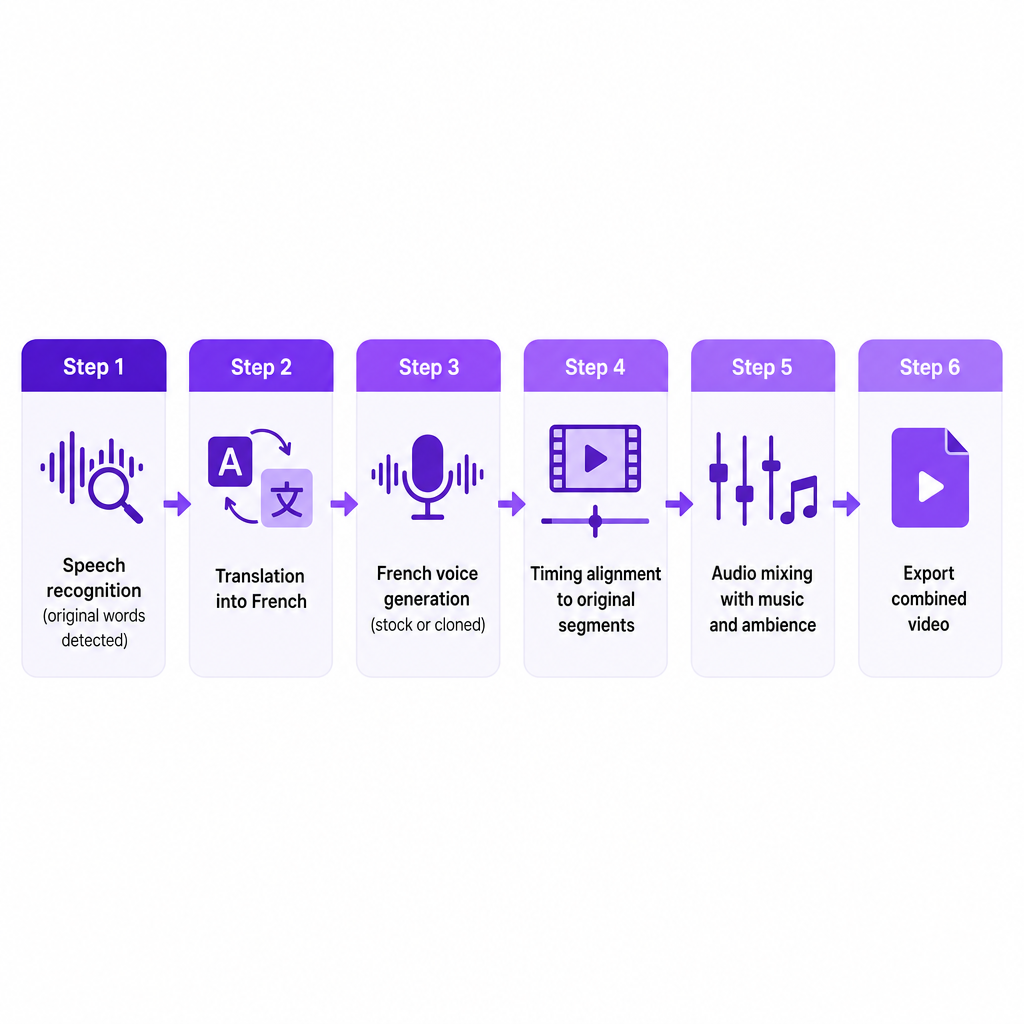
Under the hood, AI dubbing chains several operations: speech recognition reads the original words, translation converts them into French, a stock or custom voice generates the speech, timing alignment fits that audio to the original segments, mixing balances dialogue against music, and export merges the new track with the picture. You don't run these manually, but understanding the chain tells you where to intervene.
The editing stage is where most of the value sits. Literal translation rarely matches spoken French: lines often need to be shortened, rephrased, or split differently so they land naturally and fit the scene. Our Dubbing Studio lets you regenerate a single segment, edit timestamps, change the speech rate, and adjust background-sound volume, which means you can fix one awkward line without touching the rest of the project.
Choosing the right French voice
The voice should match the content and the audience, not just sound pleasant in isolation. A warm, slow narrator that works for a meditation clip will undercut a fast product demo. Two routes cover most projects.
A stock French voice is the fastest option for explainers, product demos, social clips, e-learning modules, internal training, and marketing videos. Our Text to Speech library includes more than 300 AI voices across multiple languages and accents, so you can attach a suitable French narration without recording anyone. When you audition voices, listen specifically for how French names and terminology are pronounced, whether the pace stays intelligible, and whether the formality fits the market you are targeting.
A cloned voice is the right call when a recognizable narrator or brand presenter needs to carry across languages, such as a creator's channel or a recurring training series. Our voice cloning builds a custom voice from a short sample and makes it available inside Text to Speech and AI Dubbing. We recommend at least 20 seconds of clean audio without background noise, and supported upload formats include MP3, WAV, AAC, M4A, and FLAC. Only clone a voice you are authorized to use; never upload another person's recording without their permission.
Why French localization beats literal translation
A grammatically correct translation can still sound wrong to a French ear. The script needs a localization pass, not just a translation pass, and several choices are specific to French:
- Formal vous versus informal tu, set consistently for the audience
- Word order and sentence rhythm that read as spoken French, not transposed English
- Gender and agreement across adjectives and participles
- Idioms, humor, and calls to action adapted rather than translated word for word
- Numbers, dates, currencies, and measurements in local conventions
- On-screen text that may still appear in the original language
Audience also shapes vocabulary and pronunciation. Decide early whether the video targets France, Canada, Belgium, Switzerland, or a broad international audience, because expressions and references shift between them. Our AI Dubbing supports multiple languages and dialects but does not publish a fixed French dialect list, so the reliable move is to audition the selected voice and read the final script inside the project rather than assuming a regional default.
The editing passes that separate rough from publishable
The difference between a usable French dub and a machine-translation dump is a handful of disciplined review passes. Treat each as its own job instead of one vague "check everything" sweep.
Start by inspecting the auto-detected transcript before you generate the final French track. Correct misheard words, proper names, acronyms, numbers, technical vocabulary, and segment boundaries, and confirm each segment is attributed to the correct speaker. Speaker errors make an otherwise accurate dub feel off. Then set French as the target language and assign a stock or authorized custom voice; a single narrator usually needs one consistent voice, while interviews and dialogue-heavy content benefit from distinct voices per speaker where the workflow supports it.
Next, read the translated dialogue for meaning and natural delivery, replacing literal phrasing and keeping terminology consistent for features, lessons, calls to action, and recurring character names. French can take more or less time than the source, so listen for lines that end too early, collide with the next speaker, or race. You can edit timestamps and stretch or compress audio to adjust the speech rate, but use it sparingly because heavy speed changes sound artificial. Balance the background last: lower loud music so the French voice stays intelligible without muting the ambience entirely.
| Symptom | Likely cause | Practical fix |
|---|---|---|
| French reads like literal English | Translation follows source structure | Rewrite for natural spoken French, keep meaning and timing |
| Voice speaks too fast | French line longer than source | Shorten or re-split the line; adjust timing modestly |
| Names or terms mispronounced | Model misreads unfamiliar words | Use phonetic spelling, regenerate only that segment |
| Speaker changes unexpectedly | Wrong speaker label or inconsistent voice | Fix labels, apply the same voice across related segments |
| Music overwhelms dialogue | Mix built around the original recording | Lower background volume, check on headphones and speakers |
When a single line misfires, regenerate just that segment rather than the whole video. It saves review time and makes it easy to compare the before and after. Finally, watch the full French version end to end before publishing. A 20-second preview can sound flawless while a longer project hides repeated timing or pronunciation issues, which matters most for paid ads, courses, and public-facing brand content.
Stock voice, cloned voice, or human actor
The production route depends on stakes, volume, and how much the original performance matters. AI dubbing shines when you need to localize many videos, test a French-speaking market, or ship updates quickly; human work earns its cost when humor, emotional nuance, legal precision, or culturally sensitive language carry the project.
| Option | Best for | Main advantage | Main limitation |
|---|---|---|---|
| Stock French AI voice | Explainers, ads, training, fast localization | Quick to generate and easy to swap | May not match the original narrator's identity |
| Authorized cloned voice | Recurring creators and branded channels | Keeps one recognizable voice across languages | Needs permission and clean source audio |
| Human French voice actor | High-stakes campaigns, films, premium narration | Human interpretation and direction | More time, coordination, and budget |
| French subtitles only | Short tests or reading-comfortable audiences | Preserves the original performance | No localized spoken experience |
Many teams blend these: a cloned brand voice for the main channel, stock voices for high-volume support content, and a human actor reserved for flagship launches.
Scaling French dubbing through the API
When French dubbing is part of an application or a repeatable pipeline, the API removes the manual steps. Our Voice Cloning API uses a presigned upload URL, creates a custom voice from the uploaded file, and returns a voice ID you can reference in Text to Speech or AI Dubbing jobs. From there, the AI Dubbing API can drive the dubbing itself across your catalog.
This fits teams localizing a library of training videos, producing recurring multilingual marketing content, building a creator or agency tool, reusing an approved brand narrator, or automating voice creation and project prep. Treat permissions as infrastructure: protect API keys, restrict access to uploaded recordings, and keep a record of voice consent. Custom voices and their audio data can be deleted, but define your own retention and approval policy before processing client or employee recordings.
Frequently asked questions
Can I dub a YouTube video into French?
Yes. Our AI Dubbing workflow accepts a YouTube link or an uploaded audio or video file, then lets you edit the generated project and download the finished French version.
Can I keep the original speaker's voice in French?
You can, using an authorized custom voice. Our voice cloning creates a voice from a sample and makes its voice ID available inside AI Dubbing, so a recognizable narrator can carry into French.
How much audio is needed to clone a voice?
We recommend at least 20 seconds of clean audio without background noise for best results. Supported upload formats include MP3, WAV, AAC, M4A, and FLAC.
Is AI dubbing the same as adding French subtitles?
No. Subtitles display translated text while the original audio keeps playing. AI dubbing generates a French voice track so viewers follow the video without reading.
Should I pick a French voice from France or Canada?
Match the voice and vocabulary to your audience. Use France-appropriate language for France-focused content and review terminology for Canadian French when targeting Canada; for international reach, prioritize clear, widely understood wording and test with a native reviewer.