
音声テキスト変換API:2025年に適切なものを選択する方法
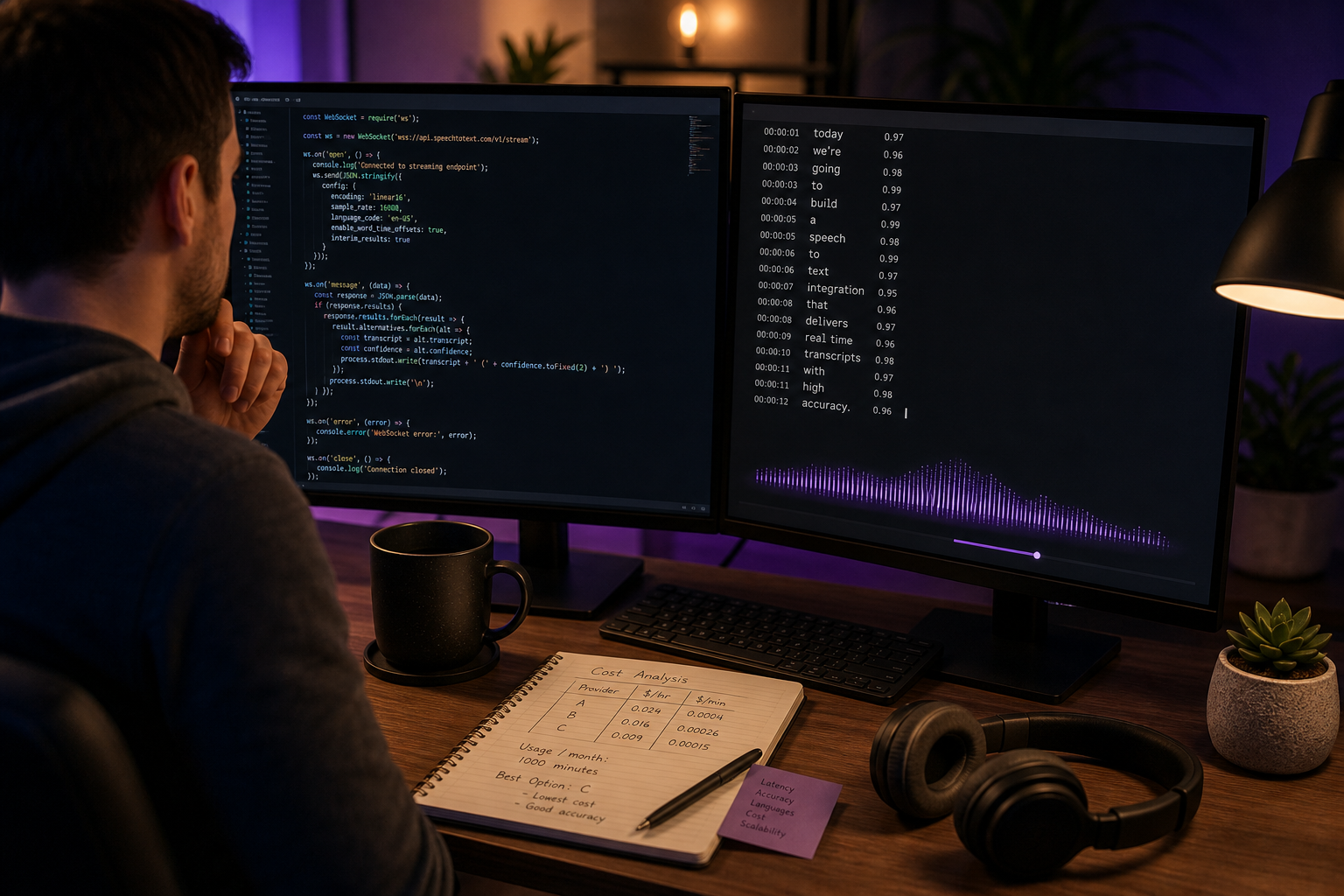
ユーザーが愛用するアプリを構築しました。ただし、機能リクエストは絶え間なく来ています。「タイプする代わりに話すことはできませんか?」そこで、音声テキスト変換APIの評価を開始します。1時間以内に、少なくとも4つの矛盾した価格設定モデル、「95%」から「99%+」まで変動する精度の主張(測定対象の共有定義なし)、3行のドロップインから週間の悪いドキュメント読みまでのSDK品質に直面しています。
リスクは両端で現実的です。大規模で誤った選択をすると、ストリーミングオーバーヘッドで月額3,000~8,000ドルの出血が発生するか、5つのうち1つの発話で誤動作する音声機能を提供することになります。PNAS(2020)のKoenecke et al.によると、5つの主要な商用音声認識システムのエラー率は、アフリカ系アメリカ人方言英語話者で35%対白人話者で19%でした。このギャップは「精度の問題」を「ユーザーの30%があなたの製品を使用できない問題」に変えます。
このガイドでは、決定フレームワーク、価格計算方法、パイロットプロトコル、および6つのプロバイダーの詳細な比較を提供します。これには、クレジットベースのモデルが可変ワークロードを含む構築にどのように適合するかも含まれます。
目次
- 音声テキスト変換API選択を実際に推進する5つの決定軸
- コンテキストにおける精度—「99%ベンチマーク」があなたの本番オーディオについてウソをつく理由
- 遅延、ストリーミング、およびリアルタイムコスト乗数
- コスト模型の解明—1分あたり対同時実行対クレジットプール
- 統合の現実—9つの質問SDK&API監査
- ヘッド・ツー・ヘッドプロバイダースナップショット—各音声テキスト変換APIを選択する時期
- あなたの音声テキスト変換API選択チェックリスト
音声テキスト変換API選択を実際に推進する5つの決定軸
ほとんどの比較記事は30以上の機能をリストアップして研究と呼んでいます。それを拒否してください。たった6つの軸で、音声テキスト変換APIが特定のビルドで機能するかどうかが決まります。また、任意のプロジェクトでは、実際に重要なのは2つか3つだけです。
あなたのドメインでの精度。 汎用APIを使用する医療スクライブアプリは、「メトプロロール」を「メタペラル」として誤ってレンダリングします。単語エラー率(WER)の集計はこの種の障害を隠しています。Dan Jurafskyが音声および言語処理で主張しているように、WERはすべてのエラーを平等に扱います。ただし、臨床または法律の文脈では、間違った医薬品名1つまたは見落とされた否定1つは不釣り合いな影響を与えます。重要なのはベンチマークの見出しではなく、あなたのオーディオに対するドメイン固有のWERです。
遅延プロフィール。 ライブキャプション・アクセシビリティツールは、1秒未満のエンドツーエンド応答が必要です。ポッドキャスト転写パイプラインは10分待つことができます。Nielsen Norman Groupの「応答時間:3つの重要な制限」によると、100ミリ秒未満の応答は瞬間的に感じられ、1秒未満でフロー状態を保持し、10秒以上でタスク放棄につながります。ショッピングする前に、ユースケースを層に対応させます。
オフライン/オンデバイス機能。 農村地域でのフィールドリサーチアプリは、クラウドラウンドトリップに依存することはできません。AppleのSpeechAnalyzer API(WWDC 2025)は、iOS/macOSのプラットフォームレベルのオンデバイスオプションです。自己ホストされたWhisperまたはVoskはGPUを管理する意思がある場合、完全なオフライン制御を提供します。
言語カバレッジとコードスイッチング。 Whisperは、680,000時間の多言語オーディオで訓練された後、50以上の言語を同等の品質でサポートしています(Radford et al.、OpenAI 2022)。GoogleとAWSは階層化言語グループを使用します。ここで第2層言語は精度が低くなり、場合によっては別の価格設定を受けます。
コスト模型アーキテクチャ。 1分あたり支払い、同時実行接続、およびクレジットプールは、各スケーリングで異なる方法で壊れます。1週間で4時間アップロードし、次の週で40時間アップロードするYouTuberは、遅い週とスパイク週の両方で1分あたりの請求によって罰せられます。ロールオーバー機能を備えたクレジットプールはその差異を吸収します。
統合表面積。 SDK品質、Webhook対ポーリング、エラー処理のデフォルト。これは「簡単なAPI」が3週間の損失に変わるところです。
5つの軸が価値のあるすべての音声テキスト変換API決定を推進しており、その中の2つか3つだけがあなたのビルドに適用されます。
| 決定軸 | 重要な理由 | 一般的な落とし穴 | 最適なユースケース |
|---|---|---|---|
| ドメイン精度 | ベンダー「99%」は清潔な読み上げ音声を使用します | ノイズの多いモバイルオーディオに対してLibriSpeechを信頼する | 医療、法律、金融アプリ |
| 遅延プロフィール | ストリーミングはバッチより3~5倍のコストがかかる | バッチ許容ケースのストリーミングを購入する | ライブキャプション対ポッドキャストアップロード |
| オフライン機能 | プライバシー+接続制限環境 | Web Speech APIがオフラインであると仮定する | 医療フィールドアプリ、モバイルファースト |
| 言語カバレッジ | 第2層言語=精度低下 | 多言語オーディオの自動検出 | 多言語SaaS、グローバルコンテンツ |
| コスト模型 | 1分あたりはストリーミングがキックするまで安く見える | ストレージ、出力、再試行コストを無視する | 可変ボリュームのクリエーターワークフロー |
| 統合表面 | 悪いSDKは開発週を費やさせる | 「ドキュメントで簡単」≠簡単に配送される | すべてのビルダー |
この表はフィルターであり、判決ではありません。YouTubeクリエーターが1週間に10個のバッチジョブをアップロードする場合、コスト模型と言語カバレッジについて心配します。医療アプリは精度とオフライン機能について心配します。リアルタイム会議ツールは遅延と統合表面について心配します。
さらに読む前に、特定のビルドにとって最も重要な2つまたは3つの軸に丸をつけてください。コストセクション(数千ドルの差)とセクション最後のプロバイダースナップショットは、どの軸を優先したかによって完全に異なって見えます。1つの決定ですべての6つを最適化しようとすると、毎回最も高い価格のプロバイダーに配信されます。実際に使用することのない機能を備えています。
コンテキストにおける精度—「99%ベンチマーク」があなたの本番オーディオについてウソをつく理由
すべての音声テキスト変換APIベンダーは精度数字を発表しています。その中のほとんどは、APIが本番オーディオでどのように実行されるかを予測していません。その理由と実際に重要なことをテストする方法は次のとおりです。
ベンチマークオーディオはクリーンですが、本番オーディオはそうではありません。 LibriSpeechなどの公開ベンチマークは、読み上げオーディオブック音声で構成されています。単一の話者、ニュートラルなアクセント、クリーンな録音。Whisperの大規模モデルは、LibriSpeechテストクリーンで約4.7%のWER、より挑戦的なセット(テストその他)で約8~9%のWERを報告しています(Radford et al.、OpenAI 2022)。本番オーディオのギャップ—ノイズの多い、アクセントのある、重複する話者—はさらに広いです。ベンダーがデータセットと記録条件を指定せずにWERを引用する場合、その数字をマーケティングコピーではなく工学データとして扱います。
WERは多くのアプリで間違ったメトリックです。 NIST ASR評価ガイドラインの標準定義は(代替え+削除+挿入)/参照単語です。すべての単語を等しく重要として扱います。ただし、患者の医薬品名、財務数字、または法廷証人の名前を誤ってレンダリングすることは、フィラー単語を削除することと同じ結果を持たない結果があります。Jurafsky の主張:タスク固有のメトリックで評価します—音声アシスタントのスロット充填精度、医療および法的使用のための重要な用語リコール、ジャーナリズムのための固有表現精度。集計WERは7%かもしれません。重要な用語WERは22%かもしれません。そのうち1つだけがあなたのユーザーに重要です。
アクセント方言パフォーマンスは劇的に異なります。 このガイドの上部で引用されたPNAS研究は、5つの主要な商用システムをテストし、アフリカ系アメリカ人方言英語話者のWERが白人話者のWER 0.19に対して平均0.35であることを発見しました。これは公平性の脚注ではありません。これはビジネスリスクです。ニュートラルなアメリカ英語でのみQAされたため、ユーザーベースの3分の1で失敗するアプリは、署名する前に何も壊されたものを配布しています。修正は別のベンダーを選択することではありません(ほとんどは同じギャップを持っています)。修正は、署名する前に実際のユーザーを表すオーディオでテストすることです。
ベンチマークの99%精度主張は、APIがあなたのユーザーをどのように処理するかについては何も言いません。重要なのは、あなたのオーディオ、あなたのアクセント、あなたのドメイン語彙に対するパフォーマンスです。
ストリーミング精度はバッチ精度より悪い。 ストリーミングシステムは、より多くのオーディオが到着するにつれて書き直される暫定(「部分的な」)単語を出力します。バッチシステムは完全な発話を待ってから改善します。ストリーミングWERは、同じエンジンでの同じコンテンツのバッチWERより通常5~15%悪いです。このギャップはベンダーマーケティングでほぼ完全に開示されていません。ライブ転写製品を構築している場合は、それを考慮に入れてください。
コードスイッチングはほとんどのAPIを壊します。 コードスイッチングは、発話の途中で言語を交互にすることを意味します。スパングリッシュ、ヒングリッシュ、タガログ語-英語。Whisperは、680,000時間の多言語オーディオで訓練されているため(Radford et al.、2022)、ほとんどのデータより優れています。ほとんどのクラウドAPIでは、言語を事前に宣言する必要があり、話者が途中で言語を切り替えると硬く低下します。ユーザーが同じセッション内で複数の言語を話す場合、このケースを明示的にテストしてください。また、下流でのローカライズも必要なマルチリンガルワークフローの場合、33言語全体に組み込まれたAI Dubbingを備えたプラットフォームは、転写、翻訳、ダビングを1つのパイプラインに折りたたむことができます。
7日間のパイロットプロトコル
ベンダー精度請求を信頼する代わりに、1週間の概念実証を実行します。
- 1日目~2日目:30分の実際の本番スタイルのオーディオを収集します。最悪のケースを含めます。ノイズの多い環境、アクセントのある話者、ドメイン専門用語、重複する音声。
- 3日目~4日目:3つの候補APIで転写します。1つのバージョンを手動で修正して、参照トランスクリプトとして使用します。
- 5日目:全体的なWERを測定し、話者、アクセント、ドメイン用語リコール別に分類します。
- 6日目:同じファイルでストリーミング対バッチをテストします。精度デルタを測定します。
- 7日目:発生したコスト統合摩擦を文書化します。認証の複雑性、SDKの問題、エラー応答品質。
ITNEXTで書いた1人のエンジニアは、マイクセットアップとカスタム語彙を調整した後、最新の音声テキスト変換が技術執筆の独自のタイピングよりもエラーが少ないことを報告しました。結論は、単一のAPIが魔法であるということではありません。これは、API選択は重要ですが、API周辺のオーディオパイプラインは少なくとも同じくらい重要です。悪いオーディオの優れたAPIは、調整されたオーディオのまともなAPIに負けます。
遅延、ストリーミング、およびリアルタイムコスト乗数
遅延は、エンジニアが最も過度に支出する軸です。リアルタイム転写はデモで魔法のように感じられ、本番環境では3~5倍のコストがかかります。ストリーミング インフラストラクチャにサインアップする前に、ユーザーが実際に何を必要とするかを決定してください。
- 同期ストリーミング遅延(ライブキャプション、音声アシスタント)。 アクセシビリティキャプション用に1秒未満のエンドツーエンド、音声チャットボット用に300~800ミリ秒のラウンドトリップのターゲット。2秒以上で、リアルタイムの幻は壊れます。これらのしきい値は、応答時間認識に関する確立されたUX研究にマップされます(Nielsen Norman Group)。ストリーミングAPIは、永続的なWebSocket接続を介してこれらに達成し、オーディオが到着するにつれて中間結果を出力します。
- 非同期バッチ遅延(ポッドキャストアップロード、サポート通話レビュー、YouTubeサブタイトル)。 処理時間の分から時間は許容されます。バッチはおよそ3~5倍安い1分当たりストリーミングよりも同じプロバイダーで、インフラストラクチャが接続を保持していないため(Google CloudおよびAWS Transcribe価格ドキュメント)。録画されたコンテンツをアップロードするクリエーターワークフローの場合、バッチはほぼ常に正しいです。
- ハイブリッド/ニアリアルタイム(遅延修正を伴うライブドラフティング)。 一部のワークフローは、より高い精度とより低いコストと引き換えに2~5秒の遅延を受け入れます。会議の転写ツールは、3秒以内に粗いテキストを表示し、30秒以内に改善する場合があります。このパターンは、ライブビューのストリーミング使用とWebhookコールバック(ポーリングではなく)を介した保存されたトランスクリプトのバッチ処理を使用します。DubSmart's AI Dubbing APIなどのメディアワークフロー用に特別に構築されたプラットフォームは、完了したジョブにWebhookコールバックを使用します。Make.com community thread on AudioPen webhook integrationでステータスのポーリングをあなたのバックエンドに強制するのではなく。
- リアルタイム係数(RTF)—エンジニアのメトリック。 本番システムは、インタラクティブな使用のためにRTF < 1.0をターゲットにします。1秒のオーディオを1秒未満の壁時間で処理します。オンデバイスまたはGPU加速Whisperデプロイメントは、コンシューマーGPU上の中程度のモデルで、おおよそRTF 0.5~0.9に達します。セルフホストされたセットアップがRTF > 1.0で実行される場合、キューイングなしではストリーミングは不可能です。

遅延コスト精度の三角形は交渉の余地がありません。2つを選ぶことができます。ストリーミングは、直前性のために精度と予算を犠牲にします。バッチは、精度とコストのために直前性を犠牲にします。ハイブリッドアーキテクチャはますます一般的ですが、統合の複雑さを追加します。選択する前に、1つの質問をしてください。ユーザーは実際に5秒の遅延に気付くでしょうか?答えが「いいえ」であれば、バッチが正しいアーキテクチャであり、年間APIスペンドの70%を節約したばかりです。
コスト模型の解明—1分あたり対同時実行対クレジットプール
音声テキスト変換APIマーケットには3つの価格設定アーキテクチャがあり、それらを混同することが最も一般的な調達の間違いです。
1分あたり支払い(バッチ標準)。 提出されたオーディオの1分あたり請求されます。多くの場合15秒の増分で。予測可能なワークロードの場合、簡単に予測できます。OpenAI Whisper APIはおおよそ$0.006/分です(OpenAI価格ページ)。多くの場合、従来のクラウドASRプロバイダーより3~5倍安いです。それは$0.02~0.03/分標準英語バッチモデルの周辺にクラスター化されます。
同時実行接続(リアルタイムストリーミング)。 開いたストリームごとに支払います。多くの場合接続分または同時スロットごとに請求されます。ここで請求額が急上昇する場所です。50人のユーザーが同時にストリーミングを開始する場合、50分のオーディオではなく50接続を支払います。GoogleクラウドとAWSはストリーミングセッション対オフラインバッチジョブに対する異なるより高い率を発表します。
ロールオーバー機能付きクレジットプール(柔軟なワークロード)。 使用する機能に応じて可変レートで消費されるクレジットのプールを購入します(転写、ダビング、音声クローニング、テキストツースピーチ)。未使用クレジットはロールオーバーします。このモデルは可変ワークロードに適合します。1週間で4時間アップロードし、次の週で40時間アップロードするYouTuberは、スパイク週または低迷週の1分あたりの請求によって罰せられません。DubSmart AIはこのモデルを使用して、1つのクレジット残高の下で転写、音声クローニング、テキストツースピーチをバンドルしています。
実施例—YouTubeクリエーター:
- 10本のビデオ/週×各30分=週300分のソースオーディオ
- $0.006/分のバッチ転写=週1.80ドル、または約年94ドル
- ストリーミングライブキャプション付きデモ(月5時間)をバッチレートの4倍で追加=約年72ドル追加
- クリエーターが3言語にダビングする場合、毎月の転写+ダブクレジット必要は約5,000クレジット—中層クレジットプール計画に適合
月5,000時間以下のボリュームで、独自の転写スタックを構築することは、現実よりもファンタジーで安いです。$50 APIティアは1日で出荷されますが、自己ホストされたWhisperデプロイメントは四半期で出荷されます。
| プロバイダー | 価格設定モデル | 公開されたレート | 無料ティア |
|---|---|---|---|
| Google Cloud STT | 15秒増分ごと。ストリーミング追加料金 | 可変。階層化 | 月60分 |
| AWS Transcribe | 秒単位のバッチ+ストリーミングSKU | 地域/モデル別可変 | 月60分、12ヶ月 |
| OpenAI Whisper API | フラット1分あたり | ~$0.006/分 | 公表なし |
| Rev.com(マシン) | 1分あたり | $0.25/分 | なし |
| Rev.com(ヒューマン) | 1分あたり | $1.50/分 | なし |
| DubSmart AI | ロールオーバー機能付きクレジットプール | 層状計画 | 無料ティア利用可 |
出典:OpenAI、GoogleCloud、AWS Transcribe、Rev.com ベンダー価格ページ。

ベンダー計算機にほぼ表示されない3つの隠れたコスト。
ストレージと出力。 トランスクリプトとソースオーディオをS3またはGCSに保存する場合、ストレージプラス検索時の帯域幅を支払います。規模が大きい場合、これらは重要でない線項目になります。頻繁な再読み込みを伴う標準レートの1 TBアーカイブは、APIコールがヒットする前に月に数百ドルを追加できます。
話者ダイアライゼーション通常は別途計測されます。 AWS Transcribe と AssemblyAI はどちらも、基本転写の上に別の線項目として話者識別を請求します(AWS Transcribe documentation;AssemblyAI docs)。基本的な1分あたりのレートだけで予算化することは、話者ラベルが必要な場合、あなたの実際のコストを約20~40%過小評価します。
再試行とエラーコスト。 失敗したリクエストはいくつかのプロバイダーのクォータを消費したままです。オーディオパイプラインの月100,000分で2%のエラー率がある場合、それは2,000分の支払い再試行です。Whisper レートで約$12/月ですが、従来のクラウドSTTで容易に$60/月です。
ビルド対買いの損益分岐点。 Mozilla(DeepSpeech)、Descript、AssemblyAIのチームからの工学経験は、Whisper または Kaldi でのASR自己ホストがのみ意味がある>月5,000時間専用ML と DevOps ヘッドカウント。そのボリューム以下、インフラストラクチャ、モデルメンテナンス、GPU コスト、待機中のオーバーヘッドは$50~$500/月のAPIビルを超えます。多くの場合5倍以上のマージン。
統合の現実—9つの質問SDK&API監査
「統合が簡単」はAPI経済で最も過負荷の句です。APIはcurlリクエストで簡単に呼び出すことができ、本番環境で地獄のようになります。契約に署名する前に、すべての候補をこの9つの質問を通して実行します。ここで悪い答えは、後で書く週間のカスタムエラー処理と再試行ロジックを予測します。
- APIは1つのSDKでストリーミングとバッチの両方をサポートしていますか? 一部のプロバイダーは、アーキテクチャを事前に選択させ、切り替えるために請求します。最高のAPIは両方を同じ認証層を通じて公開し、ユーザーの行動が進化するにつれてワークロードを移行できるようにします。初期のユースケースがバッチですが、6ヶ月後にライブキャプションを追加する可能性がある場合、これは今重要です。
- APIがダウンしているか、レート制限されている場合、何が起こりますか? それをテストしてください。1秒で200リクエストを無料ティアに送信します。SDKはそれらをキューに入れ、きれいに429を表面化し、またはハングしますか?SLAと再試行セマンティクスをプレーンな言語で発行するベンダーは、将来のインシデント対応で数週間節約します。しないベンダーは最終的に午前3時に起動します。
- オーディオ言語を明示的に指定できますか、それとも自動検出しますか? 自動検出は友好的に聞こえますが、多言語またはコードスイッチされたオーディオで壊れます。本番ビルドの場合、常に言語を設定し、信頼度が低い場合にのみ自動検出にフォールバックします。言語を明示的に設定できないAPIは、エッジケースで失敗するために事前にエンジニアリングされています。
- それはボックスから話者ダイアライゼーションをサポートしていますか? ダイアライゼーションはしばしば別途価格の追加です。AssemblyAI と AWS Transcribe は両方とも、基本転写とは別に別々に計測します。プロバイダーがセグメントレベルまたは単語レベルの話者ラベルを返すかどうかを確認します。違いは分析、検索、および任意の下流の要約化に重要です。
- PII(クレジットカード番号、SSN、名前)をフラグまたは編集できますか? ほとんどのエンタープライズフォーカスAPI(AWS Transcribe、AssemblyAI)はPII編集をサポートしています。WhisperとWeb Speech APIはそうではありません。医療または金融アプリの場合、これはナイスツーハブではありません。
- 非同期ジョブのWebhookコールバックまたはポーリング? Webhooksは最新の標準です。ポーリングは不要なAPI呼び出しと費用を生成します。成熟したプラットフォームはジョブ完了時にWebhookイベントを出力します。AudioPen統合に関するMake.com コミュニティスレッドで示されるパターン。転写完了は下流の自動化をトリガーします。
- リクエストごとの最大ファイルサイズおよび期間制限は何ですか? 多くのクラウドAPIは、個別のリクエストを15分またはおおよそ1時間に制限します。数十~数百MBのファイルサイズ制限があります(Google Cloud Speech-to-Textドキュメント。AWS Transcribeドキュメント)。長編オーディオ—2時間ポッドキャスト、供述宣誓、会議記録—チャンク化する必要があります。HTTPゲートウェイはAPIの独自の制限とは無関係に15分のタイムアウトを強制することが多いです。
- 信頼度スコアは単語レベルで公開されていますか? 単語レベルの信頼は、低信頼地域に人間によるレビューまたはインタラクティブな修正にフラグを立てることができます。生のテキストなしで信頼度を返すAPIは、すべてを信頼するか、再転写するかのいずれかを強制します。人間によるレビューがループ内にあるワークフローの場合、この機能は、使用可能なQAキューと読取不可能なテキストの壁の違いです。
- あなたの言語でのSDK品質は何ですか? 強い入力、再試行ロジック、きれいなエラークラスを持つNode.jsまたはPython SDKは、30%の価格プレミアムで、本番環境で生のHTTPする必要があるAPIの価値があります。APIをコミットする前にSDKをテストしてください。小さな統合を書いてください。そのタイミング。実際に好きなSDKで作業することは、安いんだ1分あたりのレートがあなたを節約する以上のエンジニアリング時間を節約します。ドルで。
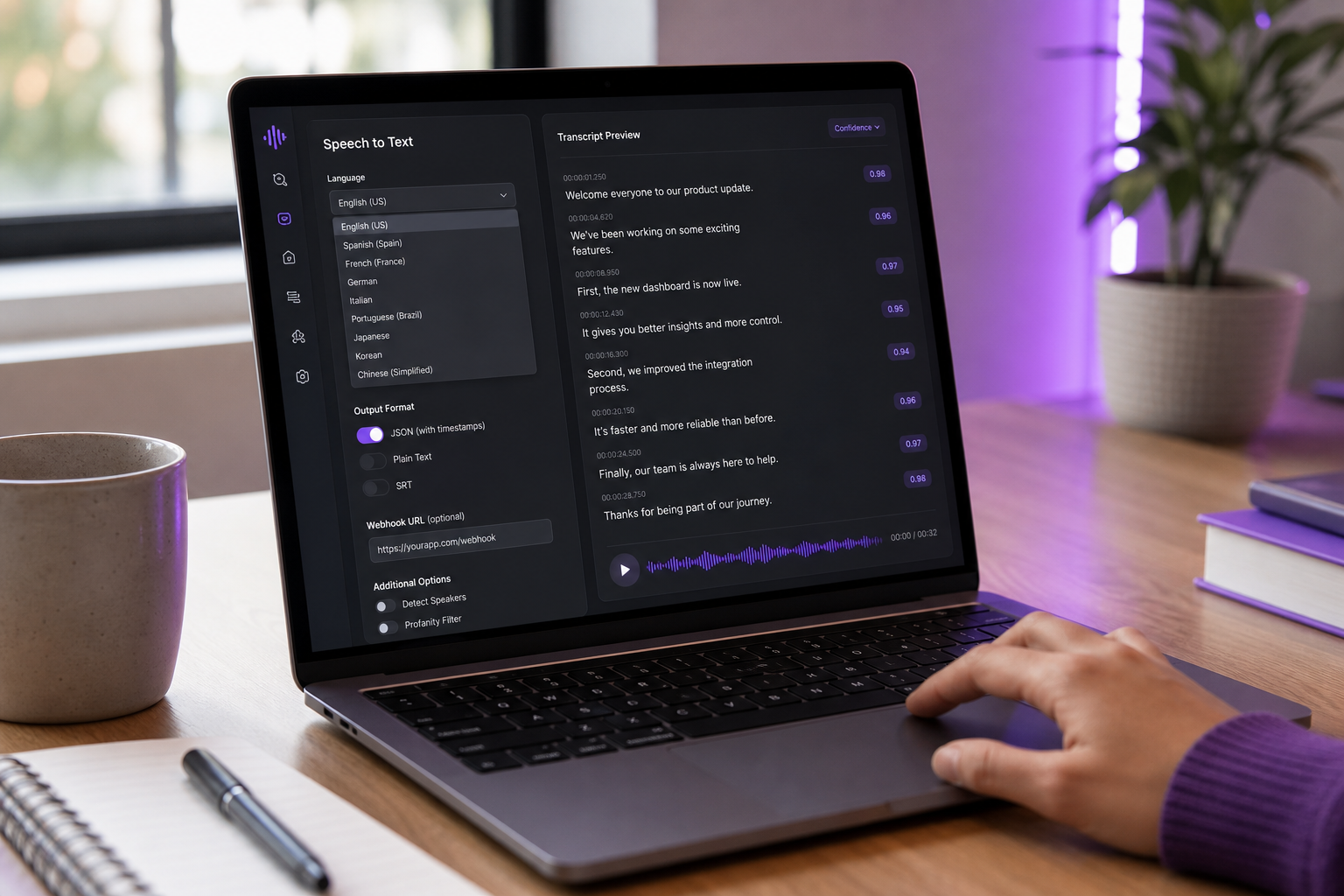
オープンソース対専有は、最大の統合フォークのままです。
オープンソース(Whisper、Vosk)。 ゼロの呼び出しあたりのコスト、完全な制御、オフラインで実行されます。ホスティング、スケーリング、GPU プロビジョニング、モデルの更新、可観測性、および3AM インシデントを所有しています。5人以上のチームにおける ML と DevOps 能力の現実的なデプロイメント。
所有権クラウド(Google、AWS、AssemblyAI、OpenAI Whisper API、DubSmart)。 1分あたりのコストを信頼性、SLA、バージョニング、およびSDKサポートと交換します。月5,000時間未満のほとんどのチームでは、所有権は総所有コストで勝ちます。Text to Speech APIとVoice Cloning APIを音声テキスト変換でバンドルするプラットフォームは、1つのSDKの下で統合表面積をさらに削減します。1認証フロー、1エラーモデル、完全なメディアパイプライン用の1つの課金ダッシュボード。
プラットフォームレベルオンデバイス(Apple SpeechAnalyzer、WWDC 2025)。 新しいカテゴリー。プライバシー保護、オフライン対応、ただし精度と言語カバレッジはクラウドモデルの後ろに遅れる可能性があります。プライバシーが単なるコンプライアンスチェックボックスではなくマーケティング資産である、モバイルファーストアプリに最適です。
すべてのコストを上回る統合質問:どれだけ速く出荷できますか? 音声テキスト変換、音声クローニング、ダビングを1つのSDKの下でバンドルされた、よく文書化されたクレジットベースのAPIは、6ヶ月以内に必要になる2番目と3番目の機能を説明したら、より安いスタンドアロンSTT APIを打つことが多いです。
ヘッド・ツー・ヘッドプロバイダースナップショット—各音声テキスト変換APIを選択する時期
これは徹底的なレビューではなく、素早いスキャンです。各エントリは、最適なユースケース、主な弱点、支配的なコスト要因、および統合文字をカバーしています。価格設定および機能請求の出典は、2024年後半現在のベンダードキュメントです。
Google Cloud Speech-to-Text
- 最適な用途:高精度英語転写、GCPに既に登録しているチーム、予測可能なボリュームを備えたエンタープライズワークロード。
- 弱点:ストリーミング価格は速く上昇します。言語層は非英語オーディオの精度の不一貫性を作成します。
- コスト要因:15秒増分ごと、別の(より高い)ストリーミング SKU付き。月60分無料ティア。
- 統合:サービスアカウント経由のネイティブGCP認証。非GCPアプリはIAMオーバーヘッドに直面します。すべての主要言語の成熟したSDK。
AWS Transcribe
- 最適な用途:スケールでバッチが重い、AWS ネイティブチーム、マルチ言語コンテンツパイプライン、コールセンター分析。
- 弱点:ストリーミング遅延は、ストリーミング専門競合他社より若干高い。ダイアライゼーションと医療モデルは別途価格設定されます。
- コスト要因:秒単位のオーディオ期間。ストリーミング、医療、コール分析追加のための個別 SKU。
- 統合:IAM ヘビー。AWS ネイティブの場合は簡単です。よく文書化されていますが、冗長です。
OpenAI Whisper API
- 最適な用途:予算意識の高いビルド、コードスイッチングを備えたマルチ言語コンテンツ、OpenAI自体を超えたベンダーロックインなしのチーム。
- 弱点:ネイティブストリーミングサポートなし。ボリュームディスカウントなし。AWS または GCP と比較可能な SLA コミットメントなし。
- コスト要因:フラット$0.006/分同時実行接続なし、発表されたエンタープライズボリュームディスカウントなし。
- 統合:市場で最も単純な HTTP API。Whisper ペーパーで文書化された680,000時間のトレーニングデータのおかげで、言語宣言なしで多言語です。
AssemblyAI
- 最適な用途:開発者最初のチーム、最小限の遅延を伴うリアルタイムストリーミング、単語レベルのタイムスタンプ、話者ラベル、信頼度スコアを持つ構造化出力。
- 弱点:プレミアム価格設定。機能密度は単純なバッチユースケースにはやり過ぎです。
- コスト要因:同時実行ストリーミング接続プラスダイアライゼーション線項目。
- 統合:優れたSDKと文書。Webhook-first アーキテクチャ。強力な可観測性ツール。
Rev.com(マシン+ヒューマンハイブリッド)
- 最適な用途:精度が非交渉的なワークフロー。ターンアラウンドは待つことができます。法的供述、ジャーナリズム、アクセシビリティクリティカルなコンテンツ。
- 弱点:リアルタイムではありません。人間によるレビューは数時間かかります。規模が大きく高価です。
- コスト要因:マシン$0.25/分、人間によるレビュー$1.50/分。
- 統合:シンプルなREST API。摩擦はターンアラウンド時間、統合自体ではありません。
DubSmart AI音声テキスト変換API
- 最適な用途:コンテンツクリエーターと、転写がより長いパイプラインの1つのステップである多言語ワークフローを構築するチーム。転写、翻訳、ダブ、発行。クレジットベース価格は可変ワークロードを吸収します。
- 弱点:レガシーハイパースケーラーより若い。エンタープライズSLA条件は、リスク回避的な調達チームのAWSまたはGCPと一致しない場合があります。
- コスト要因:ロールオーバー機能付きクレジットプール。転写を20秒サンプルからの音声クローニング、300以上のTTSボイス、60以上のソース言語から33ターゲット言語へのAI ダビングでバンドルします。
- 統合:メディアワークフロー用に特別に構築されました。単一のSDKは転写+TTS+クローニング+ダビングをカバーします。非同期ジョブのWebhookコールバック。500,000人以上のユーザーから信頼されています。
あなたの音声テキスト変換API選択チェックリスト
これは、契約に署名する前に実行するワークフローです。上記のすべてを8つの実行可能なステップに圧縮します。最初のパスで4時間ブロック。ステップ4で1週間のパイロットテストを期待します。
- あなたの支配的なユースケースを1つの文で定義します。それを書き留めます。「ポッドキャストを転写したい」または「ライブストリームをキャプションしたい」または「営業通話を分析したい」または「ユーザーアップロード動画をダビングしたい」。1つの文で書けない場合、2つの製品があり、2つの評価が必要です。セクション3からの遅延層と、ベンダー価格を見る前にセクション2からの精度需要にユースケースを一致させます。
- 最も重要な2つか3つの決定軸を囲みます。 フレームワークから:精度、遅延、オフライン、言語カバレッジ、コスト模型、統合表面。すべての6つを最適化しようとすると、実際に使用することのない機能を備えた最も高価なプロバイダーを選びます。ほとんどのビルダーは、最初にコスト模型と統合表面をランク付けする必要があります。精度と遅延はファイナリスト間のタイブレーカーになります。
- 3倍のサージバッファで12ヶ月のボリュームを投影します。 月1、月6、月12の月間分を推定します。月12の数に3を乗算して、起動スパイクとバイラル成長を処理します。この数字によって、クレジットプール、1分あたりの価格設定、またはボリュームディスカウント企業契約が必要かどうかが決まります。また、交渉中にベンダーに引用する数字です。
- 7日間のパイロットを実行します。 30分の実際のオーディオ、3つの候補API、単一の人間が修正したリファレンストランスクリプトに対して手動でスコアリング。話者、アクセント、ドメイン用語別にWERを測定します。総合的ではなく。同じファイルでストリーミング対バッチをテストします。SDKの摩擦を共有ドキュメントに文書化しながら進めます。痛みが新しいうちに。
- エラー処理を強調テストします。 形式が悪いオーディオ、期限切れのトークン、レート制限バスト、サイズを超えたファイルを送信します。SDKは操作可能なエラーできれいに失敗しますか、それともハングしますか?管理されたストレスの下で悪く失敗するAPI は、午前3時の本番環境で悪く失敗し、クリーンアップコストはロックイン時に任意の1分あたりの節約をドワーフします。
- 総所有コストを計算します。 ベース1分あたりのコスト、ストリーミング追加、ダイアライゼーション線項目、ストレージ、出力、再試行オーバーヘッド、SDK品質で保存または失った工学時間を含めます。ワークロードが可変の場合、クレジットプール模型と比較します。大ざっぱに$99/月のクレジット計画は、トラフィックがスパイキーで複数のメディア機能を1つの請求の下でバンドルする場合、多くの場合$0.006/分の価格を打ちます。
- プライバシーとデータ保持デフォルトを監査します。 プロバイダーがモデルの改善のためにオーディオとトランスクリプトを保持するか、契約的にオプトアウトできるかを確認します。GDPR、HIPAA、SOC 2の要件は、価格に関係なくプロバイダーを排除する可能性があります。音声アシスタントに関するヨーロッパデータ保護委員会ガイダンスによると、クラウドSTTプロバイダーは契約で明示的に制限されない限り、音声データの「シャドウデータセット」を作成できます。これは機能質問ではなく、調達質問です。
- 署名する前に交渉します。 ほとんどのプロバイダーは、月500時間以上の12ヶ月コミットメントで15~30%割引を提供します。手順1~7を自信を持って完了した場合、レバレッジがあります。ロック価格、専任サポート連絡先、ステージング環境の拡張無料ティア、精度が同意された閾値以下に低下した場合の終了句を求めます。ロードマップにローカライズが含まれている場合、AI Dubbing APIのような1つの呼び出しで翻訳とダブするAPIを評価します。あなたのビルドにダビング、音声クローニング、または合成音声生成も含まれている場合、テキストツースピーチ、音声クローニング、ダビングを1つのクレジットバランスと1つのSDKの下でバンドルするプラットフォームを評価します。6ヶ月以内に必要になる2番目と3番目の機能は、コストが低く、より速く配布されます。
このチェックリストは、ベンダーマーケティングに対する防衛であり、配布遅延に対する攻撃です。音声機能を最速で配布するチームは、最も安いAPIを選んだチームではありません。実際のパイロットを実行し、真のTCOを計算し、開発者が作業したい統合表面を選択したチームです。あなたのビルドにダビング、音声クローニング、または合成音声の生成も含まれている場合、テキストツースピーチ、音声クローニング、ダビングを1つのクレジット残高と1つのSDKの下でバンドルするプラットフォームを