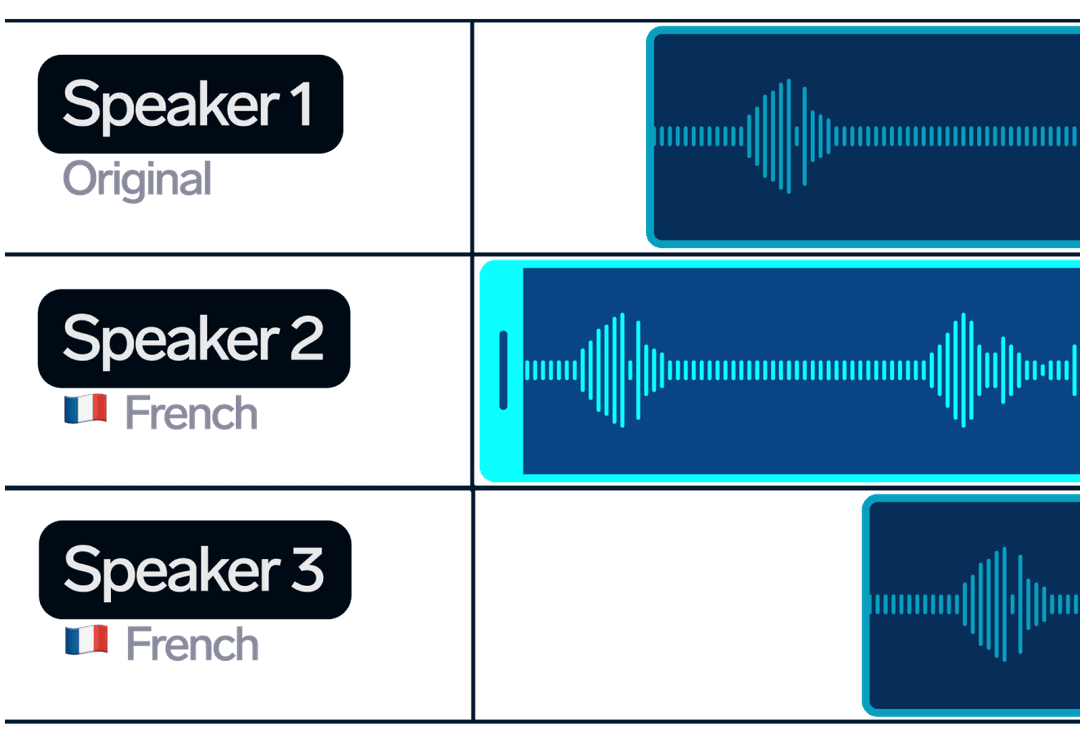
強力なAPI機能
プロフェッショナルなAIダビングをアプリケーションに統合するために必要なすべてのものグローバル・リーチ
33以上の言語
英語、ポルトガル語、スペイン語、フランス語、ドイツ語、中国語、日本語など、世界で最も人気のある言語をサポート。本物の声
音声クローン
高度なAIボイスクローニング技術により、オリジナルスピーカーの音声を保持し、本格的なダビングを実現。迅速・確実
迅速な処理
数時間ではなく、数分でダビング・プロジェクトを完了。最適化されたAI処理パイプラインで、すばやく結果を出します。99.9%
アップタイム
<300ms
応答時間
24/7
サポート
AIダビングAPIワークフロー
わずか数回のAPIコールでAIダビングをアプリケーションに統合01
アップロードURLの取得とファイルのアップロード
API経由で指定されたURLを取得し、PUTリクエストを使って動画ファイルをアップロードします。MP4、MOV、AVI、その他のフォーマットをサポート。API Request
# 1. Get upload URL
curl -X GET "https://dubsmart.ai/api/v1/upload" \
  -H "Authorization: Bearer YOUR_API_KEY" \
  -H "Content-Type: application/json" \
  -d '{
    "region": "EU",
    "fileExtension": "mp4"
  }'

# 2. Upload file using returned URL
curl -X PUT "PRESIGNED_URL_FROM_STEP_1" \
  -H "Content-Type: video/mp4" \
  --data-binary @video.mp4
02
プロジェクトの作成
ターゲット言語と音声設定でダビングプロジェクトを作成。一度のリクエストで複数言語をサポート。API Request
curl -X POST "https://dubsmart.ai/api/v1/project" \
  -H "Authorization: Bearer YOUR_API_KEY" \
  -H "Content-Type: application/json" \
  -d '{
    "input": {"path": "uploaded_file_key"},
    "targetLanguages": ["es", "fr", "de"],
    "voice": "voiceCloning"
  }'
03
プロジェクトの編集
必要に応じて、プロジェクトの設定、タイトル、スピーカー、背景の音量を変更します。API Request
curl --request PUT \
  --url https://dubsmart.ai/api/v1/project \
  --header 'Accept: application/json' \
  --header 'Authorization: Bearer YOUR_API_KEY' \
  --header 'Content-Type: application/json' \
  --data '{
  "title": "Updated Project Title",
  "speakers": [
    "Speaker 1",
    "Speaker 2"
  ],
  "backgroundVolume": 0.5,
  "id": "64f8a2b1c3d4e5f6a7b8c9d0"
}'
04
ダウンロード結果
ダビングした動画や音声ファイルをダウンロード。個々のセグメントまたは完全なダビングされたコンテンツを取得します。API Request
curl -X GET "https://dubsmart.ai/api/v1/project/PROJECT_ID" \
-H "Authorization: Bearer YOUR_API_KEY"AIダビングAPIエンドポイント
すべてのエンドポイントの例を含む完全なAPIリファレンスGET
/uploadアップロードファイルURLの取得
ファイル・アップロード用の署名付きURLを取得し、ファイル・キーを返す。Request
JSON
{
  "region": "EU",
  "fileExtension": "mp4"
}
Response
JSON
{
  "url": "https://storage.dubsmart.ai/...",
  "key": "uploads/user_id/filename.mp4"
}
POST
/voices声を得る
利用可能なAI音声をフィルタリングオプションで取得Request
JSON
{
  "limit": 50,
  "filter": {
    "language": "en",
    "gender": "female",
    "accent": "american"
  }
}
Response
JSON
{
  "items": [
    {
      "id": "voice_id_1",
      "name": "Anna",
      "value": "anna_en_v2",
      "language": "en",
      "provider": "elevenlabs"
    }
  ],
  "nextCursor": "next_cursor_value"
}
POST
/custom-voicesカスタムボイス
ユーザーが作成したカスタム・ボイスの取得Request
JSON
{
  "limit": 10,
  "cursor": "cursor_value"
}
Response
JSON
{
  "items": [
    {
      "id": "custom_voice_id",
      "name": "My Custom Voice",
      "examplePath": "https://..."
    }
  ],
  "nextCursor": "next_cursor_value"
}
POST
/projectプロジェクトの作成
ビデオファイルとターゲット言語を使って、新しいダビング・プロジェクトを作成する。Request
JSON
{
  "input": {
    "path": "uploaded_file_key",
    "type": "LOCAL_FILE",
    "voice": "voiceCloning",
    "textCheck": false
  },
  "targetLanguages": ["es", "fr", "de"],
  "title": "My Dubbing Project",
  "speakersAmount": 2
}
Response
JSON
{
  "id": "64f8a2b1c3d4e5f6a7b8c9d0",
  "groupId": "64f8a2b1c3d4e5f6a7b8c9d1",
  "base": {
    "title": "My Dubbing Project",
    "state": "Pending",
    "progress": 0
  },
  "targetLanguage": "es",
  "groupProjects": [
    {"id": "64f8a2b1c3d4e5f6a7b8c9d0", "targetLanguage": "es"},
    {"id": "64f8a2b1c3d4e5f6a7b8c9d2", "targetLanguage": "fr"},
    {"id": "64f8a2b1c3d4e5f6a7b8c9d3", "targetLanguage": "de"}
  ]
}
GET
/projectプロジェクト
すべてのダビング・プロジェクトのリストをページネーション付きで取得する。Request
JSON
{
  "cursor": "64f8a2b1c3d4e5f6a7b8c9d0",
  "limit": 10
}
Response
JSON
{
  "items": [
    {
      "id": "64f8a2b1c3d4e5f6a7b8c9d0",
      "base": {
        "title": "My Dubbing Project",
        "state": "Done",
        "progress": 100
      },
      "targetLanguage": "es",
      "createdAt": "2024-01-15T10:30:00Z"
    }
  ],
  "nextCursor": "64f8a2b1c3d4e5f6a7b8c9d4"
}
PUT
/projectプロジェクトの編集
プロジェクト設定、タイトル、スピーカー、背景音量の更新Request
JSON
{
  "title": "Updated Project Title",
  "speakers": [
    "Speaker 1",
    "Speaker 2"
  ],
  "backgroundVolume": 0.5,
  "id": "64f8a2b1c3d4e5f6a7b8c9d0"
}
Response
JSON
trueDELETE
/projectプロジェクトの削除
ダビングプロジェクトの永久削除Request
JSON
{
  "id": "64f8a2b1c3d4e5f6a7b8c9d0"
}
Response
JSON
trueGET
/project/{id}IDでプロジェクトを取得
セグメントを含む特定のプロジェクトに関する詳細情報の取得Request
JSON
GET /project/64f8a2b1c3d4e5f6a7b8c9d0Response
JSON
{
  "id": "64f8a2b1c3d4e5f6a7b8c9d0",
  "base": {
    "title": "My Dubbing Project",
    "state": "Done",
    "progress": 100
  },
  "segments": [
    {
      "id": "64f8a2b1c3d4e5f6a7b8c9d5",
      "text": "Hello world",
      "translatedText": "Hola mundo",
      "start": 0.0,
      "end": 1.5,
      "speakerId": 0,
      "resultUrl": "https://..."
    }
  ],
  "videoResult": {
    "value": "https://...",
    "state": "Done"
  }
}
POST
/project/regenerate再生プロジェクト
プロジェクト全体または特定のセグメントのオーディオを再生成Request
JSON
{
  "id": "64f8a2b1c3d4e5f6a7b8c9d0",
  "segmentsForRegenerating": ["segment_id_1", "segment_id_2"],
  "cloneVoice": true
}
Response
JSON
truePOST
/project/speakerスピーカーの追加
プロジェクトに新しいスピーカーを追加するRequest
JSON
{
  "projectId": "64f8a2b1c3d4e5f6a7b8c9d0",
  "voice": "voice_id"
}
Response
JSON
200 OKDELETE
/project/speakerスピーカーを取り外す
プロジェクトからスピーカーを削除するRequest
JSON
{
  "projectId": "64f8a2b1c3d4e5f6a7b8c9d0",
  "speakerId": 0
}
Response
JSON
200 OKPOST
/segmentセグメント作成
既存のプロジェクトに新しいスピーチセグメントを追加するRequest
JSON
{
  "projectId": "64f8a2b1c3d4e5f6a7b8c9d0",
  "text": "New segment text",
  "translatedText": "Texto del nuevo segmento",
  "start": 10.5,
  "end": 12.0,
  "speakerId": 0,
  "voice": "voiceCloning"
}
Response
JSON
{
  "id": "64f8a2b1c3d4e5f6a7b8c9d6",
  "projectId": "64f8a2b1c3d4e5f6a7b8c9d0",
  "text": "New segment text",
  "translatedText": "Texto del nuevo segmento",
  "start": 10.5,
  "end": 12.0,
  "speakerId": 0,
  "state": "Pending"
}
PUT
/segmentセグメントを編集する
セグメントテキスト、タイミング、音声パラメータの更新Request
JSON
{
  "id": "64f8a2b1c3d4e5f6a7b8c9d6",
  "projectId": "64f8a2b1c3d4e5f6a7b8c9d0",
  "text": "Updated segment text",
  "translatedText": "Texto actualizado del segmento",
  "start": 10.0,
  "end": 12.5,
  "speakerId": 0,
  "voice": "voiceCloning"
}
Response
JSON
{
  "id": "64f8a2b1c3d4e5f6a7b8c9d6",
  "text": "Updated segment text",
  "translatedText": "Texto actualizado del segmento",
  "start": 10.0,
  "end": 12.5,
  "speakerId": 0,
  "state": "Pending"
}
DELETE
/segmentセグメント削除
IDでプロジェクトからスピーチセグメントを削除するRequest
JSON
{
  "id": "64f8a2b1c3d4e5f6a7b8c9d6",
  "projectId": "64f8a2b1c3d4e5f6a7b8c9d0"
}
Response
JSON
trueAIダビングAPIのコード例
複数のプログラミング言語ですぐに使えるコード例JavaScript Example
// JavaScript/Node.js Example
const axios = require('axios');
const fs = require('fs');

const API_KEY = 'your_api_key_here';
const BASE_URL = 'https://dubsmart.ai/api/v1';

async function createDubbingProject() {
  try {
    // 1. Get upload URL
    const uploadResponse = await axios.get(`${BASE_URL}/upload`, {
      params: {
        region: 'EU',
        fileExtension: 'mp4'
      },
      headers: { 'Authorization': `Bearer ${API_KEY}` }
    });

    // 2. Upload file using presigned URL
    const fileBuffer = fs.readFileSync('video.mp4');
    await axios.put(uploadResponse.data.url, fileBuffer, {
      headers: {
        'Content-Type': 'video/mp4'
      }
    });

    // 3. Create dubbing project
    const projectResponse = await axios.post(`${BASE_URL}/project`, {
      input: {
        path: uploadResponse.data.key,
        type: 'LOCAL_FILE',
        voice: 'voiceCloning',
        textCheck: false
      },
      targetLanguages: ['es', 'fr', 'de'],
      title: 'My Multilingual Video'
    }, {
      headers: { 'Authorization': `Bearer ${API_KEY}` }
    });

    console.log('Project created:', projectResponse.data);
    return projectResponse.data;
  } catch (error) {
    console.error('Error:', error.response?.data || error.message);
  }
}

// Monitor project status
async function checkProjectStatus(projectId) {
  const response = await axios.get(`${BASE_URL}/project/${projectId}`, {
    headers: { 'Authorization': `Bearer ${API_KEY}` }
  });

  return response.data;
}
Python Example
# Python Example
import requests
import time

API_KEY = 'your_api_key_here'
BASE_URL = 'https://dubsmart.ai/api/v1'

def create_dubbing_project():
    headers = {'Authorization': f'Bearer {API_KEY}'}

    try:
        # 1. Get upload URL
        upload_params = {
            'region': 'EU',
            'fileExtension': 'mp4'
        }
        upload_response = requests.get(
            f'{BASE_URL}/upload',
            params=upload_params,
            headers=headers
        )
        upload_response.raise_for_status()

        # 2. Upload file using presigned URL
        with open('video.mp4', 'rb') as file:
            upload_file_response = requests.put(
                upload_response.json()['url'],
                data=file,
                headers={'Content-Type': 'video/mp4'}
            )
            upload_file_response.raise_for_status()

        # 3. Create dubbing project
        project_data = {
            'input': {
                'path': upload_response.json()['key'],
                'type': 'LOCAL_FILE',
                'voice': 'voiceCloning',
                'textCheck': False
            },
            'targetLanguages': ['es', 'fr', 'de'],
            'title': 'My Multilingual Video'
        }

        project_response = requests.post(
            f'{BASE_URL}/project',
            json=project_data,
            headers=headers
        )
        project_response.raise_for_status()

        print('Project created:', project_response.json())
        return project_response.json()

    except requests.exceptions.RequestException as e:
        print(f'Error: {e}')
        return None

def monitor_project(project_id):
    headers = {'Authorization': f'Bearer {API_KEY}'}

    while True:
        response = requests.get(
            f'{BASE_URL}/project/{project_id}',
            headers=headers
        )
        response.raise_for_status()

        project = response.json()
        status = project['base']['state']

        print(f'Project status: {status}')

        if status == 'Done':
            print('Project completed!')
            return project
        elif status == 'Error':
            print('Project failed!')
            return None

        time.sleep(30)  # Check every 30 seconds
cURL Example
# cURL Examples

# 1. Get upload URL
curl -X GET "https://dubsmart.ai/api/v1/upload?region=EU&fileExtension=mp4" \
  -H "Authorization: Bearer YOUR_API_KEY"

# 2. Upload file using presigned URL
curl -X PUT "PRESIGNED_URL_FROM_STEP_1" \
  -H "Content-Type: video/mp4" \
  --data-binary @video.mp4

# 3. Create dubbing project
curl -X POST "https://dubsmart.ai/api/v1/project" \
  -H "Authorization: Bearer YOUR_API_KEY" \
  -H "Content-Type: application/json" \
  -d '{
    "input": {
      "path": "uploaded_file_key",
      "type": "LOCAL_FILE",
      "voice": "voiceCloning",
      "textCheck": false
    },
    "targetLanguages": ["es", "fr", "de"],
    "title": "My Multilingual Video"
  }'

# 4. Check project status
curl -X GET "https://dubsmart.ai/api/v1/project/PROJECT_ID" \
  -H "Authorization: Bearer YOUR_API_KEY"

# 5. Download results
curl -X GET "https://dubsmart.ai/api/v1/project/PROJECT_ID" \
  -H "Authorization: Bearer YOUR_API_KEY" \
  -o "dubbed_video.mp4"
PHP Example
<?php
// PHP Example
$apiKey = 'your_api_key_here';
$baseUrl = 'https://dubsmart.ai/api/v1';

function createDubbingProject() {
    global $apiKey, $baseUrl;

    $headers = [
        'Authorization: Bearer ' . $apiKey,
        'Content-Type: application/json'
    ];

    try {
        // 1. Get upload URL
        $uploadParams = [
            'region' => 'EU',
            'fileExtension' => 'mp4'
        ];

        $uploadResponse = httpRequest(
            $baseUrl . '/upload?' . http_build_query($uploadParams),
            'GET',
            null,
            $headers
        );

        // 2. Upload file using presigned URL
        $fileContent = file_get_contents('video.mp4');
        $uploadFileResponse = httpRequest(
            $uploadResponse['url'],
            'PUT',
            $fileContent,
            ['Content-Type: video/mp4']
        );

        // 3. Create dubbing project
        $projectData = [
            'input' => [
                'path' => $uploadResponse['key'],
                'type' => 'LOCAL_FILE',
                'voice' => 'voiceCloning',
                'textCheck' => false
            ],
            'targetLanguages' => ['es', 'fr', 'de'],
            'title' => 'My Multilingual Video'
        ];

        $projectResponse = httpRequest(
            $baseUrl . '/project',
            'POST',
            $projectData,
            $headers
        );

        echo "Project created: " . json_encode($projectResponse);
        return $projectResponse;

    } catch (Exception $e) {
        echo "Error: " . $e->getMessage();
        return null;
    }
}

function httpRequest($url, $method, $data, $headers) {
    $ch = curl_init();

    curl_setopt($ch, CURLOPT_URL, $url);
    curl_setopt($ch, CURLOPT_RETURNTRANSFER, true);
    curl_setopt($ch, CURLOPT_HTTPHEADER, $headers);

    if ($method === 'POST') {
        curl_setopt($ch, CURLOPT_POST, true);
        curl_setopt($ch, CURLOPT_POSTFIELDS, json_encode($data));
    } elseif ($method === 'PUT') {
        curl_setopt($ch, CURLOPT_CUSTOMREQUEST, 'PUT');
        curl_setopt($ch, CURLOPT_POSTFIELDS, $data);
    }

    $response = curl_exec($ch);
    $httpCode = curl_getinfo($ch, CURLINFO_HTTP_CODE);

    curl_close($ch);

    if ($httpCode >= 200 && $httpCode < 300) {
        return json_decode($response, true);
    } else {
        throw new Exception("HTTP Error: " . $httpCode);
    }
}

// Usage
$project = createDubbingProject();
?>
よくあるご質問
APIはどのようなファイル形式をサポートしていますか?
このAPIは、MP4、MOV、AVI、MKV、WebMなど、主要なビデオフォーマットをすべてサポートしています。オーディオファイルについては、MP3、WAV、AAC、その他の一般的なフォーマットをサポートしています。最大ファイルサイズは5GBです。
ダビングにはどのくらいの時間がかかりますか?
処理時間はビデオの長さとファイルサイズによって異なります。5分の動画であれば、処理に通常1分かかります。エンタープライズのお客様には、より早い納期で優先的に処理を行います。
対応言語は?
英語、ポルトガル語、スペイン語、フランス語、ドイツ語、中国語、日本語、韓国語、ロシア語、アラビア語、ヒンディー語など、33以上のターゲット言語をサポートしています。また、99以上のソース言語からのコンテンツを検出し、処理することができます。
ボイス・クローニングの仕組みは?
私たちの高度なAIは、トーン、ピッチ、アクセント、話し方など、元の話者の声の特徴を分析します。そして、ターゲット言語で話しながら、これらのユニークな資質を維持する合成音声を生成します。
吹き替えの内容を編集することはできますか?
はい!APIは完全な編集機能を提供します。翻訳されたテキストを修正したり、タイミングを調整したり、ボイスを変更したり、特定のセグメントを再生成したりすることができます。
商用プロジェクトにAPIを使用できますか?
はい!すべてのプランで商用利用が可能です。APIは制作環境向けに設計されており、世界中の主要なコンテンツ制作者、企業、メディア企業によって使用されています。