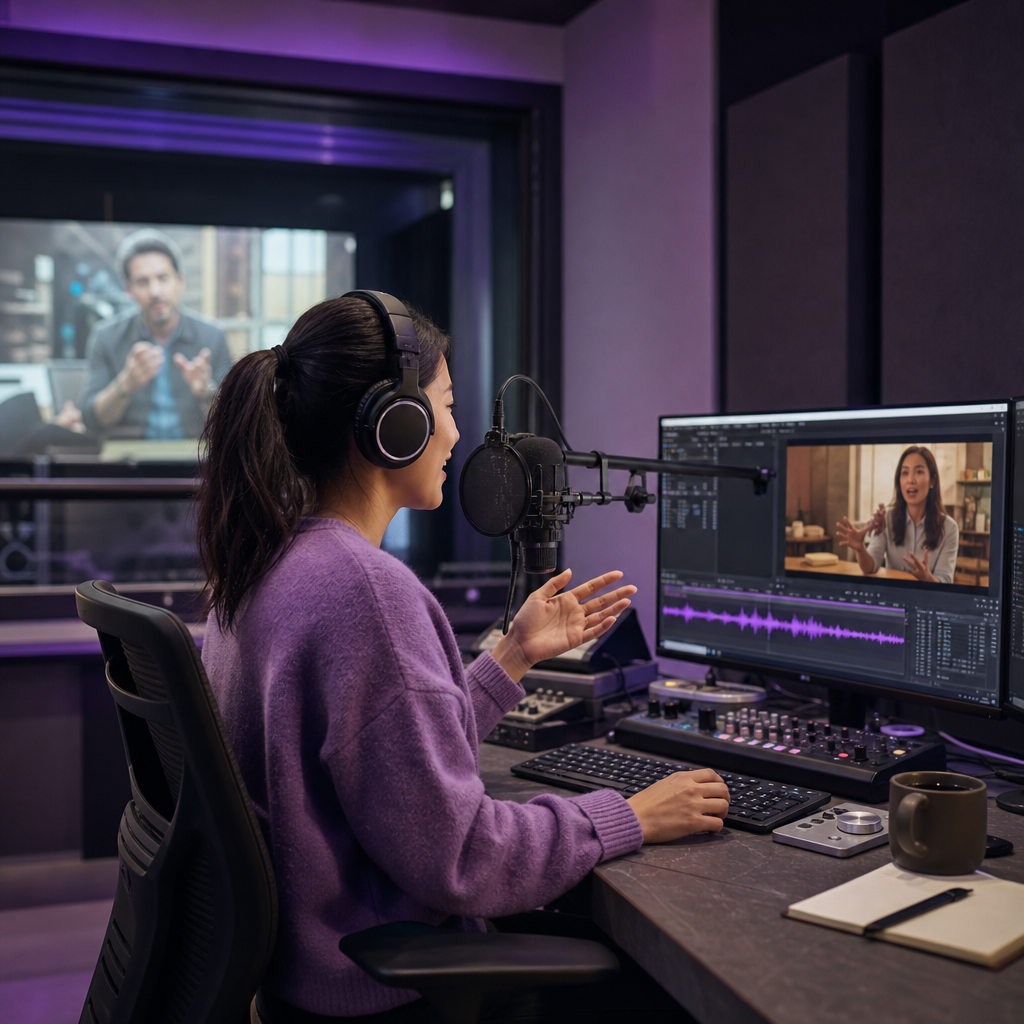
Video dubbing is the process of replacing a video's original spoken dialogue with a new recording in another language, keeping the meaning, timing, and viewing experience intact so the result feels native to a new audience. The new dialogue can be performed by human voice actors, generated with text-to-speech, or recreated with AI voice cloning. If you are weighing whether to localize a channel, a course library, or a single marketing video, understanding what dubbing actually involves saves you from choosing the wrong method and reworking everything later.
The catch for beginners is that dubbing is never just translation. A convincing dub has to handle timing, speaker identity, emotion, pronunciation, background audio, and sometimes visible lip movement. We built DubSmart AI around that full chain so you can move from source video to a finished multilingual track without stitching together separate tools, and this guide explains each piece so you can decide what your project really needs.
Table of contents
At its simplest, video dubbing creates a new spoken-language audio track for a video that already exists. A U.S. creator might publish a tutorial in English and add Spanish, French, and German audio so viewers hear the dialogue in their own language while the visuals stay the same. That pattern shows up across YouTube videos and Shorts, online courses, films and documentaries, product demos, ads, video podcasts, software tutorials, and corporate training libraries.
What looks like a single audio swap is actually several coordinated elements: translated dialogue, recorded or synthesized voices, speaker identification, timing adjustments, preserved music and sound effects, a clean final mix, optional lip-sync, and sometimes translated captions and metadata. Getting each of those right is what separates a dub that disappears into the video from one that constantly reminds viewers they are watching a translation.
Dubbing vs. subtitles, voice-over, and translation
These terms get used interchangeably, but they describe different jobs inside localization, and picking the wrong one is one of the most common beginner mistakes.
| Format | What changes | Best suited to |
|---|---|---|
| Subtitles | Text appears on screen; original audio stays | Fast, affordable access to translated content |
| Voice-over | A translated voice plays over the original, which stays faintly audible | Documentaries, news, explainers, training |
| Dubbing | The original dialogue is replaced by a new-language performance | Entertainment, courses, marketing, immersive viewing |
| Translation | Words are converted from one language to another | Scripts, captions, documentation prep |
| Localization | Language, cultural references, tone, and graphics are adapted | Global campaigns, education, software, regional content |
Dubbing is one part of the broader localization process. Translation supplies the meaning; dubbing turns that meaning into a spoken performance an audience can listen to without reading. If you want a deeper comparison of the two most common choices, our breakdown of dubbing versus subtitles for video sets clear thresholds for each.
How video dubbing actually works
A typical workflow chains together five stages: transcription, translation, voice generation, timing edits, and audio mixing. Understanding the order helps you see where errors creep in and where human review pays off most.
First, the original audio is converted into text with speech recognition. That transcript defines exactly what needs to be translated and voiced, which is why it deserves a careful read. Misheard names, technical terms, accents, overlapping speakers, and background noise all produce errors that otherwise carry straight through to the finished dub. For transcript-only work, our Speech to Text tool handles that first step on its own.
Next, the transcript is translated and adapted. Good dubbing often means adaptation rather than literal translation, because languages differ in sentence length, word order, formality, humor, idioms, and speaking speed. A line can be grammatically perfect and still sound wrong out loud, so for public-facing content a fluent reviewer should check the translated script before any audio is generated.
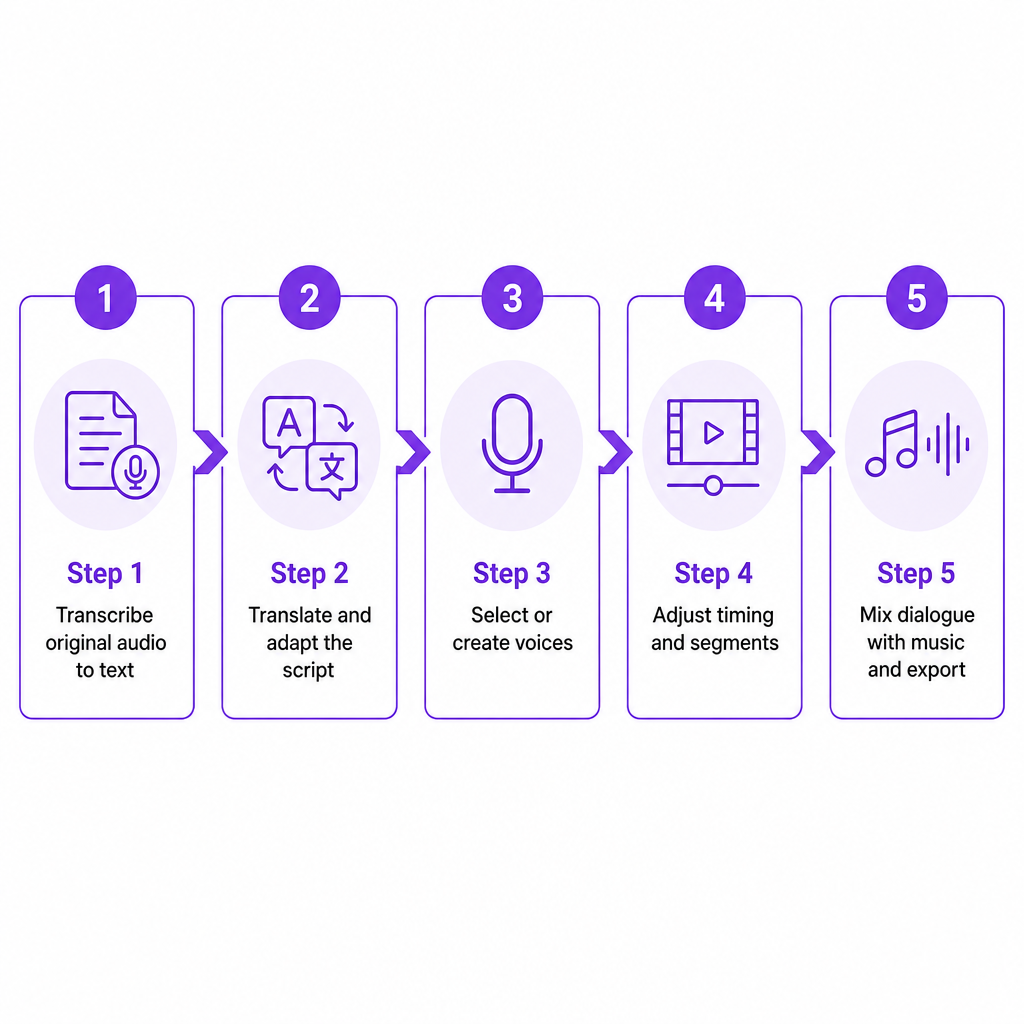
Then voices are selected or created. The translated dialogue can be recorded by professional voice actors, the original speaker, a standard synthetic voice, or a consented AI voice clone. A standard text-to-speech voice is usually the fastest route, while cloning matters when preserving the presenter's identity is the point. On our AI Dubbing page we describe a system that can clone each speaker's voice for multilingual output and supports dubbing from 60+ source languages into 33 target languages; as with any platform capability, test representative clips before committing to a large project.
After voicing comes timing. Translated speech rarely matches the original length, so editors adjust speech rate, pauses, segment boundaries, and speaker turn-taking. Our Dubbing Studio exposes controls for editing timings, changing speech rate, regenerating individual segments, and adjusting background-sound volume, which matters most in tutorials, interviews, ads, and any shot where the speaker's mouth is visible.
Finally, the new dialogue is mixed back with music and sound effects. If the original dialogue has to be removed, the system first separates speech from the background track; when source video arrives with separate dialogue, music, and effects stems, this step is far cleaner. For cases where you only have a single mixed track, our Speech Separator isolates the voice so music and effects survive the process. Before you publish, listen through once for wrong names, misassigned speakers, mispronunciations, awkward pauses, flat emotion, lines that run short or long, and music that masks speech. AI speeds all of this up, but human review still protects anything that represents a brand or carries legal, medical, financial, or safety claims.
The four main types of video dubbing
Four production approaches cover almost every project, and each trades cost, speed, and control differently.
Human dubbing has actors perform the translated script, giving the strongest control over emotion, character interpretation, accents, and cultural nuance. It fits films, premium series, complex humor, and anything where voice-acting direction is central. The trade-offs are higher cost, longer timelines, and harder scheduling.
Traditional voice-over lays a translated narrator over audio that stays partly audible. It is standard for documentaries, interviews, news, and education, and it is faster than full dubbing because precise lip-sync is usually unnecessary.
Text-to-speech dubbing generates a voice directly from the translated script, which suits creators who need many languages, frequent updates, or rapid turnaround. It works well for tutorials, product explainers, internal training, narrated presentations, short-form content, and early localization tests. For voice-only projects, our Text to Speech tool provides the AI voices and cloning options to do this without touching video.
AI voice-cloning dubbing tries to preserve the original speaker's vocal identity across languages, letting a creator keep a recognizable channel voice without recording every language personally. It also carries the heaviest consent, privacy, and rights responsibilities: document who owns the voice, which languages and channels are covered, how long permission lasts, and whether the audio may be edited or reused.
When dubbing beats subtitles
Dubbing is the stronger choice when viewers need to follow spoken information without constantly reading. Reach for it when the video is dialogue-heavy, part of your audience prefers another language, the content is instructional, you want to preserve one video while adding language options, the speaker's delivery matters, you republish regularly, or you are expanding a channel internationally.
Subtitles can win when the budget is very limited, the video has little dialogue, you need translation fast, the original performance is essential, your audience is comfortable reading, or you want searchable on-screen text. In practice many publishers run both: dubbing improves listening convenience, while subtitles serve viewers who are deaf or hard of hearing, learning the language, watching muted, or checking exact wording.
How to choose the right dubbing method
The right method depends on the project, not on the technology alone. This matrix maps the three AI-relevant paths against the factors that usually decide a project.
| Decision factor | Human dubbing | Standard AI voice | AI voice cloning |
|---|---|---|---|
| Emotional performance | Strongest control | Varies by voice and model | Retains some speaker traits |
| Production speed | Slowest | Fast | Fast after setup |
| Cost at volume | More expensive | Usually efficient | Efficient for recurring content |
| Speaker identity | New performer | New synthetic voice | Designed to keep original voice |
| Consent complexity | Performer agreement | Voice license still matters | Highest rights sensitivity |
| Best fit | Films, premium, character work | Tutorials, explainers, training | Creator-led recurring channels |
For a small business or solo creator, AI dubbing is often the practical way to test demand in one or two languages before localizing an entire library. Developers and agencies that need automation rather than a browser workflow can connect our AI Dubbing API for multilingual video and our Voice Cloning API to create custom voices from audio samples. When you evaluate any tool, check language coverage in both directions, whether you can edit the translated transcript before audio is generated, how well speakers are identified, the timing controls, the background-audio handling, and the export and preview options.
Publishing dubbed audio on YouTube
YouTube supports two distinct routes. With multi-language audio, you upload your own dubbed tracks to a single video; with automatic dubbing, YouTube generates translated audio for you. YouTube states that multi-language audio can be added to new or existing videos, that you supply the dubbed file yourself, and that the file should be an audio-only format roughly matching the video's length. It also notes that viewers can switch tracks in the player, that translated titles and descriptions help discovery, and that the feature requires Advanced features enabled.
The practical question for anyone using an external dubbing platform is whether to upload a finished track to the original video or lean on automatic dubbing. An externally produced track gives you more control over translation, voice, timing, and review, which is why creators who care about brand consistency usually own the dub rather than delegating it to automated generation. If you run a channel at scale, our guide to building a multilingual YouTube channel covers how to sequence languages by audience demand.
Risks, rights, and limitations to plan for
Dubbing has real failure modes, and knowing them up front keeps a first project from going sideways.
Meaning can shift even when a translation is technically correct, because slang, humor, and culturally specific examples do not always carry across. Speech recognition stumbles on names, accents, overlapping dialogue, weak microphones, and noise, which is the main reason to review the transcript before approving a translation. Synthetic voices can mispronounce uncommon words, flatten emotion, or vary pronunciation between segments. Lip-sync is never guaranteed, since translated sentences are often longer or shorter than the original; a dub can be perfectly understandable without being perfectly synced.
Voice rights deserve the most attention. The U.S. Copyright Office describes a digital replica as audio, video, or an image digitally created or manipulated to realistically but falsely depict an individual, and its report identifies risks including fraud, false endorsements, reputational harm, harassment, and displacement of performers. It also explains that protection can draw on state publicity and privacy laws, copyright in the underlying recording, consumer-protection rules, and contracts, with outcomes that vary by situation and jurisdiction. Before cloning any identifiable voice, get clear written permission covering the person consenting, the specific sample, permitted languages, permitted content and channels, commercial use, duration, editing and reuse rights, compensation, data retention, and what happens when permission ends. This is a practical rights checklist, not legal advice; for commercial campaigns, entertainment work, or third-party voices, consult qualified counsel.
Finally, platform policies apply. YouTube states that a secondary audio track may be removed if it detects copyrighted content differing from the original, so clearing music and source rights matters as much as clearing the voice.
For a first project, pick a short, well-recorded video with one or two speakers, start with a single target language, and review the entire result before scaling. Compare transcript accuracy, translation accuracy, voice naturalness, speaker consistency, timing, background-audio quality, viewer response, production time, and cost per finished minute. For a channel, publish your strongest language first and use watch time, audience location, retention, and comments to decide whether more languages are worth it.
Frequently asked questions
What is video dubbing in one sentence?
Video dubbing replaces a video's original spoken dialogue with a new-language audio performance while keeping the visuals and overall meaning intact.
Is dubbing better than subtitles?
Neither is universally better. Dubbing is more convenient for viewers who prefer listening in their language, while subtitles are usually faster and cheaper. Using both gives the broadest accessibility.
Can I dub a YouTube video into another language?
Yes. You can create a translated track with a dubbing tool or voice actors and upload it through YouTube's multi-language audio feature if your channel has access. The track should be an audio-only file and roughly the same length as the video.
Is AI dubbing the same as video dubbing?
No. Video dubbing is the broader process of replacing a video's dialogue in another language. AI dubbing is one way to produce that result using automated transcription, translation, speech synthesis, voice cloning, and audio processing.
How many languages does DubSmart support for dubbing?
We support dubbing from 60+ source languages into 33 target languages, with voice cloning and editing controls for timing, speech rate, individual segments, and background sound. Test representative clips for your specific language pair before a large project.