A real time ai voice changer converts your voice into a different voice while you are speaking, capturing microphone audio, analyzing it, transforming the speaker's identity, and playing the converted audio back with a short delay. Unlike a basic pitch-shifting filter, it can keep much of your words, timing, and expression intact while changing qualities like timbre, perceived age, gender presentation, or character style. And unlike text to speech, it starts from live speech rather than typed text.
The real decision for creators, streamers, educators, and businesses is not simply whether the result sounds realistic. It is whether the tool matches your input type, latency tolerance, voice control needs, integrations, rights obligations, and target production quality. This guide explains how the technology works, where it fits against related AI voice tools, and when a recorded workflow serves you better.
Table of contents
What "real time" actually means
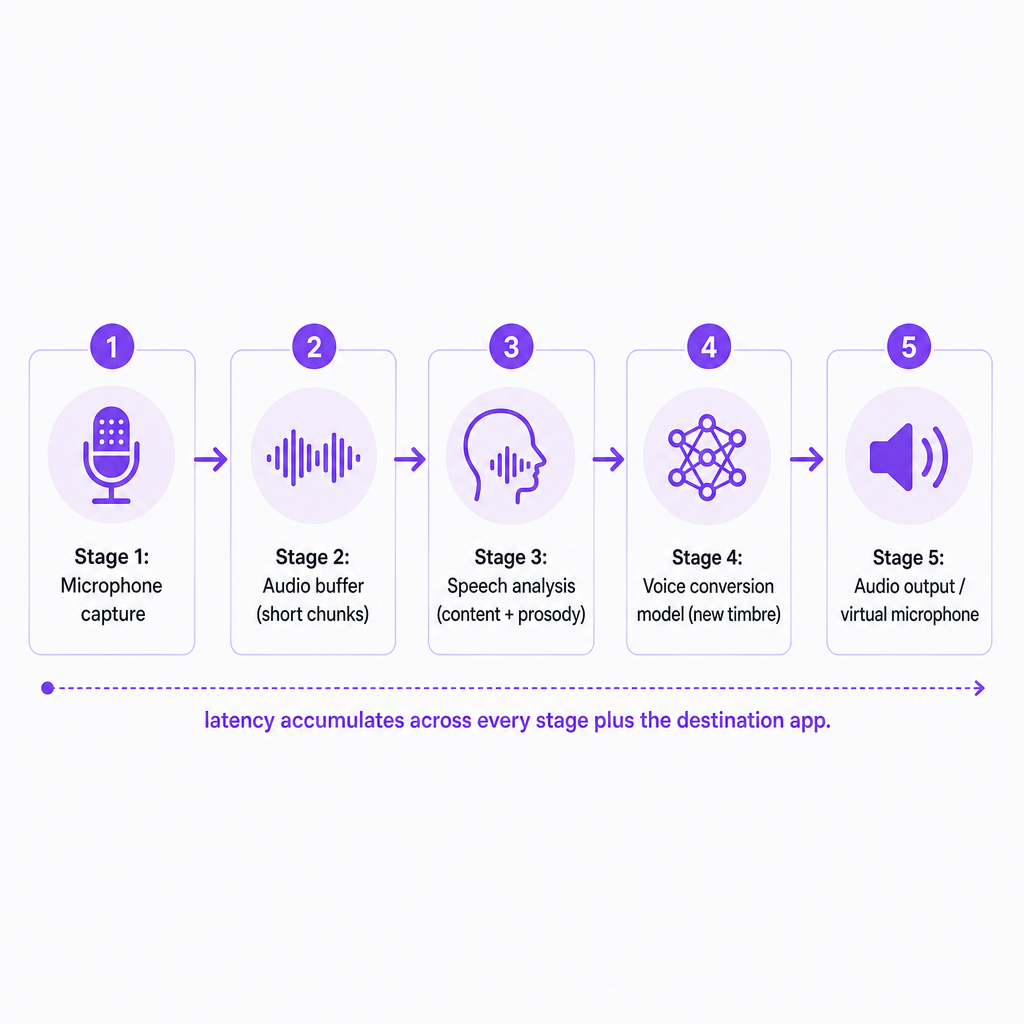
"Real time" means the system processes an incoming audio stream as you speak instead of waiting for a complete recording or finished script. The signal travels a continuous path: microphone, audio buffer, speech analysis, voice conversion model, audio output. Because the converter works on short segments rather than full sentences, streaming voice conversion is technically different from rendering a finished voiceover where the whole script is known in advance.
Some delay is unavoidable. The system needs time to capture, analyze, synthesize, and output each chunk of audio. Research demonstrates that low-latency conversion is achievable, though the numbers depend heavily on model, hardware, buffer size, and audio quality. The LLVC research model reports latency below 20 milliseconds on a consumer CPU, while StreamVC reports an end-to-end latency of 70.8 milliseconds in its evaluation environment. These are research results under specific conditions, not performance guarantees for any commercial tool you might download.
How a real time ai voice changer works
The process runs as a loop while you talk, not as a single render. Understanding the four stages helps you judge why one tool feels natural and another feels robotic or laggy.
First, the system captures your speech. It receives audio from a microphone or another live input and divides it into short chunks so the model can process it continuously. Input quality matters more than many users expect. Background noise, room echo, keyboard clatter, clipping, and an unstable signal all push the conversion toward unnatural artifacts.
Second, it separates speech content from speaker identity. A voice carries several overlapping layers at once: the linguistic content, or words; the prosody, meaning rhythm, emphasis, and intonation; the pitch; the timbre that makes a voice recognizable; and the broader speaker identity. Conversion systems try to preserve the content and expression while replacing the speaker characteristics. Modern streaming research describes this as keeping source speech content and prosody while matching a target speaker's vocal timbre. That separation is why a good converter lets you speak spontaneously in a transformed voice instead of smearing a fixed "robot" filter across the waveform.
Third, the model synthesizes a new voice. It reconstructs audio using a target voice profile, which might be a built-in character, a library voice, a custom voice created from authorized recordings, or a profile designed for anonymization rather than imitation. Output is produced continuously with a small look-ahead buffer. More context can improve stability, but it also adds delay, which is the core trade-off of live conversion.
Fourth, the converted signal is routed into an application. A desktop tool typically exposes the output as a virtual microphone, so other programs receive it as if it were a normal mic. That routing is what makes live streams, online games, video calls, voice chats, and virtual events possible. A real-time changer therefore has to work at the operating-system and application level, not just inside the model. Compatibility with streaming software, Discord, Zoom, browsers, and mobile devices can matter as much as raw voice quality. If you want to pull clean text out of that same captured audio for captions or repurposing, a separate speech to text step handles transcription rather than conversion.
Real-time conversion vs. related AI voice tools
These technologies overlap in people's minds but solve genuinely different problems. The table below clarifies what each one takes as input and when the output arrives.
| Technology | Input | Output timing | Best suited to |
|---|---|---|---|
| Real-time voice changer | Live microphone speech | During the conversation | Live calls, gaming, streaming, performance |
| Text to speech | Written text | After text is submitted | Narration, tutorials, ads, e-learning |
| Voice cloning | Voice samples | Generated on demand | Reusable synthetic voice for narration or dubbing |
| AI dubbing | Existing audio or video | After processing | Translating and localizing recorded content |
| Pitch or formant effect | Live or recorded audio | Live or near-live | Simple creative voice modification |
That distinction is practical, not academic. A platform may offer strong AI voice generation or voice cloning without offering a live microphone changer for calls and streams. Our own tools focus on generated and localized media: we provide Text to Speech, Voice Cloning, AI Dubbing, Speech to Text, Speech Separator, Text to Image, and Image to Video inside one workflow. These are designed to produce audio from text or build a reusable voice for generated content, so they belong to the recorded-workflow side of this table rather than to live microphone conversion.
What live voice conversion is good for
Streamers and gamers reach for voice conversion to maintain a character, protect privacy, or keep a consistent channel persona. Low latency matters most here, because you are reacting to other players and talking with an audience. A small delay is tolerable in a broadcast-style monologue but becomes glaring during fast banter, competitive play, or comedic timing.
In online meetings and virtual events, a converted voice can support role-play, demonstrations, accessibility scenarios, or privacy-conscious participation. For professional settings, intelligibility and reliability should outrank novelty, and participants should be told when a voice is transformed if silence could mislead them.
Character performance is another live use. Indie filmmakers, game developers, and podcasters can audition character voices or perform temporary dialogue on the fly. For final delivery, though, a recorded AI voiceover or a human performance usually gives better editing control and session-to-session consistency.
Voice privacy and anonymization is a distinct goal from imitation. Anonymization tries to obscure who is speaking, while imitation tries to reproduce a specific target identity. Neither is foolproof, and a transformed voice can still leak speaking habits, phrasing, or background sounds that help identify the speaker.
Finally, synthetic voice technology supports accessibility and assistive communication for people who have lost the ability to speak. The Federal Trade Commission recognizes this medical and accessibility benefit while also warning that voice replication can be abused for fraud and misuse of biometric data.
The decision criteria that actually matter
Latency comes first, and you should ask for measured end-to-end latency, not model inference speed alone. The delay you actually feel includes microphone capture, buffering, feature extraction, model inference, synthesis, output routing, and whatever the calling or streaming app adds on top. A model that benchmarks fast in isolation can feel sluggish once the full path is assembled.
Naturalness is the next test. Listen for metallic artifacts, sudden tonal jumps, breathing and pronunciation problems, unnatural pauses, distorted consonants, glitches at sentence boundaries, and loss of emotional expression. A convincing voice should stay understandable during spontaneous speech, not only during carefully read demo lines.
Preservation of speech content is easy to overlook until it fails. Test fast speech, interruptions, numbers, names, accents, laughter, questions, and volume changes. A tool that changes identity but flattens your rhythm and intonation is a poor fit for performance or live interaction.
Voice selection and customization determine how far you can shape the result. Check for built-in voices, custom voice creation, pitch and tone controls, emotion or style options, accent choices, consistency across sessions, and any commercial-use restrictions. Custom voice creation should always require clear authorization: a voice sample is not permission to imitate the person it came from.
Hardware and platform support decides whether the tool fits your setup at all. Confirm whether it runs locally on CPU or GPU, in a browser, through a desktop app, on mobile, through a virtual microphone, or through an API. Cloud processing can simplify setup but introduces network latency and data-governance questions, while local processing can cut network delay but demand more capable hardware. Separately, verify audio routing: a strong model is useless if its output cannot be selected as the microphone in your intended application.
Data handling closes the list. Before uploading any voice samples, review whether recordings are retained, whether they feed model improvement, how custom voices are deleted, who can access the files, whether business or enterprise controls exist, and what happens to generated audio afterward. Voice recordings can be sensitive personal or biometric-related data depending on context and applicable law, so treat them that way.
When a recorded workflow beats real time
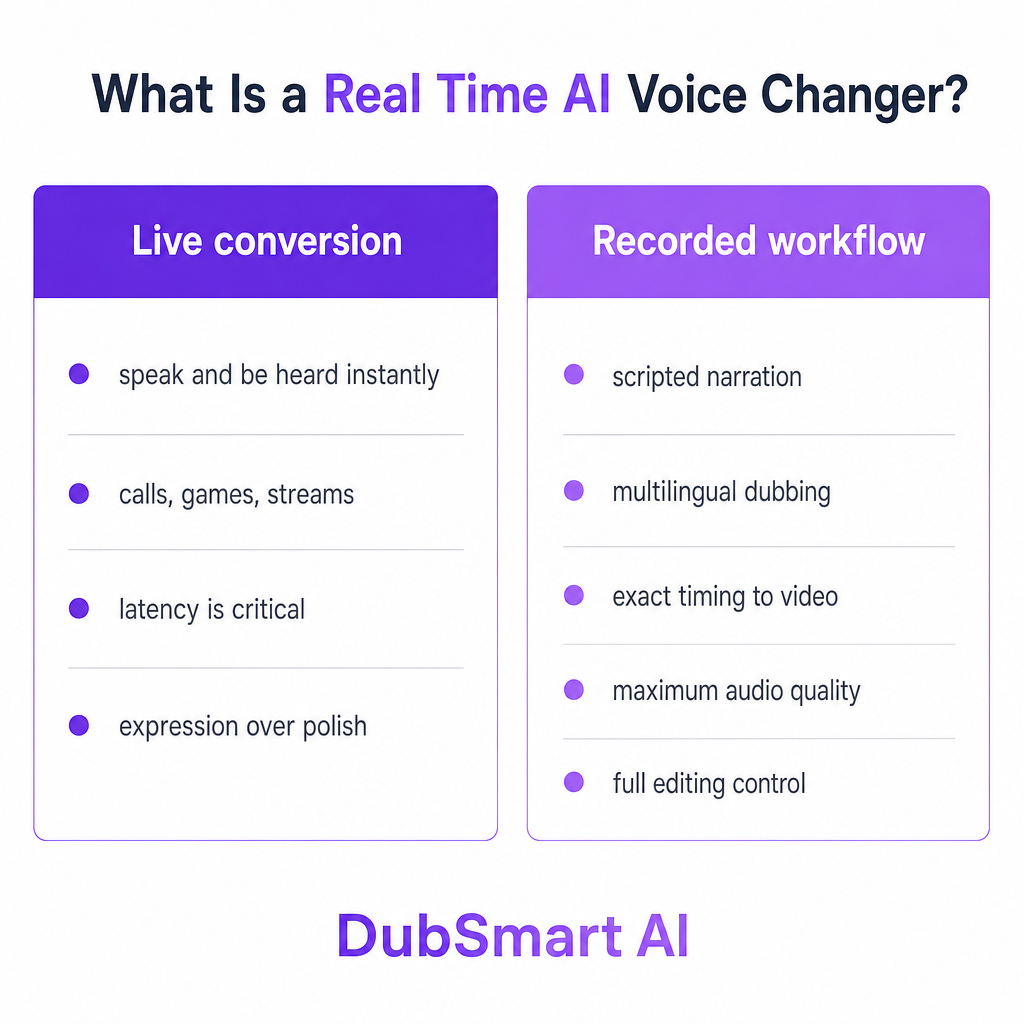
Live conversion is the right call when a person needs to speak naturally and have the transformed voice heard immediately. It is the wrong call when your priority is maximum audio quality, precise pronunciation, multilingual narration, exact timing against video, detailed editing, consistent commercial voiceover, or high-quality dubbing.
For those goals, a recorded pipeline wins. With text to speech, you control and refine the script before any audio is generated, which removes the live-latency problem entirely. With AI dubbing, the system processes an existing video and aligns translated speech against the source, something no live changer can do. If your source file mixes dialogue with music or noise, a speech separator can isolate a clean voice track before you process it. Our AI Dubbing is built to translate recorded audio or video into supported target languages, not to convert a live microphone feed.
Risks and responsible use
Impersonation and fraud are the headline risk. A realistic converted voice can make a false identity more believable, and the FTC warns that voice-cloning systems are used in family scams, business impersonation, extortion, and other fraud, along with risks to voice artists whose voices may be appropriated. Do not use a real person's recognizable voice without authorization, and never present an AI-generated or converted voice as proof that a specific person spoke.
Consent and voice rights follow directly. Get permission before cloning or deliberately imitating another person's voice, and keep a record of that permission, especially for commercial projects, advertising, training, games, or public media. The FTC material cited here discusses harms, enforcement, and proposed solutions rather than establishing a single consent rule for every use, so specific obligations can depend on jurisdiction, contract, platform, and use case. When in doubt, verify for your situation.
Disclosure is sensible whenever an audience could reasonably believe a real person is speaking live. A short notice that the voice is AI-generated or voice-converted reduces confusion. Security matters too: protect voice samples and custom voice files like other sensitive assets, limit access, avoid uploading recordings without permission, and remove unused voice profiles where the service allows it. Finally, plan for quality failures. Latency, dropped audio, and conversion artifacts can derail a conversation, so test the full setup with the actual microphone, headphones, application, network, and hardware before going public.
Where our tools fit your voice project
We present an integrated AI media workflow rather than a live microphone voice-changer product. On our platform you can generate speech from text, choose from more than 300 voices, create cloned voices from a short sample, and use those voices across Text to Speech and AI Dubbing projects. We support dubbing from more than 60 source languages into 33 target languages, which makes us a strong fit when the job is to create a voiceover from a script, produce speech with a custom voice, dub recorded audio or video, or localize content for multilingual audiences.
For developers, we publish separate API pages for Text to Speech, Voice Cloning, and AI Dubbing. These are generation and localization workflows. If your project specifically needs a live microphone voice changer, confirm that real-time streaming input, output routing, latency targets, and live-session support are explicitly documented before you commit to any API, ours or anyone else's.
If you are weighing live conversion against a recorded pipeline and are not sure which path fits your content, tell us your source format, target languages, and whether you need live or prerecorded output, and we will point you to the right workflow.
Frequently asked questions
Is a real time ai voice changer the same as text to speech?
No. A real-time voice changer transforms live microphone speech as you talk, while text to speech generates new speech from written text you submit first. Our Text to Speech is built for generating speech from text, not for live microphone conversion.
Does a real time ai voice changer have zero delay?
No. Every system needs time to capture and process audio, so some latency is unavoidable. The practical delay depends on the model, device, buffer settings, network, and destination application, and research systems report different figures under different test conditions.
Can an AI voice changer copy a celebrity's voice?
Some systems can technically imitate recognizable voices, but technical ability is not permission. Avoid unauthorized impersonation and check the relevant contracts, platform rules, and laws before using any recognizable person's voice.
What should I use to create multilingual YouTube videos?
For prerecorded videos, AI dubbing generally fits better than a live voice changer because it processes the existing video and produces aligned, localized audio. Our AI Dubbing translates and dubs recorded audio or video into supported languages.
Can your platform change my voice live during a call?
Our platform documents Text to Speech, Voice Cloning, and AI Dubbing rather than live microphone voice conversion. If you are planning a live-call workflow, confirm current product documentation with us first so we can recommend the right approach.