That hesitation is correct. By the end of this article, you'll know exactly what Perchance AI text to speech does well, where it quietly breaks, and which of four named alternatives matches your actual workflow — whether that's hobby narration, monetized YouTube content, multilingual dubbing, or API-driven product integration.
Table of Contents
- What Perchance AI Text-to-Speech Actually Does (and Where It Stops)
- How Perchance Renders Voice — The Synthesis Pipeline Explained
- When Perchance TTS Is the Right Choice (and When It Quietly Fails You)
- Perchance vs. Purpose-Built TTS Platforms — Feature-by-Feature
- Picking the Right TTS Tool for Your Actual Workflow
- A Decision Checklist for Choosing Your Next TTS Tool
What Perchance AI Text-to-Speech Actually Does (and Where It Stops)
To understand Perchance AI text to speech, you first have to understand what Perchance is structurally. Perchance.org is a community-driven generator platform — its identity is built around random text generators, AI story writing, and AI image generation. The TTS feature is a sidecar, not the main vehicle. That single fact explains nearly every limitation you'll encounter.
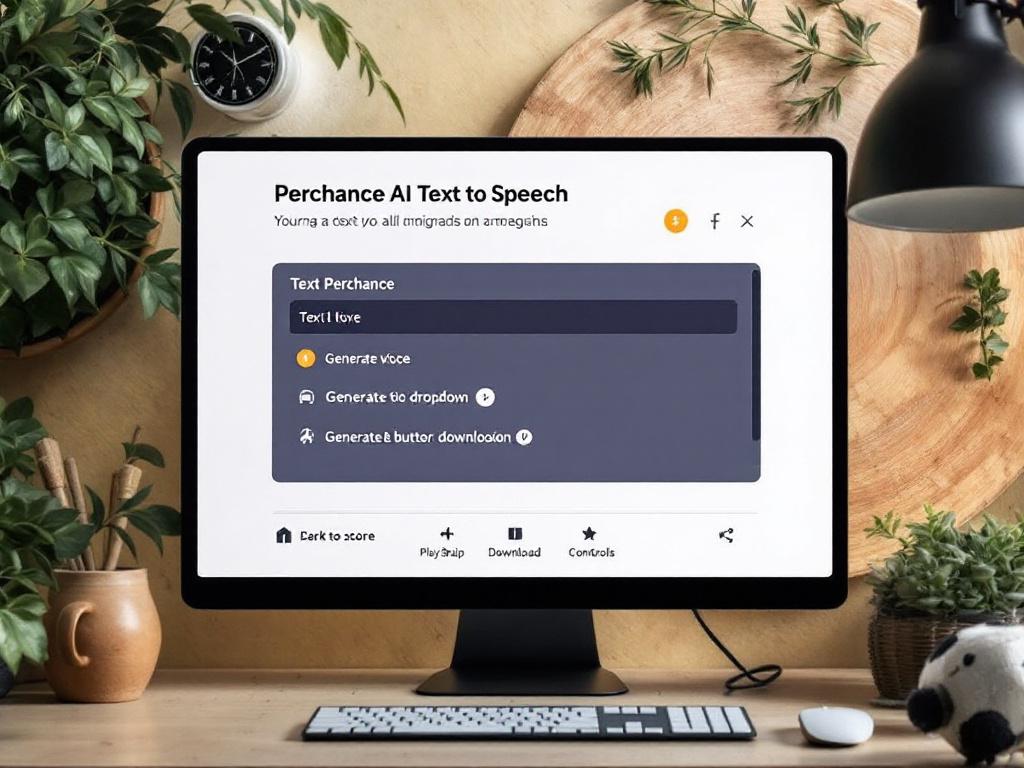
The feature itself is straightforward. You paste text into an input field (typically capped at a few thousand characters per generation), pick a preset voice from a small dropdown grouped by language and accent — English US, English UK, a scattering of other languages with limited naturalness — and click generate. The platform renders audio in-browser using a synthesis engine that draws on browser/web speech APIs and integrated open-source models. You get playback controls and a download button for standard MP3 or WAV output. No account is required for basic use. It is genuinely free, with no hidden gate before you hear the result.
That's the surface. The interesting question is what Perchance TTS does not do, because that's where workflow decisions actually live.
There is no voice cloning — you cannot upload a sample of your own voice (or any voice you have rights to) and have the platform reproduce it. There is no SSML support, which means no fine-grained control over pauses, emphasis, pitch curves, or pronunciation of difficult words. There is no multilingual dubbing pipeline — you cannot drop in a video and receive a translated voiceover synced to the original timing. There is no API access, so programmatic integration into your own product or batch workflow is off the table. There is no clear commercial licensing framework — Perchance's terms cover generator output broadly, but they do not provide the explicit commercial-use guarantees that paid platforms publish on their pricing pages.
There is also no voice consistency across long projects. Regenerate the same paragraph twice and you may get slightly different audio characteristics — fine for personal use, fatal for branded content where episode-to-episode consistency is the entire point. There is no project management, no version history, no team workspace. Once you close the tab, the audio is gone unless you downloaded it.
Perchance AI voice synthesis is appropriate for hobbyist narration: D&D session voices, fanfiction read-alouds, journal entries you want to hear back, draft scripts before you hire a real narrator, accessibility audio for a personal blog. It is not appropriate for revenue-generating content, branded video, client deliverables, or any project where voice consistency across sessions matters.
The honest practitioner note on audio quality: it's robotic-acceptable. You recognize it as synthetic the moment you hear it. That's fine when you're the only listener. It's a problem when an audience is forming impressions of your brand based on what comes out of their headphones. Modern professional text-to-speech platforms have moved past that uncanny-valley quality for English-language narration; Perchance TTS hasn't, and given that it's a free side-feature of a creative-writing site, it probably won't.
Perchance TTS is a sidecar feature, not a flagship product — and the difference shows up in every limitation you'll hit by your second project.
If your use case is "I want to hear my own writing read aloud, right now, for free, with no friction," Perchance is a clean answer. If your use case has any commercial dimension at all — even a small one — the rest of this article exists to keep you from learning that lesson the expensive way.
How Perchance Renders Voice — The Synthesis Pipeline Explained
Understanding how Perchance generates speech makes the limitations stop feeling arbitrary and start feeling structural. Here's what happens between paste and playback.
Step 1: Text Input and Tokenization
You paste text into the input box. The platform splits that text into tokens — words and sub-word units — and prepares them for the synthesis model. The practical cap is typically a few thousand characters per generation; longer scripts must be chunked manually, which is the first place voice consistency starts to slip. There's no "upload a 10,000-word document and get a continuous audio file" workflow. Each chunk is its own generation event.
Step 2: Voice Selection from a Preset Library
You pick from a dropdown of pre-trained voice profiles. These are not customizable. They are not your voice. They cannot be cloned from a sample you provide. The library is small — somewhere in the 20–40 voice range depending on what's enabled at the moment you visit. For comparison, ElevenLabs offers 300+ voices, and DubSmart AI offers 300+ natural voices plus voice cloning from a 20-second audio sample. The structural difference is whether the platform treats voice as a fixed menu or as a parameter you control.
Step 3: The Synthesis Engine Processes Tokens
The model converts tokens into phonemes (sound units), then into audio waveforms. Perchance leans on integrated open-source TTS models and browser speech APIs to do this work. In plain language: the model is predicting, frame by frame, what sound should come next based on the input text and the chosen voice. There's no emotional inference layer worth speaking of, and minimal context awareness — the system doesn't really know whether a sentence is sarcastic, urgent, or sad. It produces literal-prosody output, which is why long passages can sound flat compared to platforms that have invested in expressive synthesis.
Step 4: Audio Rendering and Playback
The waveform is encoded into a playable format and offered for in-browser playback. Latency is usually a few seconds for short passages and longer for full paragraphs. There's no real-time streaming, no batch processing, and no background queue — you wait for each generation to finish, then move to the next. For a creator generating audio for a 20-minute video script, this is the friction tax: chunk, generate, wait, listen, chunk again.
Step 5: Download or Discard
You can download the result as MP3 or WAV. There's no project saving inside Perchance — once you leave the page, the audio exists only on your machine, only if you grabbed it. And there's no Text to Speech API to call from your own application, which immediately disqualifies Perchance for developers, agencies, and any team trying to integrate voice into a product workflow.
The pipeline is competent. It is also intentionally minimal — built to deliver a simple text-in, audio-out experience for casual users. Every limitation you've read above traces back to that design choice. Knowing the architecture lets you stop wondering whether you missed a hidden setting. You didn't. The features aren't there.
When Perchance TTS Is the Right Choice (and When It Quietly Fails You)
The next question is whether your use case actually fits inside what Perchance offers. This matrix maps real creator scenarios against the platform's honest capability boundary.
| Use Case | Perchance Fit | Why It Works / Why It Breaks |
|---|---|---|
| Personal story narration (D&D, fanfic, journaling) | Strong fit | Free, fast, voice quality acceptable for self-listening |
| Quick 15–30s social clip narration | Acceptable fit | Workable for low-stakes content; expect robotic tone |
| YouTube channel with ad revenue (any size) | Poor fit | No voice consistency, licensing ambiguity, audience perceives synthetic quality |
| Multilingual content for global audience | Very poor fit | No dubbing pipeline, no language pairing with video sync |
| E-learning / corporate training modules | Very poor fit | No SSML, no pronunciation control, no enterprise licensing |
| Podcast intro/outro generation | Poor fit | Inconsistency across episodes breaks branding |
| Prototype/draft scripts before hiring a voice actor | Strong fit | Perfect for previewing pacing and word choice |
| Accessibility narration for personal blog | Acceptable fit | Adequate if no other option; specialized tools are better |
The table is the easy part. The judgment underneath it is where most creators trip.
Every tool has a time tax on top of its sticker price. Perchance is free, but the moment you start fighting its limitations — regenerating for consistency, manually chunking long text, working around licensing fog before publishing — you've already spent more time than a paid platform's monthly subscription would have cost. A creator who values their time at $40/hour and spends three hours per week fighting tool limitations has burned $480/month in opportunity cost to "save" $20/month on a subscription. The math reveals itself the day you actually sit down and measure it.
There's also a hidden switching cost that doesn't show up on day one. A creator who starts a YouTube channel on Perchance, builds an audience around a particular voice, then later moves to a professional platform discovers they have to re-record everything — because the new platform's voices won't match the old ones, and Perchance's voices can't be exported as cloneable models. This is the free-tool tax: pay nothing now, pay double later. The earlier you switch, the cheaper the migration.
The real cost of a free tool is the cost of switching the day it stops scaling with you.
None of this means Perchance is wrong as a starting point. If you're generating audio purely for yourself, exploring ideas, testing how a paragraph sounds before committing to a script direction, or running a private creative project, Perchance is the right answer. Don't talk yourself into a paid tool you don't need yet.
The three signals that you've outgrown Perchance TTS are simple. First: you've regenerated the same passage three or more times trying to get consistent quality. Second: you need a second language. Third: someone is paying you for the output — directly through client work, or indirectly through monetized content. Hit any one of those, and the calculation flips.
Perchance vs. Purpose-Built TTS Platforms — Feature-by-Feature
Once you're past the hobbyist threshold, the question becomes which dedicated platform fits your workflow. Here's how Perchance compares to the four most relevant alternatives across the capabilities that actually decide projects.
| Capability | Perchance | ElevenLabs | DubSmart AI | Murf.ai |
|---|---|---|---|---|
| Voice library size | ~20–40 presets | 300+ voices | 300+ voices | 200+ voices |
| Voice cloning | Not available | Available (paid) | 20-sec sample | Enterprise tier |
| Source languages | Limited | 30+ | 60+ | 20+ |
| Target dubbing languages | None | TTS only | 33 | Limited |
| API access | Not available | Available | TTS, Cloning, Dubbing | Limited |
Rask.ai sits in a separate lane worth noting: ~100+ voices, limited cloning, 130+ source/target languages for dubbing, limited API access, and a dubbing-first workflow rather than a full TTS suite. It's included in the next section's decision blocks because it serves a specific buyer profile cleanly.
A second slice of the comparison covers the commercial fundamentals that decide whether a platform can carry production work.
| Platform | Free Tier | Commercial Licensing | Primary Use Case |
|---|---|---|---|
| Perchance | Yes, no account | Ambiguous | Hobby narration |
| ElevenLabs | ~10k chars/mo | Clear (paid tiers) | Audiobook/narration |
| DubSmart AI | Credit-based free tier | Clear (all paid tiers) | Video localization & dubbing |
| Murf.ai | Limited | Clear | E-learning / corporate |
| Rask.ai | Limited | Clear | Video dubbing |
The structural difference matters more than any individual row. Perchance is a creative-writing platform with TTS as a feature. The other four are dedicated voice or dubbing platforms. This isn't a fair fight on capability — it's a question of whether you need a Swiss Army knife (Perchance) or a dedicated tool (everyone else).
The voice cloning gap is the sharpest dividing line. DubSmart AI requires only 20 seconds of audio to clone a voice — competitors typically require one to five minutes, and Perchance offers no cloning at all. The 20-second floor matters because it means you can clone a voice from a clip almost any creator already has on hand: a podcast intro, a YouTube voiceover, a phone memo. The friction of building a usable voice profile drops to near-zero.
Multilingual reach is the second structural gap. DubSmart's 60-source-to-33-target language pipeline and Rask.ai's broader dubbing range exist because their entire architecture is built around translation plus voice sync — taking the original speech, generating a translated script, regenerating speech in the target language, and aligning it to the source video's timing. Perchance has no equivalent feature category. If your content roadmap includes any non-English audience, this isn't a "nice to have" — it's the whole point. You can read more about how this kind of pipeline works at AI Dubbing.
API access is the third divider, and it's a hard line. For developers and agencies, DubSmart offers three distinct APIs: Text to Speech, Voice Cloning API, and AI Dubbing. ElevenLabs offers a mature TTS API used widely in production. Perchance offers none. If you need programmatic access — to integrate voice into your own product, batch-process content overnight, or pipe TTS into a CMS workflow — Perchance is immediately disqualified.
There's a subtle trap inside the free-tier comparison. All five platforms offer free access, but Perchance's free tier is the whole product, while paid platforms' free tiers are samplers designed to demonstrate the upgrade. That sounds like a Perchance advantage until you realize the paid platforms' free tiers exist because they expect you to upgrade — which means the product is built to scale beyond the free tier. Perchance's free experience is the ceiling, not the floor.
Perchance TTS is a convenience feature inside a creative writing playground — not a platform you build a content business on top of.

Picking the Right TTS Tool for Your Actual Workflow
Tool selection isn't a ranking exercise. It's a fit exercise. These five decision blocks are organized by reader profile, not by vendor preference — pick the one that describes your next six months and stop reading the others.
Choose ElevenLabs if you're building audiobook or narration-heavy content
- Best for: Solo audiobook narrators, fiction podcasters, premium long-form content creators who need the most naturalistic English voice quality available on the market.
- Why it wins: ElevenLabs has built its reputation specifically on emotional realism in synthesized speech — particularly for English-language long-form narration. Voice cloning is mature, well-documented, and produces audio that holds up across multi-hour projects. The API is production-grade and widely used.
- Cost framing: The free tier covers roughly 10k characters per month; paid plans typically range from about $5/month (Starter) to $99+/month (Pro), with enterprise pricing above that. Best ROI when your content is voice-quality-sensitive and English-dominant.
Choose DubSmart AI if you're a video creator going multilingual
- Best for: YouTubers expanding to global audiences, marketers localizing video campaigns, course creators dubbing into multiple languages, podcasters cloning their own voice for translated episodes, and developers integrating TTS, cloning, or dubbing into their own products via API.
- Why it wins: The platform is built as an end-to-end localization pipeline — upload a video, get a dubbed version in any of 33 target languages with optional voice cloning from a 20-second sample. Beyond AI Dubbing and Voice Cloning, the workspace bundles Text to Speech, Speech to Text, Speech Separator, an AI image generator, and Image to Video tools, which means the entire content workflow lives in one place instead of fragmenting across four subscriptions. Credit-based pricing with rollover means unused capacity doesn't evaporate at the end of the month. Developers can hit the platform programmatically through the AI Dubbing API.
- Cost framing: Free tier with starter credits; paid tiers scale with usage, and enterprise plans are available for high-volume teams. Best ROI when localization or voice cloning is core to your content strategy — and especially strong when you'd otherwise be paying for dubbing, TTS, and cloning as three separate subscriptions.
Choose Murf.ai if you're producing e-learning or corporate training
- Best for: Instructional designers, L&D teams, corporate training video producers, and HR communications teams who need presentation-style narration with template support and slide synchronization.
- Why it wins: A strong template library, slide-sync features, and AI avatars built specifically for training content. The product is shaped around the corporate workflow rather than entertainment — pacing, clarity, and instructional tone come first.
- Cost framing: Plans typically run about $12 to $96 per month per user, with enterprise pricing for teams. Best ROI when you're producing structured training modules at volume.
Choose Rask.ai if dubbing is your only need and language breadth matters most
- Best for: Localization-first creators producing video content for niche language markets, especially when you need to reach languages that smaller platforms don't support.
- Why it wins: A dubbing-focused workflow with very broad language support — 130+ languages on the dubbing side, which is wider than most competitors. Streamlined if you don't need TTS, cloning, or asset generation outside of the dubbing pipeline.
- Cost framing: Pay-per-minute model — predictable for batch dubbing jobs and easy to forecast against a campaign budget.
Stick with Perchance TTS if you're a hobbyist with zero monetization plans
- Best for: Personal narration projects, draft scripts before hiring a voice actor, exploratory creative work, D&D session prep, accessibility narration for a personal blog.
- Why it wins: Genuinely free, no account required, no commitment, no upsell pressure. You get what you came for in under a minute.
- Cost framing: $0 in dollars — but factor in the time cost of regenerating passages, manually chunking long text, and eventually re-recording everything when you outgrow it. For the right user, that tradeoff is fine. For the wrong user, it's invisible debt.
The wrong question is "which tool is best." The right question is "which tool matches the next six months of my workflow." If you're shipping multilingual video, the answer is DubSmart or Rask. If you're recording long-form English narration, the answer is ElevenLabs. If you're building corporate training, the answer is Murf. If none of those describe you, Perchance is fine — until it isn't.
Tool selection is not about features. It is about workflow fit — a platform with 500 features is useless if 499 of them slow you down.
A Decision Checklist for Choosing Your Next TTS Tool
Frameworks beat opinions. Run these four phases in order and you'll have a working tool decision before next Monday — without reading another review.
Phase 1: Map Your Real Constraints (Before Looking at Any Tool)
- Identify your primary content format. Is your output written narration, video, podcast audio, or training material? Each format has a different optimal tool, and starting from format prevents you from getting sold on features you'll never use.
- Decide if voice cloning is mandatory or optional. If your brand depends on a specific voice — yours or a hired talent's — you need cloning. If any natural voice works, a preset library is sufficient and cheaper.
- Forecast your language needs for the next 6 months. If you'll need a second language, rule out any platform without dubbing now. Switching later costs more than choosing right today, because every piece of content already produced has to be reconciled with the new tool.
- Set a budget ceiling — including the free option. "Free" is a valid budget, but be honest about whether free-tier limits will become a blocker within a month. A free tool that costs you 10 hours of friction per month is not actually free.
Phase 2: Pressure-Test a Shortlist (Not a Long List)
- Generate the same 200-word script in 3 platforms. Use Perchance, plus two paid alternatives on their free tiers. Listen with headphones, not laptop speakers — the difference in quality between platforms is invisible on bad audio.
- Test the worst-case sentence. Include a proper noun, an acronym, and a number — for example: "Visit our 2025 Q3 launch at NVIDIA headquarters in Santa Clara." This is where weak TTS engines collapse on pronunciation, and where strong ones prove themselves.
- Try the multilingual test if relevant. Take one paragraph and attempt to dub it into your target language. Note which tools even offer this capability and which ones actually produce listenable output.
- Time how long each test took. Workflow friction is invisible until you measure it. The platform that produced acceptable audio in three minutes is operationally different from the one that took fifteen.
Phase 3: Calculate the True Cost of Switching Later
- Estimate your annual output volume. 12 videos? 100 podcast episodes? 500 social clips? Volume changes the math entirely — what's affordable at low volume becomes punitive at scale, and vice versa.
- Model the rework cost if you change tools at month 6. Hours of re-recording multiplied by your hourly rate equals the real switching cost. For most creators this number is in the high hundreds to low thousands of dollars, which dwarfs the annual subscription cost of choosing right initially.
- Check the pricing ceiling, not just the entry tier. Where does each platform's pricing land at 10× your current volume? Entry tiers are designed to feel cheap. Scale tiers are where the actual cost of the relationship lives.
- Confirm commercial licensing in writing. If you're monetizing in any form — ad revenue, sponsorships, client work, course sales — the platform's terms must explicitly allow commercial use of generated audio. Ambiguous terms are a future legal headache; clear terms are a non-negotiable.
Phase 4: Commit and Stop Shopping
- Pick one platform for 3 months minimum. Tool-hopping is more expensive than choosing imperfectly and sticking with it. The compound learning of one tool always beats shallow familiarity with three.
- Document what frustrates you as you use it. Keep a running note. This becomes the requirements list for your next tool, if you ever need one — and it forces you to distinguish real limitations from initial-learning-curve complaints.
- Re-evaluate at month 3 with data, not gut feel. Quality issues? Volume issues? Language issues? Each points to a different upgrade path, and reviewing with evidence prevents emotional tool-switching after one bad day.
- If you're scaling video into multiple languages, test a full Text to Speech and AI Dubbing workflow on a free tier before committing budget. Free credits exist specifically so you can run the entire dubbing-plus-cloning pipeline on a real project before signing up. Use that.
Your next move isn't to keep reading reviews — it's to run Phase 1 today, Phase 2 this week, and have a working tool decision in hand before next Monday. Perchance is a fine starting point for hobbyists. For monetized creators, multilingual publishers, corporate training teams, and developers, the platforms above exist precisely because Perchance's ceiling is where the real work begins.