You typed "There's someone standing behind you" into a text-to-speech tool, hit generate, and the voice read it back like a customer-service hold message. Cheerful. Crisp. Completely wrong. The dread you wrote into that sentence evaporated the instant the AI opened its mouth. If you've tried building horror audio with creepy text to speech and walked away thinking synthetic voices just can't sound scary, the problem isn't the technology — it's that you treated creepiness as a button instead of a process.
Creepy is engineered, not clicked. It comes from five layered decisions: voice selection, pacing manipulation, pitch displacement, emotional flattening, and post-processing. Most creators quit after one flat result because they expect a "scary" preset to do the work. It won't. The voice actors who narrate your favorite creepypasta channel aren't reaching for a magic setting — they're stacking deliberate choices.
What follows is a repeatable workflow to engineer genuinely unsettling synthetic voices — whispering entities, distorted demonic narrators, dead-eyed possessed children, glitching AIs — without hiring a voice actor or booking a studio. Run it the same way every time, and the dread stops evaporating.
Table of Contents
- The 6 Sonic Ingredients of Dread: What Makes Any Voice Unsettling
- Match the Archetype: Picking a Base Voice You Can Actually Make Sinister
- Dialing In Dread: 5 Settings That Turn a Clean Voice Sinister
- Cloning a Voice You Almost Recognize: Custom Horror Characters in 20 Seconds
- The Post-Production Pass That Separates Amateur From Genuinely Scary
- Tailoring the Terror: Creepy Voice Specs for Each Horror Format
- The Repeatable Creepy-Voice Production Checklist (Run This Every Time)
- Creepy Text-to-Speech: Quick Answers
The 6 Sonic Ingredients of Dread: What Makes Any Voice Unsettling
Before you touch a single slider, you need the vocabulary. Every later step in this guide applies these six concepts — none of them re-explain it. Learn what actually makes a voice frightening, and a scary AI voice stops being luck and starts being a recipe.
Unnatural pacing. Voice actors build dread by talking slowly, quietly, and coldly. A voice that runs too slow, too even, with no audible breath reads as inhuman — and inhuman is exactly the threat you want. Community discussion among working voice actors on Reddit's r/VoiceActing keeps landing on the same practical core: pacing and emotional flatness do most of the heavy lifting in a deep, scary delivery.
Pitch displacement. Shifting pitch down adds menace and body; shifting up creates the uncanny child — small, wrong, too high. Horror sound designers lean on strong pitch bends and warping to intensify tension, a standard technique catalogued by A Sound Effect in their breakdowns of horror sound design. Direction matters: down for the demon, up for the thing that should not be a child.
Monotone affect. Emotional flatness reads as dead or non-human. This is the single most important free creepiness lever you have — it costs nothing, works on any voice, and survives every other processing decision. A voice with no warmth in it sounds like something wearing a person.
Whisper and breathiness. Proximity to a whisper triggers a threat-response in listeners because it implies someone is close — close enough to breathe on your neck. Breath sounds shrink the distance between the entity and the ear.
Reverb and space. Reverb tells the brain where a voice is: an empty room, a long hallway, a cavern with no exit. Space is dread. A dry, close voice feels like a podcast; the same line drenched in long reverb feels like it's calling from somewhere you can't see.
Imperfection and glitch. Rough, chaotic, distorted timbres spike listener arousal and anxiety. Behavioral ecologist Daniel T. Blumstein's research on non-linear horror sounds — screeches, distorted calls — shows these psychoacoustic cues reliably raise tension, and sound designers mimic them with distortion, pitch-warping, and digital decay. Stutters and artifacts weaponize that effect.
All six feed one larger principle. Trevor Cox, Professor of Acoustic Engineering at the University of Salford, writes about the uncanny valley in synthetic voices — voices that are almost human but subtly wrong feel eerie rather than comforting. For everyday TTS that's a flaw. For horror, it's the whole point.

Fear doesn't live in the words. It lives in the silence between them.
Match the Archetype: Picking a Base Voice You Can Actually Make Sinister
You cannot creepy-ify the wrong starting voice. A bright, peppy base will fight every effect you apply — pitch it down and it sounds like a chipper person on cough syrup, not a demon. Selection comes first. Everything downstream amplifies what the base already has, so pick a voice whose raw timbre already leans toward your archetype.
| Horror Archetype | Base Voice Traits | Primary Creepiness Lever |
|---|---|---|
| Demonic narrator | Deep male, low resonance, slow | Heavy pitch-down + reverb |
| Possessed child | High, soft, light timbre | Pitch-up + monotone |
| Ghostly woman | Breathy, mid-range, airy | Whisper layer + reverb |
| Malfunctioning AI | Neutral, synthetic, clean | Glitch + bitcrush |
| Cult / ritual chant | Flat, monotone, sexless | Layered doubles + drone bed |
The trick to working a large library is filtering by timbre and tone, not by sheer count. Scale benchmarks help you read what "large" even means. ElevenLabs advertises 5,000+ voices across 70+ languages, including dedicated horror and scary-story styles. LOVO lists 500+ voices across 100+ languages. DubSmart AI offers 300+ natural-sounding voices spanning 60+ source languages. None of those numbers matter if you scroll them by name — you have to audition by sound.
Some tools ship horror-specific presets and some don't. Narakeet runs a scary voice generator built specifically for horror stories and game characters, and VoisLabs packages ready-made "creepypasta," "true crime," and "horror podcast" presets tuned slow, deep, and whispered. General-purpose TTS forces you to build creepiness manually. Both paths work — presets save time, manual gives you full control. Pick based on whether you want speed or a signature voice nobody else has.
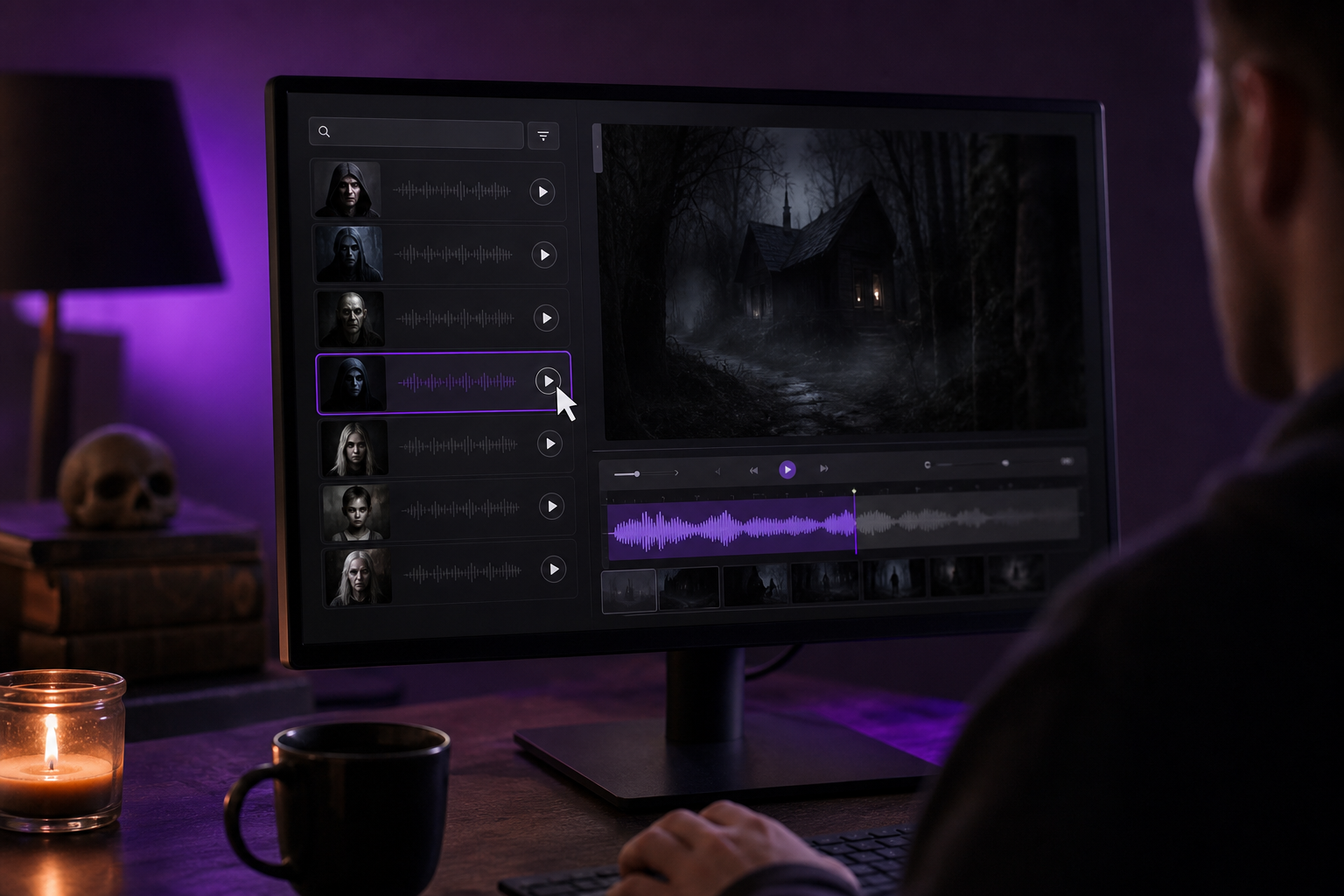
Here's the shortlisting method that saves hours. Filter the library to your target language first. Then audition 4-5 candidates reading the same test line — "Come closer. I won't hurt you." — and keep only the voices whose natural timbre already matches your archetype. Reading the identical line across candidates makes the comparison honest; different lines hide a voice's real character. When you audition voices in a Text to Speech tool, listen for the raw quality you'd want before effects, because effects can only sharpen what's there — they can't invent menace from a voice that doesn't have any.
This is also where most horror text to speech projects quietly fail. Creators grab the first voice that sounds "kind of deep," apply every effect at once, and wonder why it lands flat. The base voice is your foundation. A wrong foundation can't be saved in post.
Dialing In Dread: 5 Settings That Turn a Clean Voice Sinister
You have your base voice. Now make it wrong. This is the hands-on settings pass — do these in order, test as you go, and resist the urge to crank everything to maximum.
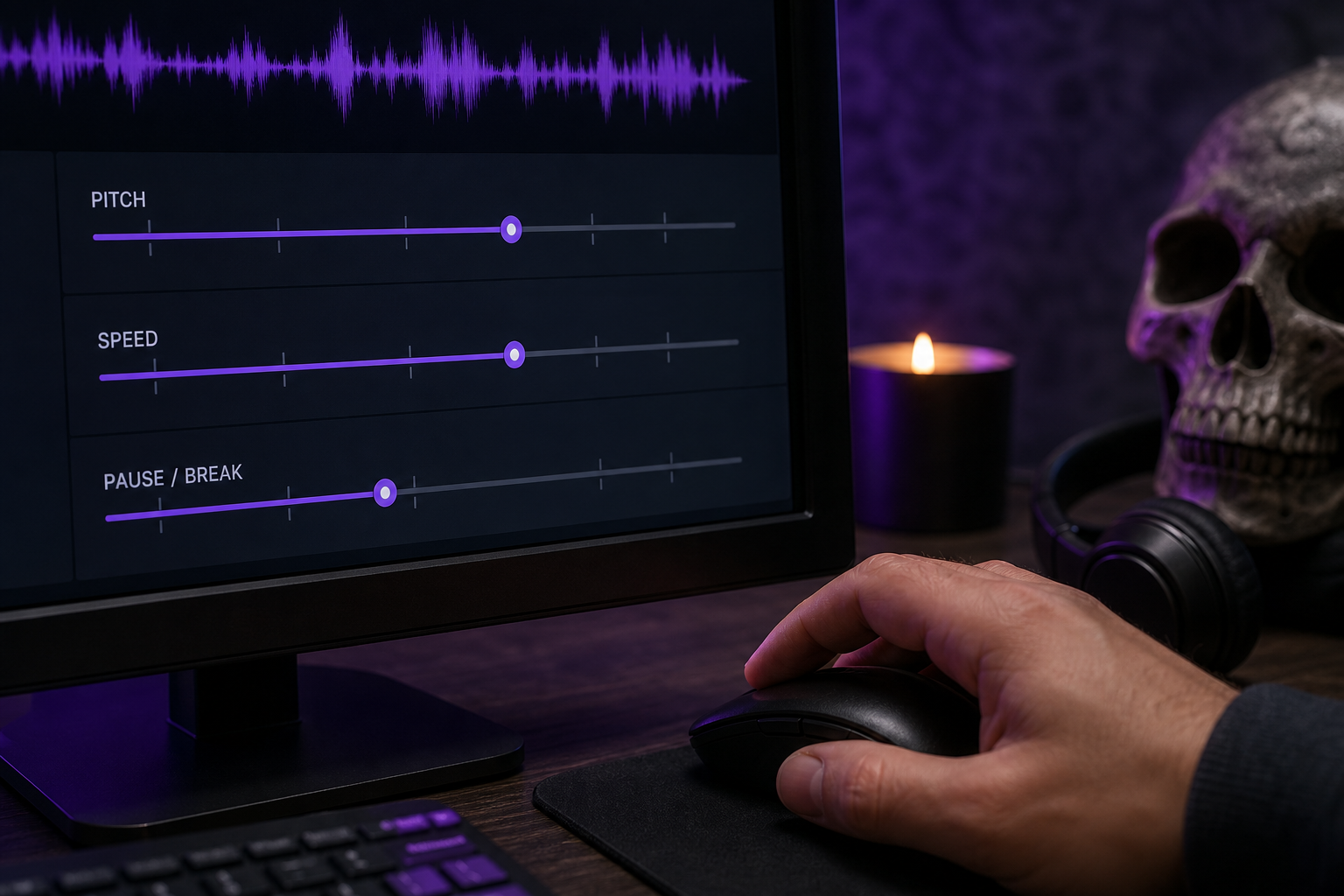
1. Drop the speaking rate first. Slow the rate to stretch the delivery into dread-pacing. Move in small increments — go too slow and the menace tips over into comedy. When you're scripting pauses, borrow the timing benchmark from the CreepyPasta Wiki Narrator's Corner: leave 5–10 second gaps where you plan silences, so you have editing room later to drop in ambience or a stinger. Rate is your first creepy text to speech lever because it changes how every following effect reads.
2. Lower pitch incrementally. Step the pitch down in small amounts and listen after each step. Gentle lowering reads as menacing and authoritative — a human threat. Push too far and it breaks into obviously demonic, processed territory. That's perfect if you're building a demon narrator and wrong if you want a believable human who means you harm. Know which one you're after before you start dragging the slider.
3. Strip emotional inflection toward monotone. If your tool offers emotion or style controls, set them to neutral or flat. Flatness is the cheapest, most reliable creepiness lever you have, and it survives every later processing stage. A flat voice saying something terrible is scarier than an actor chewing the scenery.
4. Insert manual pauses and breaks. Use punctuation — em-dashes, ellipses, line breaks — and SSML-style <break> tags where your tool supports them, to engineer the silences by hand. The gaps do the scaring. A pause before a threat lands harder than the threat itself, because the listener fills the silence with their own dread.
5. Test short phrases before generating the full script. Generate one sentence. Listen on headphones. Adjust. Then commit the whole script. With a flexible Text to Speech API you can batch these short test renders programmatically, which saves credits and catches a voice that sounds robotic before you've burned a full render on a script-length mistake. One bad parameter copied across 40 minutes of narration is a wasted afternoon.

Cloning a Voice You Almost Recognize: Custom Horror Characters in 20 Seconds
This is the advanced move, and it's where horror audio gets genuinely disturbing. Voice cloning lets you build a recurring horror character or found-footage realism from a short sample — a whispered entity that returns episode after episode, a friend's voice turned wrong, your own voice playing the thing living in the walls. You can clone a voice from roughly 20 seconds of clean audio.
Why does a cloned, slightly-off familiar voice outperform a generic stock monster? Because of the uncanny valley. Trevor Cox's work on synthetic voices shows that almost-human-but-wrong is the eeriest zone — a voice your listener almost recognizes lands harder than any growling demon preset, because their brain insists it knows that voice while every instinct screams that something is off. Generic monster voices announce themselves as fiction. A familiar voice corrupted feels like a violation.
Recording a usable 20-second sample takes discipline, not equipment. Keep a stable mic distance, consistent room tone, and controlled dynamics — the same fundamentals horror narration tutorials stress for credible scary audio, including the Creepypasta & Scary Story Narrations recording and editing guidance creators lean on. Record in a quiet room. Speak in a flat, even tone — you'll apply creepiness later in settings and post, so the sample should be neutral. Read varied, ordinary sentences rather than whispers, because the clone needs your full vocal range to reproduce you convincingly. A sample built entirely of whispers gives you a clone that can only whisper.
Avoid four things in that sample: clipping, echo, fan or AC hum, and emotional over-performance. The first three are noise the clone will reproduce. The fourth is sneakier — if you over-act the sample, you bake inflection into the clone that you'll then have to fight to strip back out toward monotone. Flat in, flexible out.
Once cloned, the voice flows straight into the same Text to Speech and settings pipeline from the previous section — drop the rate, lower the pitch, flatten the affect. The clone is just a new base voice with your fingerprint on it. Developers who want to spin up multiple character voices at scale can automate the whole step through a Voice Cloning API rather than cloning each one by hand.
The market context tells you this isn't a fringe trick. According to Grand View Research, the AI voice cloning market was valued at roughly USD 1.45 billion in 2022 and is growing at about 26% CAGR through 2030. A separate forecast from Data Bridge Market Research puts it at USD 1.77 billion in 2024, reaching USD 11.06 billion by 2032. Cloning for entertainment and synthetic narration is a fast-moving space, and horror is one of its most creative corners.
The most disturbing voice in horror isn't a monster's — it's one you almost recognize.
That power comes with hard rules. Only clone voices you own or have explicit rights to use. Consumer Reports' AI voice cloning report calls explicit, informed consent the ethical baseline — not optional, not buried in a checkbox. Legal analysts at the Cambridge Forum on AI Law and Governance and Bradley describe audio deepfakes as cutting-edge tech carrying cutting-edge risks: fraud, reputational harm, and privacy violations when real people's voices are cloned without safeguards. Never impersonate a real person maliciously. Horror is fiction. Defamation is not. Clone yourself, clone a consenting collaborator, or build from library voices — and keep the line between scary story and real harm bright and uncrossed.
The Post-Production Pass That Separates Amateur From Genuinely Scary
Settings get you a sinister voice. Post-processing gets you a terrifying one. These steps are tool-agnostic — they work in Audacity, free DAWs, or any paid editor — and this is where a demonic voice generator result becomes something that actually crawls under the listener's skin.
Reverb and room tone. Place the voice in a haunted space. A long, washy reverb suggests a cavern or an empty house; a short, metallic one suggests a small, wrong room you don't want to be in. The widely shared Instructables "Demonic Voice – Audacity Quick Tip" lays out the standard move: import the clean track, duplicate it, and add reverb and EQ to taste. Space is the difference between a voice on a recording and a voice in a building with you.
Layering detuned doubles. Stack the same line two or three times, each copy slightly pitch-shifted and offset by a few milliseconds, to create the "many voices speaking as one" effect — the cult and possession sound. That same Audacity demonic pipeline demonstrates the duplicate-and-pitch approach exactly. The offset is what sells it; perfectly aligned copies just sound louder, while a small timing gap sounds like a crowd that shouldn't exist.
Whisper layer. Run a quiet duplicate of the line underneath the main vocal, mixed low enough that it's felt more than heard. This triggers the proximity-threat response without hurting intelligibility. The listener can't quite tell why the line feels closer than it should — that's the point.
Distortion and bitcrush. For demonic entities and glitching AIs, apply distortion, sine waveshaping, and bit-reduction to weaponize the rough, non-linear timbre that spikes listener anxiety. Use it sparingly on any dialogue you still need understood — a fully crushed line is atmosphere, not narration. Reserve the heavy processing for moments where meaning matters less than menace.
Background bed of dread. Add low-frequency drones, ambient texture, and — most important — deliberate silence. Dallas Taylor, audio producer and host of the Twenty Thousand Hertz podcast, stresses in his work on spooky sound design that unexpected silence, dissonance, and sudden dynamic contrast matter as much as the scary audio itself. Sound designers profiled by LBBonline echo it: subtle ambience and carefully shaped dynamics create more dread than constant loud scares. Don't fill every second. Let the quiet do work.
Clean before you corrupt. If your source audio carries noise, isolate the voice first. A Speech Separator pulls a clean vocal off a noisy or music-laden recording before you process it. Garbage in, garbage out applies double in horror — every artifact you don't want gets amplified by the same effects that create the ones you do.
Tailoring the Terror: Creepy Voice Specs for Each Horror Format
Different horror formats demand different voice priorities. A 40-minute creepypasta needs monotone endurance; a 6-second podcast sting needs punch. Match the spec to the medium and your creepypasta narration voice stops fighting the format it lives in.
| Content Format | Ideal Voice Type | Key Setting | Post-Processing Priority | Multilingual Need |
|---|---|---|---|---|
| YouTube horror narration | Clear, deep, steady | Moderate slow rate | Light reverb, keep clarity | High (channel growth) |
| Creepypasta audio | Monotone, non-fatiguing | Flat affect, slow | Subtle bed + silence | Medium |
| Game / animation VO | Multiple distinct voices | Per-character pitch | Heavy character FX | Medium |
| Horror short / found footage | Realistic, human | Minimal processing | Room tone, lip-sync dub | High (festival reach) |
| Podcast intro / promo | Punchy, branded | Sharp pitch-down | Distortion + sting | Low |
The first tradeoff to manage is clarity versus dread. YouTube horror narration has to stay intelligible across a full episode while sustaining tension — over-process it and you tank retention as listeners strain to parse what the entity is saying. The dread has to ride under the words, not bury them. Find the line where the voice is still understood and stop one step before it breaks.
Long-form creepypasta has a different enemy: ear fatigue. A monotone voice that works for three minutes can grate over thirty, so your base voice selection matters more here than anywhere else. Choose a timbre that's flat without being harsh — something the ear can sit with for half an hour without flinching for the wrong reasons.
Character work for games and animation flips the requirement entirely. You need multiple distinct voices, which is a strong case for cloning several samples or auditioning many library voices until each character is unmistakable. One processing recipe applied to five characters gives you five versions of the same monster. To take a static horror character further, you can even feed a generated portrait into an Image to Video tool and pair the animation with your engineered voice.
Found-footage and horror shorts live or die on lip-sync realism, which is where dubbing earns its keep — you can dub a creepy performance onto on-screen footage so the voice and the mouth agree. AI Dubbing supports localizing across 33 target languages from 60+ source languages, which opens a path most horror creators overlook. Build one terrifying voice, then scale a horror channel internationally by dubbing each episode into 33 languages — the same dread, brand-new audiences. Developers running a content pipeline can automate that episode localization through an AI Dubbing API instead of processing each language by hand.
One terrifying voice, dubbed into 33 languages, is a horror channel that never sleeps.
The Repeatable Creepy-Voice Production Checklist (Run This Every Time)
Print this, bookmark it, run it on every horror project. It turns the whole creepy text to speech workflow into seven reliable moves.
- Define the horror archetype. Demon, possessed child, ghost, malfunctioning AI, or cult chant — everything downstream depends on this single choice. Pick it before you open a single tool.
- Select the base voice by trait. Filter the library by language and timbre, then audition 4-5 candidates on the same test line before you commit to one.
- Apply the 5 core settings. Slow the rate, drop the pitch in steps, flatten to monotone, insert manual pauses, and test one line before generating the full script.
- Clone if you need a custom character. Record a clean 20-second sample with consent and a flat tone, then route the clone through the same settings pipeline.
- Run the post-processing pass. Reverb for space, detuned doubles for the "many voices" effect, a whisper layer underneath, distortion or bitcrush for demons, and deliberate silence in the bed.
- Match the output to your format. Balance clarity against dread for your specific platform, and plan your dubbing now if the channel is going multilingual.
- QA on headphones in a dark room. The final test. If the voice doesn't make you uneasy, it won't land for anyone else either.
Generate the line, then play it back with the lights off. If you don't flinch, it isn't done.
Creepy Text-to-Speech: Quick Answers
Can text-to-speech really sound scary, or will it always sound robotic?
Yes — when it's engineered, not used raw. Modern TTS plus the five-setting pipeline (slow rate, pitch-down, monotone, manual pauses) and a real post-processing pass produces genuine dread. Acoustic engineer Trevor Cox notes that almost-human-but-subtly-wrong voices are more unsettling than obviously robotic ones, which means the residual machine quality in synthetic speech can actually work in horror's favor instead of against it.
What's the best creepy TTS voice for a possessed child versus a demon?
For a possessed child: a high, soft, light-timbre base, pitched slightly up and flattened to monotone. For a demon: a deep male base, pitched down in steps with heavy reverb and a detuned double layer. Same workflow, opposite pitch direction — that's the whole difference between the two most-requested horror archetypes. The archetype matrix earlier in this guide maps the rest.
Is it legal to use AI-generated creepy voices in my monetized horror content?
Generally yes for synthetic and library voices, if your tool's license permits commercial use. Licensing explainers from Voices.com and Kukarella stress that commercial and broadcast tiers govern monetized YouTube, games, and audiobooks — never assume a free or beta tool clears you to monetize. Cloning a real person's voice without explicit, informed consent crosses into ethical and legal risk, as Consumer Reports and NCSL deepfake legislation tracking both make clear.
How do I make one creepy voice for multiple languages on my horror channel?
Build your terrifying voice once, then use AI dubbing to localize each episode. DubSmart AI dubs from 60+ source languages into 33 targets and can optionally preserve your cloned voice across languages — so the same dread reaches new audiences without re-recording a single line. One voice, engineered properly, becomes a channel that scares people in dozens of languages at once.