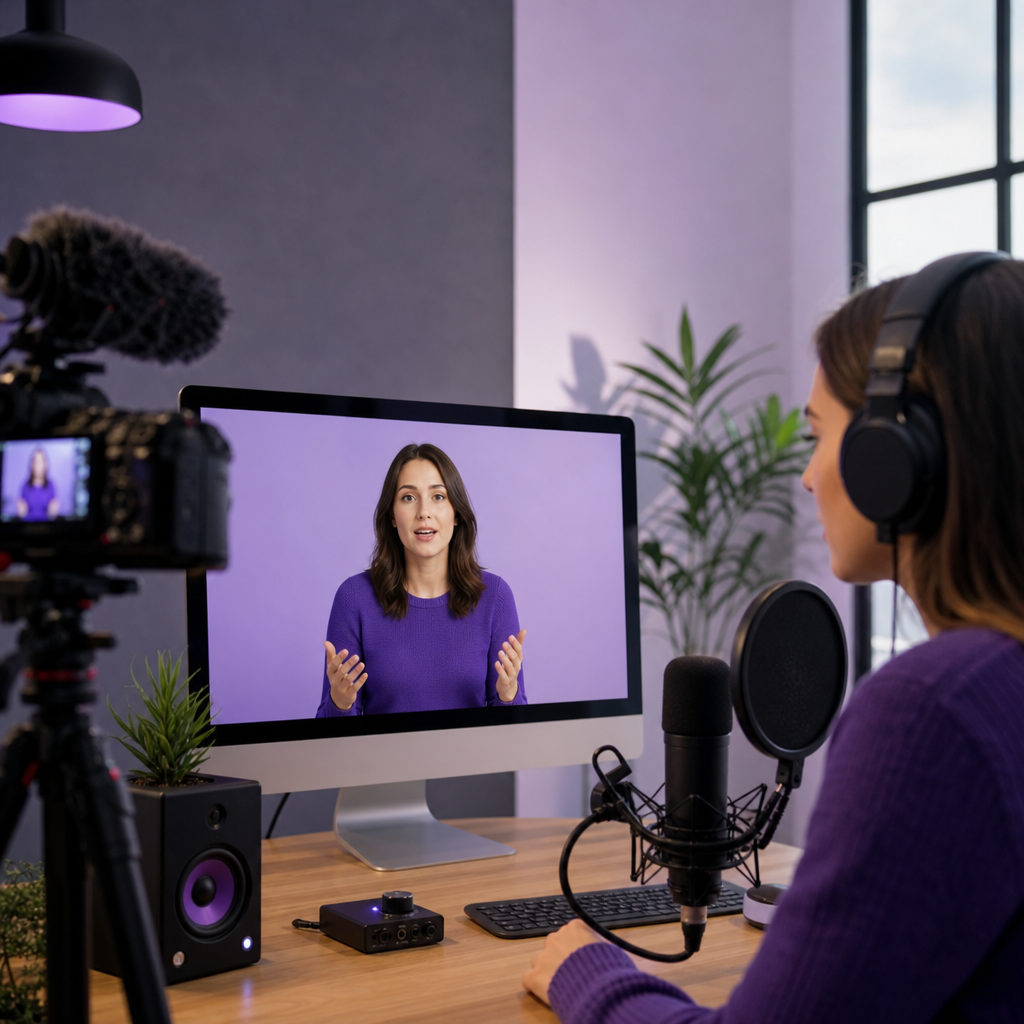
The best ai voices for explainer videos are rarely the most dramatic or hyper-realistic samples you hear in a demo reel. The voice that actually works is the one that keeps your explanation easy to follow, fits your audience and brand, stays consistent when the script changes, and scales into new languages when you need it to. For most creators and small teams, a natural, clearly articulated voice with moderate energy is the safest place to start.
At DubSmart AI we treat voice selection as a production decision, not a vibe check. Our platform brings together 300+ AI voices, voice cloning, speech-rate and pitch controls, and multilingual output in one workflow, so the voice you pick for an English master can carry through to a localized library without starting over. This guide explains what makes a voice effective for narration, which voice types suit which formats, and how to choose with a repeatable framework instead of guesswork.
Table of contents
What makes an AI voice effective for an explainer video
An explainer voice has a different job from a character voice, an audiobook narrator, or a viral social clip. It has to deliver information quickly without fighting the visuals for attention. The measure of success is comprehension, not applause.
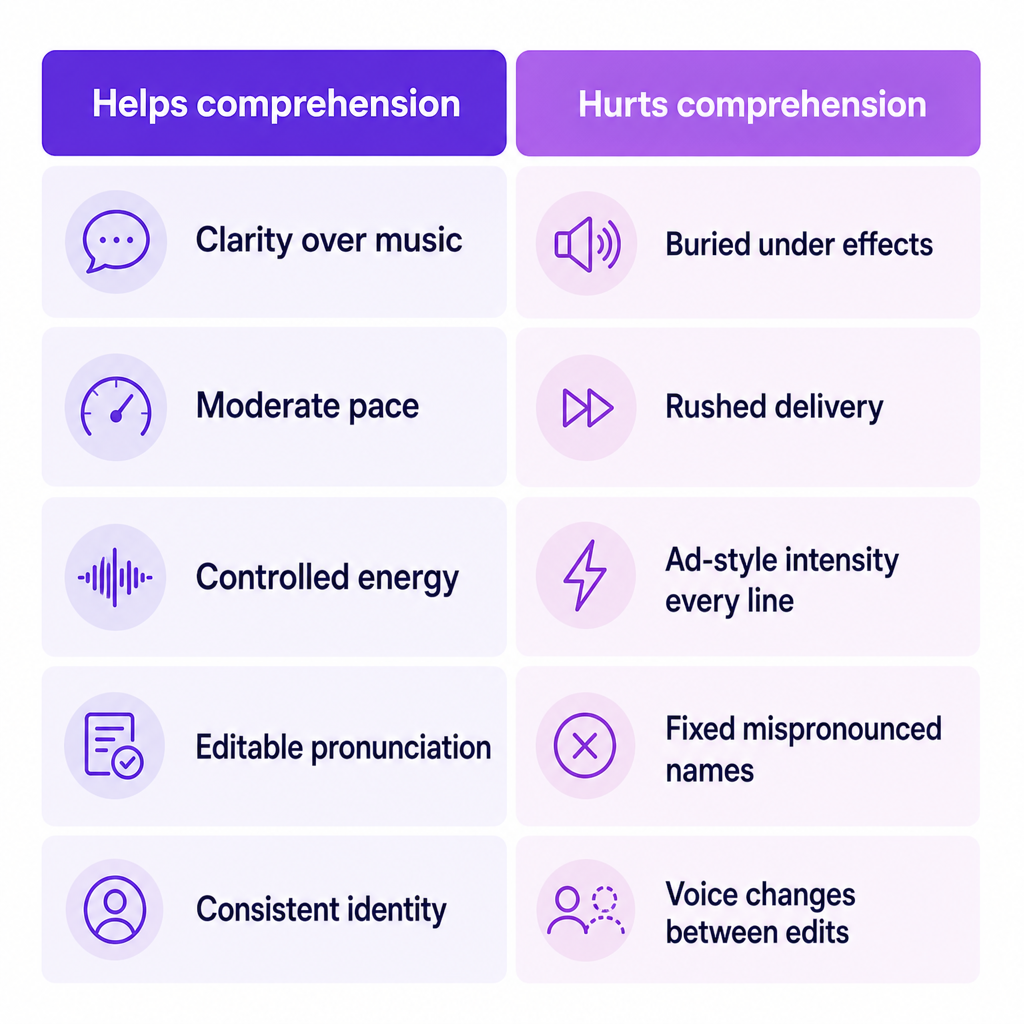
Seven qualities matter most:
- Clarity: words stay understandable over music, sound effects, and compressed platform audio.
- Natural pacing: the narration leaves enough room for viewers to read labels, follow graphics, and watch demonstrations.
- Appropriate energy: the voice holds attention without sounding like an ad in every sentence.
- Credibility: a calm, confident delivery suits software, finance, healthcare, and training better than an exaggerated performance.
- Emotional range: the voice can sound reassuring, enthusiastic, or authoritative when the script asks for it.
- Consistency: the same voice remains usable after script edits and across localized versions.
- Pronunciation control: product names, acronyms, currencies, and numbers must be pronounceable and editable.
The best voice is therefore the one that performs the role your script needs, not the one with the most impressive standalone sample.
The AI voice types that fit explainer videos
Most explainer projects map to one of five voice roles. Picking the role first narrows hundreds of voices down to a short, testable list.
Conversational narrator
This voice sounds like one knowledgeable person explaining a subject directly to the viewer. It is the strongest default for YouTube explainers, SaaS product demos, startup and business videos, educational content, and product onboarding because it feels approachable without turning informal. Aim for a medium pace, clear diction, and restrained emotion.
Professional corporate narrator
A polished corporate voice signals authority and reliability, which suits internal training, compliance and policy videos, investor presentations, and enterprise software demos. Avoid a voice that is excessively deep, slow, or stiff. Corporate viewers still need a narrator who sounds human and keeps the explanation moving.
Warm educational narrator
A patient, warm voice helps when the viewer must learn a process or concept, which is why it fits e-learning, tutorials, healthcare education, and employee training. A slightly slower delivery can improve comprehension, but excessive slowness reduces retention. Break long sentences into short narration segments and let the visuals carry part of the load.
Energetic marketing narrator
An energetic voice adds momentum to short promotional explainers, product launches, app demos, and crowdfunding campaigns. Use energy selectively. When every sentence is delivered at maximum enthusiasm, complex information becomes harder to absorb and the narration starts to sound artificial.
Custom brand voice
A cloned or custom voice creates continuity across a video library and can be based on a founder, presenter, or approved voice actor. It fits recurring YouTube series, branded courses, product-update videos, and multilingual content that needs a consistent identity. Use a custom voice only when you have documented permission to clone and use that speaker, because a recognizable voice adds consent and licensing responsibilities alongside its branding benefits. Our voice cloning tool is built for exactly this, and cloned voices can be reused across our supported languages.
A decision framework for choosing the right voice
Instead of asking which voice sounds most human in isolation, score each candidate against the role it has to perform. The criteria below turn a subjective reaction into a defensible choice.
| Decision criterion | What to evaluate | Why it matters |
|---|---|---|
| Audience | Age, region, technical level, viewing context | A training audience often needs a calmer voice than a social-ad audience |
| Brand personality | Professional, friendly, bold, premium, or reassuring | The narrator becomes part of the brand experience |
| Script complexity | Technical terms, long sentences, acronyms, numbers | Difficult scripts expose pronunciation and pacing problems |
| Visual density | Fast animation, charts, screen recordings, or sparse visuals | Busy visuals require controlled pacing and clear pauses |
| Video length | Short-form, three-to-five minutes, or full course | Longer videos need a non-fatiguing voice |
| Revision frequency | Occasional edits or continuous product updates | Editable TTS beats re-recording a voiceover repeatedly |
| Localization | One language or multiple markets | Voice and dubbing support shape long-term efficiency |
| Integration | Manual production or automated publishing | API access matters for agencies and high-volume teams |
Run your two or three finalists through these rows with your actual script, and the right voice usually becomes obvious.
Matching voice style to common explainer formats
The format you are producing points to a sensible default before you audition anything. These pairings are starting points, not rules, but they save time on the first pass.
| Explainer format | Recommended voice style | Useful delivery characteristics |
|---|---|---|
| SaaS product demo | Conversational professional | Clear, moderately paced, confident |
| Animated startup explainer | Friendly conversational | Light energy, expressive but controlled |
| Financial explainer | Calm professional | Precise pronunciation, measured pacing |
| Healthcare education | Warm educational | Reassuring, patient, easy to follow |
| Employee training | Neutral or warm professional | Consistent, non-distracting, clear |
| E-learning module | Warm educational | Comfortable pacing, strong sentence breaks |
| Product advertisement | Energetic marketing | More emphasis, shorter punchier phrases |
| Multilingual explainer | Consistent cloned or matched voice | Stable identity across localized versions |
Why pronunciation and pacing beat raw realism
A strikingly realistic voice still fails if it mangles your product name or sprints through a dense explanation. For explainers, intelligibility is usually worth more than vocal drama. The practical levers are editable controls and a script written for the ear.
Our Text to Speech editor gives you several ways to shape delivery: adjust speech rate from the editing interface, guide tone with emotion prompts, signal emphasis by capitalizing a stressed vowel, and fix stubborn pronunciations by writing a number or acronym out in words. Because the narration lives in an editable project, you revise a single line without booking another recording session. These controls earn their keep on scripts full of technical vocabulary, statistics, step labels, and calls to action.
Script choices matter just as much as settings. A voice model performs better when the script is written for speech rather than copied from a webpage.
Upload your file. Then choose the language you want.
is easier to hear, caption, and synchronize than a clause-heavy sentence like "After uploading the file, users can select their desired target language from the available options." Keep one idea per sentence, spell out unusual abbreviations on first use, write ambiguous numbers as words, add punctuation where a pause belongs, and test every product name before rendering the full video. If you often work straight from recordings, our speech to text tool can turn source audio into an editable script you can tighten for narration.
Standard AI voice or cloned voice
The choice between a ready-made voice and a cloned one comes down to how recurring and personality-led your content is.
Choose a standard AI voice when you need a voice fast, the video is a one-off, you do not need a recognizable narrator, or you are still testing creative directions. For a small business producing occasional explainers, a standard voice is almost always the simplest path.
Choose a cloned voice when your audience already knows the presenter, you publish recurring episodes, brand continuity matters across many videos, or you need localized versions that keep the original presenter's identity, and a speaker has granted the appropriate rights.
A cloned voice is not an unrestricted substitute for a real person. The U.S. Copyright Office defines a digital replica as audio, video, or an image digitally created or manipulated to realistically but falsely depict an individual, and recommends that people be able to license their voices rather than fully assign all rights. The Federal Trade Commission has separately warned that voice cloning can enable impersonation fraud and misuse of a person's voice. For a commercial explainer, keep written permission, define the approved uses, document duration and territory, and record who authorized the clone.
When multilingual production changes the voice decision
A voice that sounds excellent in English will not automatically land the same way after translation. Localization shifts sentence length, timing, pronunciation, formality, cultural references, and grammatical gender, and it changes viewer expectations about regional accents.
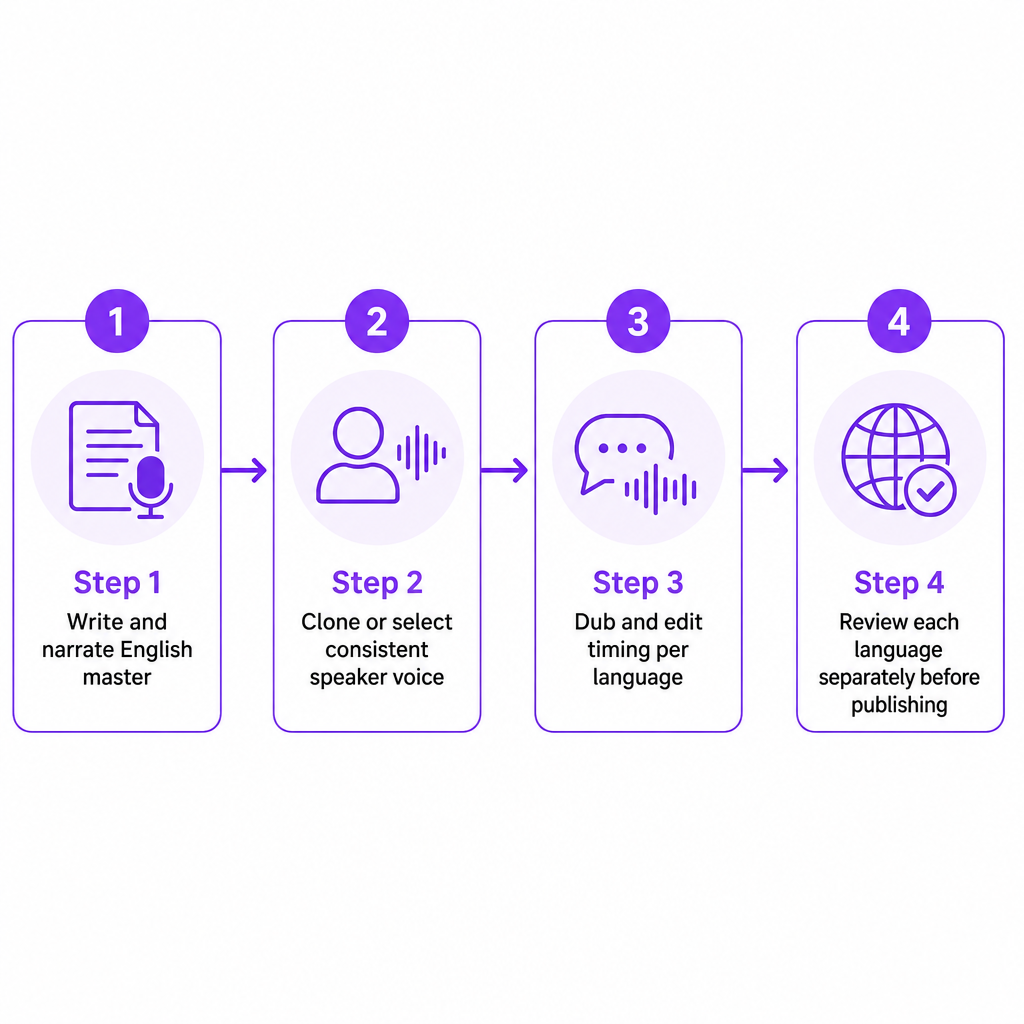
The decision depends on scope. For a single English video, just pick the best English narrator and move on. For a content library aimed at several markets, prioritize a workflow that preserves voice identity and editing control across languages rather than commissioning each version from scratch. Our AI Dubbing workflow is designed for this: upload audio or video, add speakers, clone each speaker's voice, and edit text, timing, and background audio before export, so an English master becomes the source for every localized cut. The sensible pattern is clear by tool: Text to Speech when you already have a final script, voice cloning when a permitted custom narrator is part of the brand, and AI Dubbing when you need to localize an existing file.
For developers and agencies, generation can connect directly to a publishing system. Our Text to Speech API documents 300+ voices, 33+ languages and dialects, per-segment voice selection, speed and pitch settings, custom voice cloning, and MP3 output with project-status monitoring, which matters when narration has to be produced inside a larger pipeline rather than by hand.
Common mistakes when selecting an explainer voice
Most voice problems trace back to how the voice was chosen, not to the model itself. These are the recurring ones worth guarding against.
- Chasing the most dramatic voice. Drama competes with diagrams and screen recordings. Test the voice against the actual video, not a standalone clip.
- Ignoring listening fatigue. A voice that dazzles for 20 seconds can wear thin over a ten-minute lesson, so audition a longer passage.
- Using one emotional style for everything. Introductions can lift, definitions should stay measured, and calls to action should land directly.
- Skipping name and number tests. A single mispronounced brand name, price, or statistic undermines the whole video.
- Treating localization as literal translation. Translated scripts expand and contract, so leave timing flexibility and review cultural references separately.
- Cloning without documented permission. The FTC's voice-cloning guidance and the Copyright Office's digital-replica report both show why consent and rights belong in the production brief.
- Judging voices before the final mix. Music, effects, and compression all affect intelligibility, so evaluate after the voice sits in the real soundtrack.
Before you export, run one last check: listen for mispronounced names, unnatural pauses at punctuation, rushed explanations over dense visuals, flat delivery on key transitions, volume jumps between segments, and timing drift after translation. Then have someone unfamiliar with the script watch once without reading along. If they miss an important point, the fix is usually pacing, wording, or voice selection rather than raw audio quality.
For most explainer videos, start with a natural conversational or warm professional voice at a moderate pace: a standard voice for one-off projects, a cloned voice for an approved recurring narrator, and dubbing when the same explainer must reach multiple markets. Tell us your format, target languages, and whether you need a custom narrator, and we can point you to the right combination of voices and tools for the job.
Frequently asked questions
What is the best AI voice for an explainer video?
A clear, natural, moderately paced conversational voice is the best general-purpose choice. The ideal voice still depends on your audience, subject, visual density, brand personality, and the languages you need to support.
Should an explainer voice be male or female?
Neither is universally better. Choose the voice whose clarity, tone, pronunciation, and audience fit are strongest, and test a few options with your complete script and video rather than a short sample.
Are AI voices suitable for business explainers?
Yes. They work well for product demos, training, onboarding, educational videos, and frequently updated content. Human review still matters for pronunciation, claims, tone, and accessibility before you publish.
Can I use a cloned voice in a commercial explainer?
Use a cloned voice commercially only when the speaker has granted clear permission covering synthetic replication, distribution, territory, duration, and intended media. Check applicable legal requirements in your jurisdiction before publishing.
Can one AI voice be used for multilingual explainers?
A multilingual workflow can preserve a recognizable voice identity across versions, but review each language separately. At DubSmart AI, cloned voices can be reused in our supported languages, and our AI Dubbing supports 60+ source languages into 33 target languages.