Recording a video once and hearing it speak in your own voice across a dozen languages used to sound like science fiction. In 2026, ai voice cloning has quietly turned that into a routine production step, and the barrier to entry keeps dropping. If you can supply a short, clean sample of a voice, you can build a reusable digital version of it and put it to work in narration, dubbing, and product experiences. This piece explains how the technology actually works, then shows where DubSmart AI fits when you want to move from experiment to a repeatable content pipeline.
The goal here is practical. You will see what a modern cloning pipeline does under the hood, how DubSmart handles cloning inside a single platform, what you can realistically build with it, and how developers automate the whole thing through APIs. Along the way, the recurring theme is consolidation: instead of stitching together separate transcription, translation, speech, and dubbing tools, the workflow lives in one place.
Table of contents
- What AI voice cloning actually does
- How voice cloning works inside DubSmart
- What you can build with a cloned voice
- Automating voice cloning through the API
- Preparing samples and using cloning responsibly
- Frequently asked questions
What AI voice cloning actually does
At its core, voice cloning creates a synthetic model of a specific person's voice so that new speech can be generated from text in that voice. It is different from generic text-to-speech, where you pick from a stock library of narrators. With cloning, the narrator is a target speaker you supply.
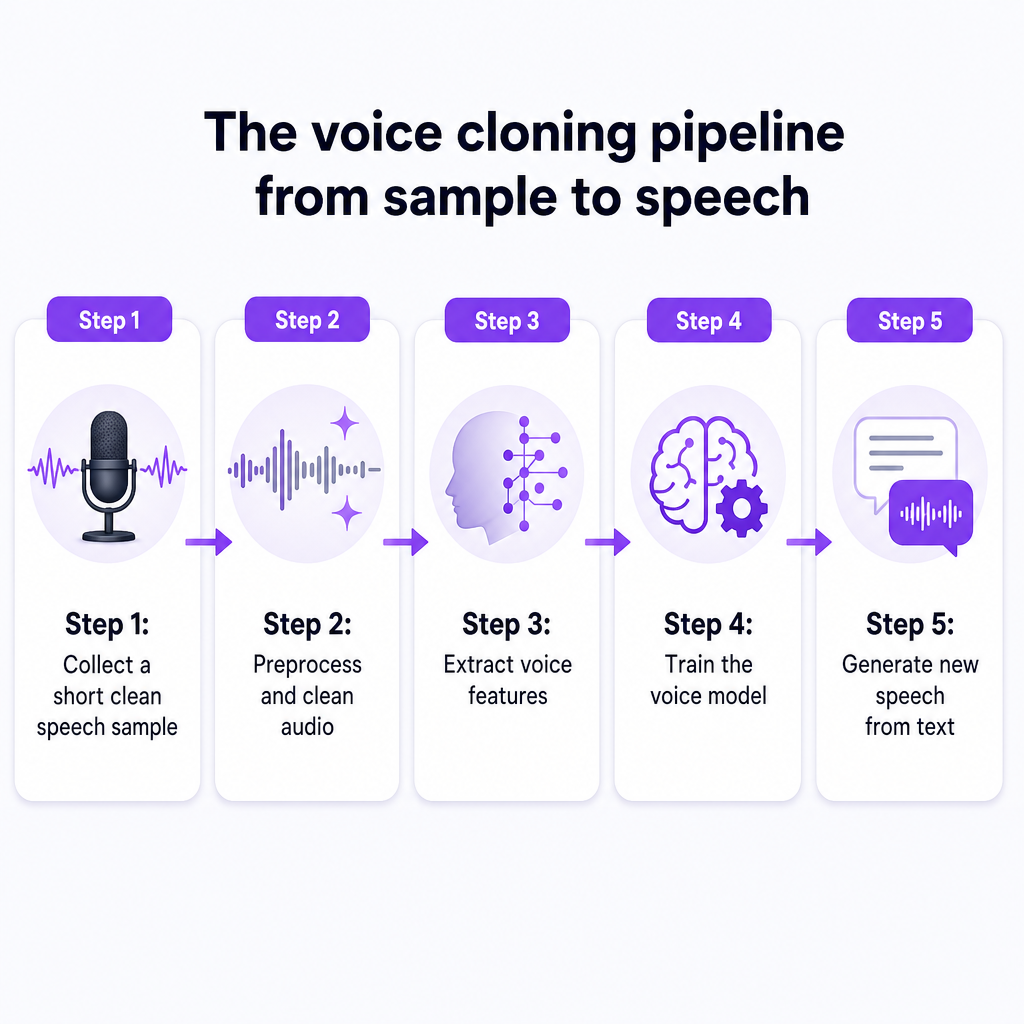
The general deep-learning pipeline is fairly consistent across the industry. Resemble.ai's explainer describes the standard steps: collect speech recordings from the target speaker, preprocess and clean the audio, extract acoustic and linguistic features, and train deep-learning models such as Tacotron 2, WaveNet, or FastSpeech to map text to speech in that voice, with optional fine-tuning for realism. You can read the neutral breakdown in Resemble.ai's guide to how voice cloning works.
A recurring finding in recent research is how little audio modern systems need. A master's thesis project built around a multi-speaker model called ZeroShotFastSpeech2 demonstrates cloning of previously unseen voices from roughly five seconds of audio, which you can review in the open ZeroShotFastSpeech2 repository. A separate academic paper on the topic describes systems that convert user-provided text and audio into lifelike speech by building custom voice models, then generate essentially unlimited natural-sounding audio once the model is trained; the write-up is available in this study on voice cloning using deep learning.
Two practical consequences follow from all of this. First, the amount of source audio required has collapsed, which is why creator-facing tools now ask for seconds rather than hours. Second, once a voice model exists, the marginal cost of generating more speech in that voice is low, which is exactly what makes cloning attractive for localization and scaled content. DubSmart's own pipeline reflects both trends: low-data onboarding of a voice, then reuse across many outputs.
How voice cloning works inside DubSmart
DubSmart AI packages the cloning pipeline into a workflow you never have to build yourself. Instead of assembling separate model-training, transcription, and dubbing tools, you work inside one platform that bundles text-to-speech, voice cloning, AI dubbing, speech-to-text, a speech separator, text-to-image, and image-to-video generation.
The cloning step itself is deliberately simple. In the app, you upload an audio file of at least 20 seconds to the Voice Clone section, and the sample should be free of background noise for the best result. That 20-second threshold matches the low-data cloning trend seen across current research, and it means a creator can capture a usable sample in a single quiet take. The DubSmart voice cloning page describes cloning any number of voices, so you are not limited to a single custom narrator per account.
Once a clone exists, it does not sit in isolation. The cloned voice becomes a selectable voice option in the platform's speech tools, which is where the consolidation pays off. You can pair a cloned narrator with the DubSmart Text to Speech engine, which offers a library of more than 300 natural-sounding voices alongside unlimited voice cloning. When your project is a video rather than plain narration, the same cloned voice feeds directly into DubSmart's AI Dubbing workflow for localization across more than 30 languages.
That end-to-end path is documented in DubSmart's own localization writeups. A typical run looks like this: upload a source video, generate a speech-to-text transcript, edit and translate the text for clarity, generate an AI voiceover in your cloned or stock voice, then adjust segments in a dubbing studio where you control timing, speed, segmentation, and audio compression so the new track lines up naturally with the original pacing. You preview localized versions and export the finished media in each target language. Because cloning, transcription, translation, speech generation, and dubbing all live in one environment, there are no manual hand-offs between disconnected apps.
A note on precision claims: marketing language around cloning sometimes uses phrases like perfect accuracy. Treat those as positioning rather than measured benchmarks, since the surfaced documentation does not publish latency or accuracy metrics. The dependable, verifiable facts are the workflow itself and the 20-second minimum sample requirement.
What you can build with a cloned voice
The interesting part is not the clone; it is what a reusable voice lets you produce without re-recording. Here are the scenarios that map most directly to DubSmart's audience.
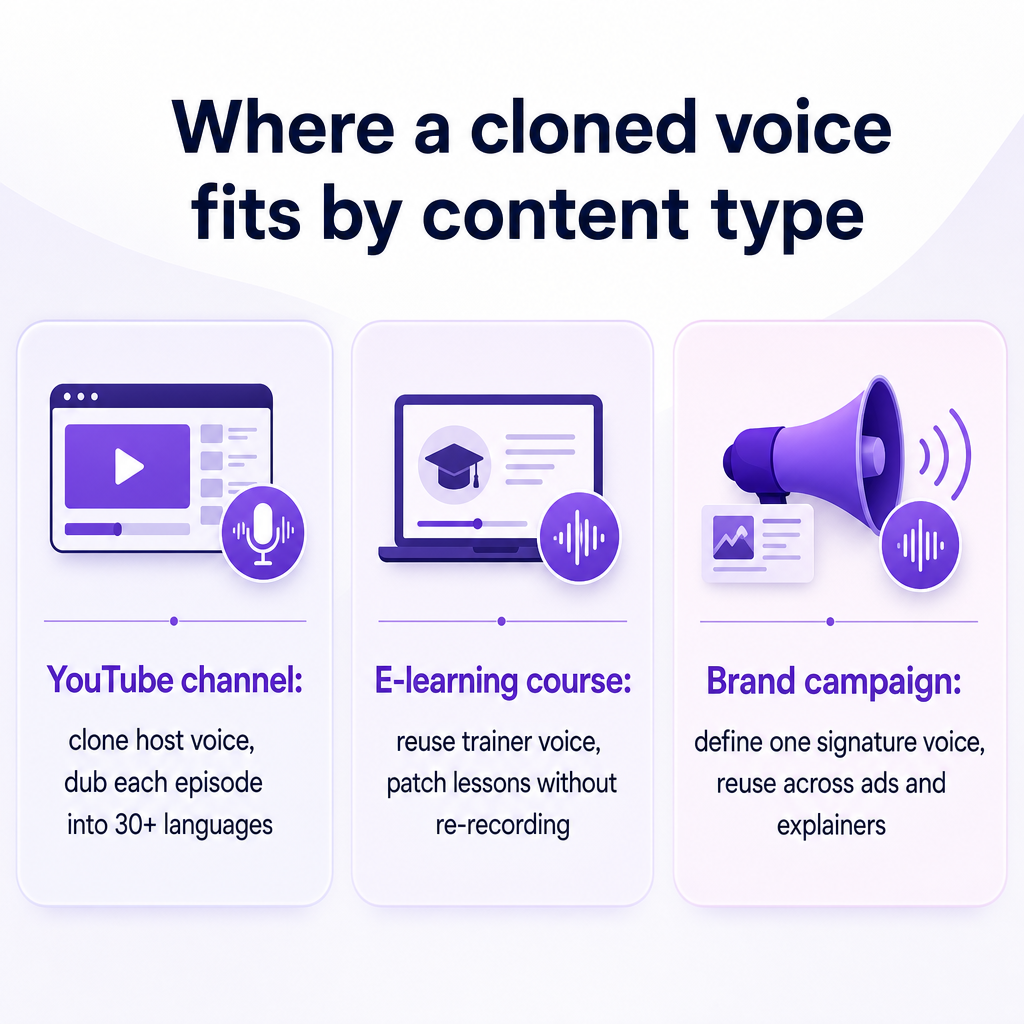
A YouTube creator expanding into new languages. Suppose a channel publishes in English but wants German, Spanish, and Japanese versions. The creator clones their own voice once, then runs each video through the STT-translate-TTS-dubbing pipeline. The audience in every market hears a voice that resembles the original host rather than a generic stranger, which helps preserve the personality that built the channel in the first place. DubSmart frames this preservation of the speaker's essence and nuances as a core reason to use cloning inside dubbing rather than swapping in unrelated stock voices.
An e-learning or corporate training producer. Course libraries are notoriously hard to keep consistent, because narrators leave, re-recording is expensive, and updates trickle in over years. With a cloned trainer voice, a producer can generate new lesson narration or patch a corrected paragraph months later in the same voice, then localize entire courses into multiple languages without booking studio time. The project-based structure of the speech tools makes it practical to manage many segments per course.
A small business or marketing team running branded voice campaigns. A brand can define a signature voice, clone it once, and reuse it across product explainers, ads, and social clips. Because DubSmart supports unlimited voice cloning and a large voice library, an agency can maintain distinct voices for several clients from one account without hitting a per-voice ceiling.
A podcast or independent film project needing multilingual reach. Cloning lets a solo podcaster or filmmaker offer localized editions while keeping the recognizable narration that defines the show, using the dubbing studio to align pacing and emotional tone segment by segment.
A useful adjacent point: DubSmart's platform also generates visuals. If a localized campaign needs supporting artwork, the AI image generator creates images from text prompts, and the Image to Video tool turns stills into motion. That matters for the consolidation argument, because a marketing team can produce the voice, the video, and the imagery in the same place instead of routing assets through separate vendors.
Automating voice cloning through the API
For developers, agencies, and teams producing at volume, the point-and-click app is only half the story. DubSmart exposes the same capabilities through APIs so you can generate voices and speech programmatically.
The Voice Cloning API follows a compact three-step pattern. First, you upload an audio file and receive a file key. Second, you create a custom voice by supplying a name and that file key. Third, you use the resulting cloned voice inside TTS projects through the endpoints under the platform's TTS project routes. In other words, a cloned voice is treated as a selectable voice ID, the same way a stock voice is, so anything your speech pipeline can do with a library voice it can also do with your clone.
On the speech side, the Text to Speech API uses a project-based design. Each TTS project holds multiple segments, and each segment carries fields such as the text to speak, the chosen voice, and optional parameters like speed to control delivery. The API supports the full lifecycle you would expect: create a project, add and edit segments, check status, list projects, and delete them. That per-segment control is what makes batch work feasible; you can script the generation of an entire course or a catalog of product videos, assigning the correct voice and pacing to each piece.
When the output is dubbed video rather than standalone narration, the AI Dubbing API automates translation and dubbing into more than 30 languages and can apply voice cloning to reproduce a specific speaker across those languages. A developer building a localization feature into an app can therefore chain the pieces: clone a voice once, then run dubbing jobs that reuse it across markets.
The practical payoff for an agency is scale without proportional headcount. A project-based API means large batches, whether lessons, ad variants, or marketing videos, can be processed automatically with consistent voices and controlled delivery. Combined with unlimited cloning, a small team can support many brands and campaigns from one integration rather than negotiating separate tools for each capability.
Preparing samples and using cloning responsibly
Good output starts with a good sample. The single most useful habit is capturing clean audio: aim for at least the 20-second minimum DubSmart requires, record in a quiet space, and avoid background noise, music, or overlapping speakers. A clean, well-recorded sample gives the model a clearer target to learn from, and it is far cheaper to record carefully once than to fight artifacts later.
A few preparation tips that consistently help:
- Record with consistent tone and pacing, since the clone reflects the delivery style in your sample.
- Decide in advance which voices you actually need, such as a host voice, an instructor voice, and a brand voice, so you clone deliberately rather than accumulating unused profiles.
- Keep the source language sample clean even when you plan to dub into other languages, because the cloning quality anchors everything downstream.
Responsibility matters just as much as audio quality. The safe baseline is straightforward: only clone voices you own or have explicit permission to use, and avoid deceptive or impersonation use. These are sensible practices regardless of jurisdiction. That said, laws and consent requirements around synthetic voices vary by region and continue to evolve, and the specifics are outside what can be verified here. Before deploying cloned voices commercially, review DubSmart's own terms and privacy policy and confirm the rules that apply where you and your audience are located. When in doubt about a particular use, get case-specific guidance rather than assuming a blanket rule.
One more planning note for buyers: DubSmart uses a credit-based model with rollover credits, a free tier, and enterprise plans, which lets you experiment before committing at scale. Exact credit amounts and per-API billing are best confirmed directly on the current pricing pages rather than estimated, since those details change.
Frequently asked questions
How much audio do I need to clone a voice with DubSmart?
You need an audio file of at least 20 seconds uploaded to the Voice Clone section, and it should be free of background noise for the best cloning quality. That threshold is consistent with the broader industry move toward low-data cloning, where high-quality results no longer require hours of recordings.
Can I use a cloned voice for dubbing into other languages?
Yes. A cloned voice becomes a selectable voice inside DubSmart's Text to Speech and AI Dubbing workflows. In a video localization run, you generate a transcript, translate the text, then produce the voiceover in your cloned voice and align it in the dubbing studio, which lets you keep a recognizable host or brand voice across more than 30 target languages.
Is voice cloning available through an API?
Yes. The Voice Cloning API lets you upload an audio sample to get a file key, create a named custom voice from that key, and then use the cloned voice inside TTS projects. Combined with the project-based Text to Speech API and the AI Dubbing API, developers can automate voice generation and localization at scale.
How is voice cloning different from regular text to speech?
Standard text to speech reads your text using a stock narrator from a voice library. Cloning builds a model of a specific voice you supply, so the generated speech resembles that particular speaker. DubSmart supports both approaches in one place, with more than 300 stock voices plus unlimited cloning.
What should I check before using a cloned voice commercially?
Clone only voices you own or have permission to use, avoid deceptive or impersonation uses, and confirm the applicable rules for your region, since consent and synthetic-media laws differ by jurisdiction. Review DubSmart's terms and privacy policy for platform-specific requirements, and seek case-specific advice when a use is unusual.
Do I need separate tools for transcription, translation, and dubbing?
No. DubSmart consolidates speech-to-text, translation, text-to-speech, voice cloning, and AI dubbing into a single workflow, along with image and video generation. That removes the manual hand-offs between disconnected apps that traditionally slow down localization projects.
If you already have a voice in mind, the fastest way to see whether cloning fits your pipeline is to record one clean 20-second sample and run it through a short localization test: clone, generate narration, and dub a single clip into one target language. That small experiment tells you more about fit than any specification sheet, and it maps directly onto the same workflow you would scale later through the app or the APIs.