
The 11 PM Typo That Costs You a Subscriber
It's 11 PM. You just uploaded a 12-minute YouTube script, scheduled the email blast, and pushed the dubbed subtitle file to your localization queue. Next morning, you spot it — "you're" where "your" belongs, a passive-voice clause that flattens the punchline, a 38-word sentence buried in the cold open. A comment is already calling it out.
The friction is familiar. Hiring a freelance editor runs $50–$200 per project according to Content Science Review's 2026 workflow benchmarks. Self-editing adds 8–12 minutes per revision cycle, and most creators run three to four cycles. Free AI text improvers cut that loop dramatically — University of Pennsylvania research shows a 58% reduction in editing time when AI handles the first pass.
This guide is the practitioner's version: how to use an ai text improver free without falling for its blind spots. What to trust. What to override. Where to layer human judgment so the speed advantage doesn't quietly cost you your voice.

Table of Contents
- Why a Free AI Text Improver Beats Manual Self-Editing (And Where It Doesn't)
- What a Free AI Text Improver Actually Catches vs. What It Quietly Misses
- The Five-Step Workflow for Using a Free AI Text Improver Without Losing Your Voice
- When Free Is Enough — And When It's Quietly Costing You
- Six Free AI Text Improver Mistakes That Quietly Tank Your Engagement
- Matching the Right Free AI Text Improver to Your Content Type
- The 10-Point Pre-Publish Quality Checklist for AI-Edited Writing
- Quick Answers: Free AI Text Improvers
Why a Free AI Text Improver Beats Manual Self-Editing (And Where It Doesn't)
You're really weighing three options, not deciding whether to use AI at all. Option one: hire an editor at $50–$200 per project. Option two: self-edit through 3–4 cycles at 8–12 minutes per cycle (Content Science Review). Option three: run an ai text improver free as a first-pass filter and human-review what matters. Each option has a real cost — the question is which cost you'd rather pay.
Free AI improvers earn their slot in your workflow for four specific reasons, each backed by independent research.
Speed at scale. The University of Pennsylvania Center for Program Evaluation documented a 58% reduction in editing time when AI tools handled the first revision pass. For a creator publishing three videos a week, that's roughly 90 minutes returned every week — about six hours a month back in your calendar.
Mechanical accuracy. Free Grammarly catches 82% of critical grammar errors in academic writing according to testing published in the Journal of Educational Technology Systems (a SAGE-published study; note that Grammarly itself is a vendor whose product was tested). For commas, subject-verb agreement, and typos, that's a meaningful ceiling.
Consistency across long-form work. A free improver applies the same rules to paragraph 12 of a 4,000-word script that it applied to paragraph 1. Tired human eyes don't. By the time you reach the end of a long draft, your attention to detail has drifted — the tool's hasn't.
Pattern surfacing. Free improvers flag repetition, readability drift, and passive-voice clusters that are nearly invisible to writers who've read the same draft six times. You stop seeing your own filler words. The tool doesn't.
Now the counterweight, because every one of those advantages has a documented limit.
Context-dependent accuracy drops sharply. That same SAGE study found only 47% accuracy on word-choice issues that depend on intent. Tone adaptation is weaker still — the EdTech Evaluator Consortium benchmarked free tools at 39% accuracy across ten tone-shift scenarios. The same tool that polishes your LinkedIn post will flatten your YouTube cold open into corporate beige.
And voice homogenization is real. Dr. Marcus Thompson, Professor of Rhetoric at Columbia University, told the Chronicle of Higher Education: "Free AI tools homogenize writing styles toward a bland 'corporate academic' voice that erases cultural and disciplinary distinctions. I've rejected 12% more undergraduate papers this year that read like they were processed through the same AI engine."
For creators producing dubbed video content across 33+ target languages, text quality compounds. Every error or tonal flatness in the source script propagates into every voice-generated output. The free AI text improver becomes either a quality multiplier or a quality liability — depending entirely on how you use it.
A free AI text improver is a force-multiplier as a first-pass filter and a quality liability as a final editor. The whole skill is knowing which mode you're in.
What a Free AI Text Improver Actually Catches vs. What It Quietly Misses
The pattern across every published benchmark is the same: free tools are mechanically strong and contextually weak. The table below pulls accuracy numbers directly from peer-reviewed and institutional research — no invented ratings.
| Check Type | Free AI Tools | Paid Tier | Human Editor |
|---|---|---|---|
| Critical grammar errors | ✓ (82%) | ✓ (94%+) | ✓ |
| Context-appropriate word choice | ◐ (47%) | ✓ (78%) | ✓ |
| Tone adaptation across formats | ✗ (39%) | ◐ (61%) | ✓ |
| Plagiarism detection | ✗ (17%) | ✓ (98%) | ◐ |
| Stylistic consistency | ◐ (22%) | ✓ (76%) | ✓ |
| Rhetorical/argument structure | ✗ | ✗ | ✓ |
| Cultural/linguistic nuance | ✗ | ◐ | ✓ |
Sources: SAGE/Journal of Educational Technology Systems (grammar, word choice); EdTech Evaluator Consortium (tone); University of Maryland Center for Academic Integrity (plagiarism, consistency); MIT Technology Review and Stanford Language Center (rhetoric and nuance).
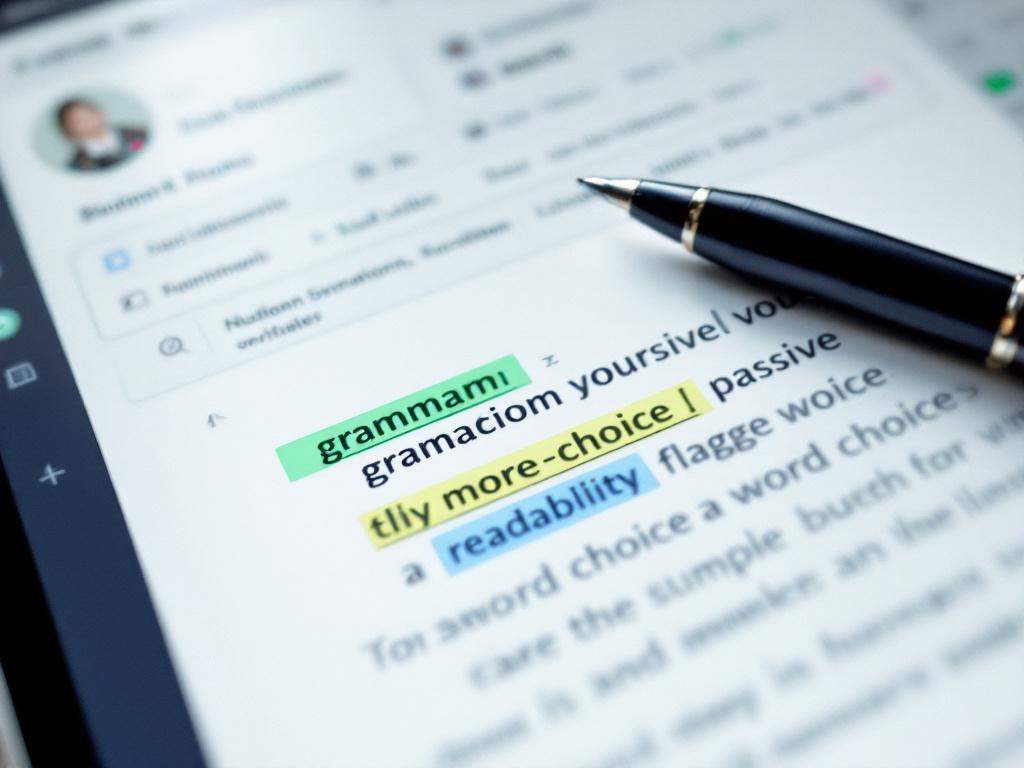
The single most important number in this article is the drop from 82% (grammar) to 47% (word choice) in the Journal of Educational Technology Systems testing. That gap is the boundary of trust. Inside it, the tool is reliable. Outside it, the tool guesses — confidently, and with the same green checkmark UI it uses when it's right.
Three rows in the table are not just limited but actively dangerous if you over-trust them.
Plagiarism detection at 17%. The University of Maryland Center for Academic Integrity found free tier plagiarism detection at 17% accuracy versus 98% for dedicated paid services. For research-heavy scripts, citation-dense blog posts, or any content where attribution matters, free tools are functionally unreliable as a plagiarism check.
Tone adaptation at 39%. Free tools default toward a generic professional register. If your YouTube channel runs on dry humor or a specific cadence, the tool will sand that down. You'll watch your hook line get rewritten into something that reads correctly and lands flat.
Cultural and linguistic nuance. The Stanford Language Center found free AI tools systematically over-correct valid linguistic patterns from non-native English speakers, increasing writing anxiety by 37% among ESL users. For multilingual creators, this doubles back painfully — your source script may use deliberate phrasing that translates cleanly, and the tool will "fix" it into something that no longer survives the dub.
The operating rule is simple: trust free AI improvers for the ✓ rows, spot-check the ◐ rows, and never delegate the ✗ rows to AI alone.
The Five-Step Workflow for Using a Free AI Text Improver Without Losing Your Voice
A free AI text improver only earns its place in your workflow if you run it through a disciplined sequence. The five steps below are the operational version of the trust boundary the last section described.
Step 1 — Lock your draft before opening any tool (2 minutes)
Save the original under a versioned filename: script_v1_RAW.txt. Then open the AI improver in a separate window. The reason isn't paranoia — it's measurement. Dr. Susan Chen, Chief Learning Officer at Khan Academy, told EdSurge: "When students use free AI tools as first-pass editors rather than final arbiters, we see 31% improvement in revision quality. But when they accept all suggestions blindly, their writing scores drop by 18%." Version control is what lets you compare AI-suggested versus original. Without it, you slowly drift toward whatever the tool prefers.
Step 2 — Paste in scoped chunks, not full documents (3 minutes per chunk)
Free tiers often cap input length, but the deeper reason to chunk is suggestion quality. Full-document processing produces vaguer, more generic recommendations. Paste paragraph by paragraph for prose, scene by scene for video scripts. If the tool offers audience presets — casual, professional, academic — set them per chunk based on what that section is doing.
Step 3 — Triage suggestions into three buckets (5–8 minutes)
This is where most creators lose their voice. Don't accept-all. Sort every suggestion into one of three buckets:
- ACCEPT: pure mechanical fixes — comma splices, subject-verb agreement, typos. This is the 82%-accuracy zone. Click through these fast.
- INVESTIGATE: word-choice swaps, passive-to-active rewrites, sentence splits. This is the 47%-accuracy zone. Read each one in context before accepting.
- REJECT: tone changes, contraction removals, jargon "simplifications," and any flag on phrasing that reflects your voice or your audience's vernacular. This is the 39%-accuracy zone.
Step 4 — Read aloud or run text-to-speech preview (4 minutes)
This is the step that catches what AI cannot: rhythm, breath placement, and audio-first awkwardness. For creators producing voiceover or dubbed content, listening to the revised text through a synthetic Text to Speech preview surfaces issues a silent read misses — strange pauses, run-on phrasing, words that look fine on screen but trip the tongue. A line can be grammatically perfect and still unspeakable.
Step 5 — Spot-check one paragraph for meaning drift (2 minutes)
Pick a random middle paragraph. Read the original and the AI-revised version side by side. Confirm the meaning is identical, only clearer. The University of Pennsylvania benchmarks suggest meaningful semantic shifts appear in roughly one in eight AI rewrites — small enough you'll miss them at a glance, large enough to change the point you were making.
Total workflow time: about 18 minutes for a 1,500-word script. Compare to roughly 36–48 minutes of pure manual self-editing or $50–$200 for a freelance editor pass.

When Free Is Enough — And When It's Quietly Costing You
Free AI text improvers aren't a single decision — they're a different decision for every type of work you produce. The matrix below maps situation to recommended approach.
| Your Situation | Free Tool Alone | Free + Human Spot-Check | Paid Tier Justified |
|---|---|---|---|
| Personal blog, <2 posts/week | ✓ Sufficient | — | — |
| YouTube scripts, brand voice matters | — | ✓ Recommended | — |
| Corporate / e-learning, high consistency | — | ✓ Recommended | ✓ Consider |
| Legal, medical, financial content | — | — | ✓ Required |
| Multilingual source script | — | ✓ Required | ✓ Strongly consider |
| Plagiarism-sensitive (research/academic) | — | — | ✓ Required |
| High-volume API needs (>100 docs/week) | — | — | ✓ Required |
Anchor the decision to cost math. A creator publishing four 1,500-word scripts per week spends roughly 72 minutes per week using the free-plus-spot-check workflow. Paid Grammarly Premium runs about $12/month, ProWritingAid around $10/month. Either is well under a single freelance editor pass at $50–$200 per project (Content Science Review benchmark).
For low-volume personal use, free is genuinely sufficient. The 82% grammar accuracy ceiling is plenty when the worst-case consequence is a small, forgiving audience missing a typo.
For brand-voice-sensitive work, that ceiling becomes a trap. Professor David Williams, Director of the Center for Writing Studies at the University of Illinois, told the Chronicle of Higher Education: "The most dangerous aspect of free AI tools is their false confidence metric. They'll show you a 95% 'readiness score' while completely missing that your thesis contradicts your evidence." Pair the free tool with a five-minute human read. The readiness score is decoration, not validation.
For high-stakes content — legal, medical, financial — free is not enough. The 17% plagiarism detection rate and the absence of compliance-grade review create real liability. Pay for the tier with audit trails.
For multilingual content creators, the calculus shifts entirely. If you're producing a source script that will be dubbed into many languages through an AI Dubbing API, every "correction" the free tool applies propagates as a translation seed. A single tone misjudgment at the source becomes 33 tonal misjudgments downstream. Human review of the source script isn't optional at that scale — it's the cheapest insurance you can buy.
One more flag worth heeding. The Markup documented three major free AI writing tools sending user documents to third-party advertisers, contradicting their stated privacy policies. For confidential client work, pre-publication manuscripts, or NDA-bound material, "free" can mean "you're the product." Read the data policy before you read the suggestions.
When a tool is free, sometimes the price is your draft itself — read the data policy before you read the suggestions.
Six Free AI Text Improver Mistakes That Quietly Tank Your Engagement
These aren't theoretical failure modes. Each one is documented, each one has a fix, and each one shows up in creator workflows often enough that you've probably made at least two of them this week.
Accepting every suggestion in one pass. Dr. Susan Chen's Khan Academy research is unambiguous: creators who accept AI suggestions blindly see writing scores drop 18%, while those treating AI as a first-pass filter see 31% revision improvement. The mechanism is simple — the tool flags "you" as informal in marketing copy, rewrites your direct-address line into passive third person, and the energy dies. Click-through follows the energy down.
Letting the tool "simplify" technical terms. Free improvers default toward general-audience readability. A tutorial that uses "render queue" gets rewritten to "list of things to make." Accurate becomes wrong. For tutorial creators and e-learning producers, this is the single most common failure mode. Lock your glossary terms before you paste, or do a find-replace audit immediately after the AI pass.
Trusting readability scores as quality scores. Flesch Reading Ease at 70 is not "better writing" — it's "easier-to-read writing." Dr. Elena Rodriguez, Professor of Computational Linguistics at MIT, told MIT Technology Review: "Free AI writing tools excel at pattern recognition but fail at rhetorical strategy. They'll fix your comma splice but won't tell you why your argument collapses in paragraph three." A high readability score on a structurally broken argument is just a faster way to read something that doesn't work.
Editing dubbed-content scripts after voice generation. This is a workflow ordering mistake specific to creators producing dubbed or voice-cloned content. Run text improvement before feeding the script to a voice generator. Edits after dubbing mean regenerating audio across every language — a 5-minute text fix becomes hours of re-rendering. The order is: improve text → human-review → generate voice → dub. Never reverse it.
Forgetting that voice and medium require different rhythms. Free AI tools tighten copy uniformly. Your blog post benefits. Your video script — which needs breath-pauses and conversational filler like "alright, so..." or "the thing is..." — gets stripped of its delivery cues. Hemingway-style tightening kills audio-first content. If you produce for video or podcast, override aggressive concision flags on dialogue lines.
Skipping the analytics validation loop. Free AI improvements feel productive. Whether they actually move engagement is an empirical question. Track CTR, watch time, or reply rate on AI-edited versus unedited content for two weeks before assuming the tool helps your specific audience. Free AI tools optimize for a generic median reader. Your audience is not the median reader. The two-week validation loop is what closes that gap.

Matching the Right Free AI Text Improver to Your Content Type
There is no universal "best" free ai text improver free option — there is a best workflow for your content type. The table below maps content categories to the tool strengths worth seeking and the limitations worth defending against.
| Content Type | Strength To Look For | Key Limitation | Workflow Note |
|---|---|---|---|
| YouTube scripts | Readability + tone preservation | Strips conversational filler | Read aloud after AI pass |
| Email & marketing copy | Tone detection, grammar | Weakens direct address | Restore "you" language manually |
| Technical documentation | Grammar + consistency | "Simplifies" jargon | Lock glossary terms before paste |
| Social captions | Brevity + grammar | Can over-tighten | Match platform voice manually |
| Corporate training scripts | Consistency checking | Flattens warmth | Run TTS preview before finalizing |
| Subtitle / dubbing source | Grammar + readability | Misses cultural nuance | Human review for high-stakes |
| Long-form blog | Readability + structure | Misses argument logic | Spot-check thesis line by line |
Three content types deserve closer attention because they fail or succeed loudest.
YouTube scripts and dubbing source text sit in the most failure-prone zone. The script gets improved, then voiced, then dubbed across multiple languages. Every error in the source compounds. The University of Maryland data on stylistic consistency matters here because free tiers catch only 22% of inconsistencies — and tonal drift in a 10-minute script becomes audible drift in voice generation. Read your full script in one sitting before generation, even if the AI pass already approved it.
Technical documentation and e-learning content are where free AI tools shine brightest. The content is primarily informational, the 82% grammar accuracy ceiling is sufficient, and the consistency benefit is real across long documents. The single trap is jargon simplification. Lock your glossary terms — most tools have an ignored-words list, or you can run a find-replace pass after the AI suggestions are applied. For creators piping documentation into voiced training modules via a Text to Speech API, the AI improver runs cleanly upstream of generation, saving downstream audio rework.
Subtitle and dubbing source text is the highest-stakes use case in this list. Stanford's research on linguistic bias in free AI tools is directly relevant: subtitle text that has been "improved" by an English-trained free AI may have lost the very phrasing that translates naturally into target languages. For high-volume multilingual creators, the workflow is: write source script → free AI improver pass on mechanical issues only → human review for cultural and translational viability → generate dub. The AI pass is the first node, not the last.
The meta-point is one most creators discover the hard way. The right free AI text improver for a YouTube creator is not the right free AI text improver for a technical writer. Treating them interchangeably is why so many creators conclude "AI tools don't work for me," when the actual problem is mismatch, not tool quality. Pick a tool that aligns with your dominant content type and accept that you may need a different one — or a different workflow — for your secondary content.
The 10-Point Pre-Publish Quality Checklist for AI-Edited Writing
Print this. Tape it next to your monitor. Run every AI-edited draft through it before publish.
- Save the original draft under a versioned filename before any AI touches it. Protects you from meaning drift and gives you a comparison baseline.
- Run the free AI improver in paragraph-sized chunks, not the full document. Chunked input produces higher-quality suggestions and respects free-tier input caps.
- Triage every suggestion into Accept / Investigate / Reject buckets. Accept mechanical fixes (82% zone). Investigate word choice (47% zone). Reject tone changes (39% zone).
- Read the revised text aloud or run it through a text-to-speech preview. Catches rhythm and breath issues that silent reading misses — non-negotiable for video and audio content.
- Spot-check one random middle paragraph against the original for meaning drift. Roughly 1 in 8 AI rewrites shifts meaning subtly. Find yours before your audience does.
- Verify no proper nouns, brand names, or technical terms were "corrected." Free tools default to general-audience vocabulary and don't recognize your specialized lexicon.
- Confirm readability score matches medium expectations. Target Flesch Reading Ease 60+ for YouTube and social content; 70+ for professional and B2B.
- For multilingual workflows, test the improved source text in an AI Dubbing preview before committing. Translation and voice generation amplify source-script weaknesses.
- Confirm the tool's data policy doesn't send your draft to third parties. The Markup documented privacy violations in major free tools — read the terms before pasting confidential work.
- Two weeks after publish, check engagement metrics on AI-edited content versus your baseline. Without this loop you're optimizing for the tool's idea of quality, not your audience's.
This checklist works whether you use an ai text improver free every day or once a month. The first nine items are pre-publish hygiene. The tenth is the one most creators skip — and it's the one that separates creators who get measurably better from creators who just feel busier.
The pattern across every research finding in this article is the same: free AI tools are excellent first-pass filters and unreliable final editors. The checklist is what enforces that distinction in your actual workflow. Without it, you drift toward over-trusting the tool. With it, you keep the speed advantage and protect the voice that brought your audience in the first place.
For creators producing dubbed or voiced content downstream through a Voice Cloning API, the checklist also functions as a quality gate before audio generation. Fixing a script costs minutes. Fixing 33 generated voiceovers costs hours. Run the checklist before you generate, every time.
A free AI text improver is your first filter, not your final editor. The checklist is what turns grammar fixes into engagement gains.
Quick Answers: Free AI Text Improvers
Can a free AI text improver handle multiple languages?
Most free tiers handle major European languages well — English, Spanish, French, German — but degrade sharply for low-resource languages. Stanford research found free tools systematically over-correct non-native English patterns, increasing writing anxiety by 37% among ESL users. For creators producing source scripts that will be dubbed across many target languages, treat the free improver as English-only and route translated text through human review before voice generation.
Will a free AI text improver catch plagiarism?
Mostly no. The University of Maryland evaluation found free-tier plagiarism detection at 17% accuracy versus 98% for dedicated paid services like Turnitin. Grammarly's free tier flags some matches; most other free improvers don't check plagiarism at all. For research-heavy or academic content, use a dedicated plagiarism checker. A writing improver is not a citation auditor.
What's the difference between a free AI text improver and a free grammar checker?
Grammar checkers focus on syntax — comma splices, subject-verb agreement, typos. Text improvers add clarity, readability, tone, and style suggestions on top. In practice the line has blurred. Most modern free tools combine both. The practical distinction: a pure grammar checker won't suggest rewording for clarity, while a text improver will. If your draft is mechanically sound and what you need is voice-tightening, a text improver helps more. If your draft is messy at the sentence level, start with a grammar checker.
Does using a free AI text improver count as plagiarism or AI-generated content?
No. Improving your own writing isn't plagiarism — the tool refines your words rather than generating new content. However, some publishers and academic institutions now distinguish "AI-edited" from "AI-generated" in disclosure policies. When in doubt, disclose. For client work, ask before running drafts through AI tools, because data-privacy concerns may matter more than authorship questions. The Markup documented free tools sending user documents to third-party advertisers, so what looks like an editing question can quickly become a confidentiality question.