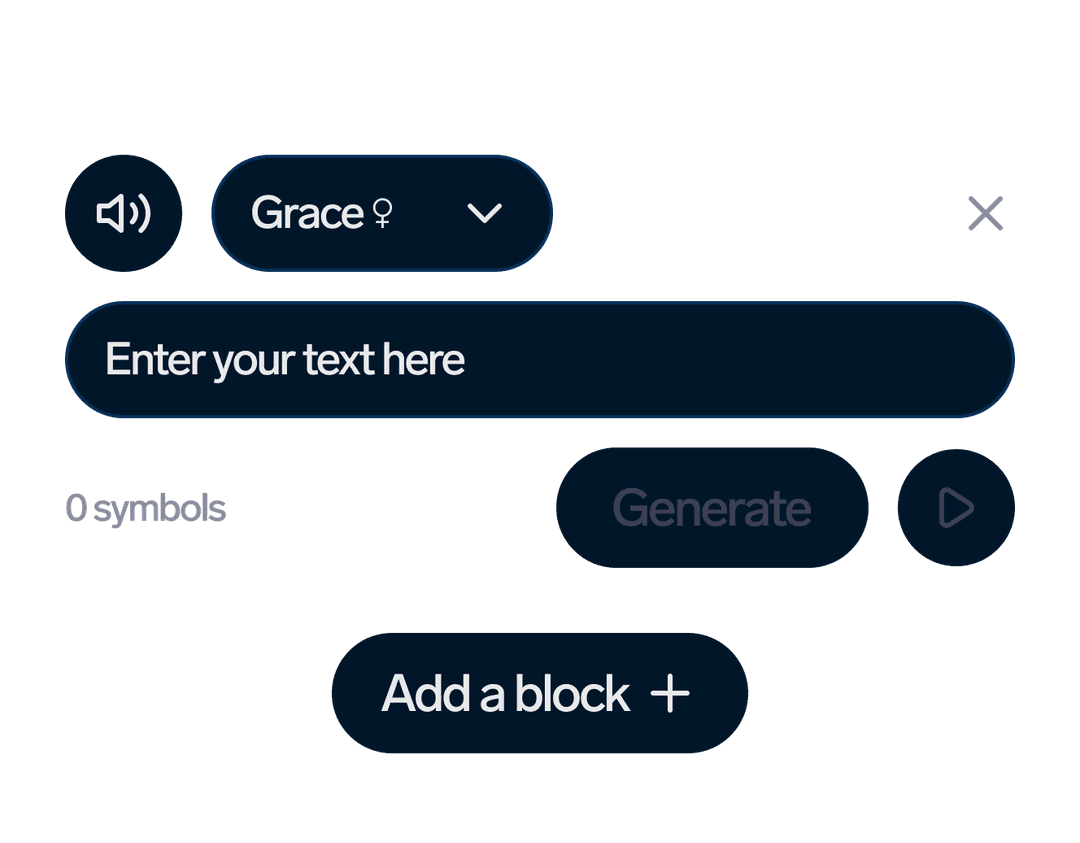
강력한 TTS API 기능
전문적인 텍스트 음성 변환을 애플리케이션에 통합하는 데 필요한 모든 것신경 TTS
300+ AI 음성영어, 포르투갈어, 스페인어, 프랑스어, 독일어, 중국어, 일본어 등 33개 이상의 언어로 제공되는 프리미엄 신경 음성에 액세스하세요.무제한
음성 복제무제한 음성 복제를 통해 오디오 샘플로 맞춤형 음성을 제작하세요. 개인화된 콘텐츠와 브랜드 목소리에 적합합니다.글로벌
33개 이상의 언어영어, 포르투갈어, 스페인어, 프랑스어, 독일어, 중국어, 일본어 등 33개 이상의 언어를 지원합니다.TTS API 워크플로
몇 번의 간단한 API 호출만으로 텍스트를 음성으로 변환하세요.01
TTS 프로젝트 만들기
텍스트 콘텐츠와 음성 환경설정을 사용하여 새 텍스트 음성 변환 프로젝트를 만듭니다.API Request
curl -X POST "https://dubsmart.ai/api/v1/projects/tts" \
  -H "Authorization: Bearer YOUR_API_KEY" \
  -H "Content-Type: application/json" \
  -d '{
    "title": "My TTS Project",
    "segments": [
      {
        "text": "Hello, this is a test message",
        "voice": "anna_en_v2",
        "language": "en"
      }
    ]
  }'
02
모니터 처리
텍스트를 자연스러운 음성으로 처리하는 TTS 프로젝트의 진행 상황을 추적하세요.API Request
curl -X GET "https://dubsmart.ai/api/v1/projects/tts/{projectId}" \
  -H "Authorization: Bearer YOUR_API_KEY"

# Response:
{
  "id": "project_id",
  "status": "processing",
  "progress": 75,
  "segments": [
    {
      "id": "segment_id",
      "status": "completed",
      "audioUrl": "https://..."
    }
  ]
}
03
오디오 다운로드
처리가 완료되면 고품질 오디오 파일을 다운로드하세요. 22kHz 음질의 MP3 포맷을 다운로드하세요.API Request
curl -X GET "https://dubsmart.ai/api/v1/projects/tts/{projectId}" \
  -H "Authorization: Bearer YOUR_API_KEY"

# When status is "completed":
{
  "id": "project_id",
  "status": "completed",
  "audioUrl": "https://storage.dubsmart.ai/audio.mp3",
  "segments": [
    {
      "id": "segment_id",
      "audioUrl": "https://storage.dubsmart.ai/segment.mp3"
    }
  ]
}TTS API 엔드포인트
텍스트 음성 변환 기능을 위한 전체 API 레퍼런스POST
/projects/ttsTTS 프로젝트 만들기
텍스트 세그먼트 및 음성 구성으로 새 텍스트 음성 변환 프로젝트 만들기Request
JSON
{
  "title": "My TTS Project",
  "segments": [
    {
      "text": "Hello world! This is a test message.",
      "voice": "anna_en_v2",
      "language": "en",
      "speed": 1.0,
      "pitch": 1.0
    }
  ]
}
Response
JSON
{
  "id": "64f8a2b1c3d4e5f6a7b8c9d0",
  "title": "My TTS Project",
  "status": "pending",
  "progress": 0,
  "createdAt": "2023-09-06T10:30:00Z",
  "segments": [
    {
      "id": "segment_1",
      "text": "Hello world! This is a test message.",
      "status": "pending"
    }
  ]
}
GET
/projects/ttsTTS 프로젝트 받기
페이지 매김 및 필터링 옵션으로 TTS 프로젝트 목록 검색하기Request
JSON
Query Parameters:
- limit: number (default: 20, max: 100)
- cursor: string (for pagination)
- status: "pending" | "processing" | "completed" | "failed"
Response
JSON
{
  "items": [
    {
      "id": "64f8a2b1c3d4e5f6a7b8c9d0",
      "title": "My TTS Project",
      "status": "completed",
      "progress": 100,
      "createdAt": "2023-09-06T10:30:00Z",
      "audioUrl": "https://storage.dubsmart.ai/audio.mp3"
    }
  ],
  "nextCursor": "next_cursor_value"
}
GET
/projects/tts/{projectId}ID로 TTS 프로젝트 가져오기
특정 TTS 프로젝트에 대한 자세한 정보 검색하기Request
JSON
Path Parameters:
- projectId: string (required)
Response
JSON
{
  "id": "64f8a2b1c3d4e5f6a7b8c9d0",
  "title": "My TTS Project",
  "status": "completed",
  "progress": 100,
  "createdAt": "2023-09-06T10:30:00Z",
  "audioUrl": "https://storage.dubsmart.ai/audio.mp3",
  "segments": [
    {
      "id": "segment_1",
      "text": "Hello world! This is a test message.",
      "status": "completed",
      "audioUrl": "https://storage.dubsmart.ai/segment_1.mp3"
    }
  ]
}
POST
/projects/tts/{projectId}/segmentsTTS 세그먼트 만들기
기존 TTS 프로젝트에 새 텍스트 세그먼트 추가하기Request
JSON
{
  "text": "This is a new segment to add to the project.",
  "voice": "john_en_v2",
  "language": "en",
  "speed": 1.2,
  "pitch": 0.9
}
Response
JSON
{
  "id": "segment_2",
  "text": "This is a new segment to add to the project.",
  "voice": "john_en_v2",
  "status": "pending",
  "createdAt": "2023-09-06T10:45:00Z"
}
PUT
/projects/tts/{projectId}/segments/{segmentId}TTS 세그먼트 편집
세그먼트의 텍스트 콘텐츠, 음성 또는 기타 속성 업데이트하기Request
JSON
{
  "text": "Updated segment text with new content.",
  "voice": "sarah_en_v2",
  "speed": 1.1
}
Response
JSON
{
  "id": "segment_2",
  "text": "Updated segment text with new content.",
  "voice": "sarah_en_v2",
  "status": "pending",
  "updatedAt": "2023-09-06T11:00:00Z"
}TTS API 코드 예제
여러 프로그래밍 언어로 바로 사용할 수 있는 코드 예제JavaScript Example
// JavaScript/Node.js Example
const axios = require('axios');

const API_KEY = 'your_api_key_here';
const BASE_URL = 'https://dubsmart.ai/api/v1';

async function createTTSProject() {
  try {
    // Create TTS project
    const projectResponse = await axios.post(`${BASE_URL}/projects/tts`, {
      title: 'My TTS Project',
      segments: [
        {
          text: 'Hello! This is a sample text for text-to-speech conversion.',
          voice: 'anna_en_v2',
          language: 'en',
          speed: 1.0,
          pitch: 1.0
        },
        {
          text: 'This is the second segment with a different voice.',
          voice: 'john_en_v2',
          language: 'en',
          speed: 1.1,
          pitch: 0.9
        }
      ]
    }, {
      headers: { 'Authorization': `Bearer ${API_KEY}` }
    });

    console.log('Project created:', projectResponse.data);

    // Monitor project status
    const projectId = projectResponse.data.id;
    await monitorProjectStatus(projectId);

    return projectResponse.data;
  } catch (error) {
    console.error('Error:', error.response?.data || error.message);
  }
}

// Monitor project status
async function monitorProjectStatus(projectId) {
  let status = 'pending';

  while (status !== 'completed' && status !== 'failed') {
    await new Promise(resolve => setTimeout(resolve, 5000)); // Wait 5 seconds

    const response = await axios.get(`${BASE_URL}/projects/tts/${projectId}`, {
      headers: { 'Authorization': `Bearer ${API_KEY}` }
    });

    status = response.data.status;
    console.log(`Project status: ${status}, Progress: ${response.data.progress}%`);

    if (status === 'completed') {
      console.log('Audio URL:', response.data.audioUrl);
      console.log('Segments:', response.data.segments);
    }
  }
}

// Usage
createTTSProject();
Python Example
# Python Example
import requests
import time

API_KEY = 'your_api_key_here'
BASE_URL = 'https://dubsmart.ai/api/v1'

def create_tts_project():
    headers = {'Authorization': f'Bearer {API_KEY}'}

    try:
        # Create TTS project
        project_data = {
            'title': 'My TTS Project',
            'segments': [
                {
                    'text': 'Hello! This is a sample text for text-to-speech conversion.',
                    'voice': 'anna_en_v2',
                    'language': 'en',
                    'speed': 1.0,
                    'pitch': 1.0
                },
                {
                    'text': 'This is the second segment with a different voice.',
                    'voice': 'john_en_v2',
                    'language': 'en',
                    'speed': 1.1,
                    'pitch': 0.9
                }
            ]
        }

        project_response = requests.post(
            f'{BASE_URL}/projects/tts',
            json=project_data,
            headers=headers
        )
        project_response.raise_for_status()

        project = project_response.json()
        print(f'Project created: {project}')

        # Monitor project status
        project_id = project['id']
        monitor_project_status(project_id, headers)

        return project

    except requests.exceptions.RequestException as e:
        print(f'Error: {e}')
        if hasattr(e, 'response') and e.response is not None:
            print(f'Response: {e.response.text}')

def monitor_project_status(project_id, headers):
    status = 'pending'

    while status not in ['completed', 'failed']:
        time.sleep(5)  # Wait 5 seconds

        response = requests.get(
            f'{BASE_URL}/projects/tts/{project_id}',
            headers=headers
        )
        response.raise_for_status()

        project_data = response.json()
        status = project_data['status']
        progress = project_data.get('progress', 0)

        print(f'Project status: {status}, Progress: {progress}%')

        if status == 'completed':
            print(f'Audio URL: {project_data.get("audioUrl")}')
            print(f'Segments: {project_data.get("segments")}')

# Usage
if __name__ == '__main__':
    create_tts_project()
cURL Example
# cURL Examples

# 1. Create TTS Project
curl -X POST "https://dubsmart.ai/api/v1/projects/tts" \
  -H "Authorization: Bearer YOUR_API_KEY" \
  -H "Content-Type: application/json" \
  -d '{
    "title": "My TTS Project",
    "segments": [
      {
        "text": "Hello! This is a sample text for text-to-speech conversion.",
        "voice": "anna_en_v2",
        "language": "en",
        "speed": 1.0,
        "pitch": 1.0
      },
      {
        "text": "This is the second segment with a different voice.",
        "voice": "john_en_v2",
        "language": "en",
        "speed": 1.1,
        "pitch": 0.9
      }
    ]
  }'

# 2. Get Project Status
curl -X GET "https://dubsmart.ai/api/v1/projects/tts/{projectId}" \
  -H "Authorization: Bearer YOUR_API_KEY"

# 3. Get All TTS Projects
curl -X GET "https://dubsmart.ai/api/v1/projects/tts?limit=20" \
  -H "Authorization: Bearer YOUR_API_KEY"

# 4. Add Segment to Project
curl -X POST "https://dubsmart.ai/api/v1/projects/tts/{projectId}/segments" \
  -H "Authorization: Bearer YOUR_API_KEY" \
  -H "Content-Type: application/json" \
  -d '{
    "text": "This is a new segment to add to the project.",
    "voice": "sarah_en_v2",
    "language": "en",
    "speed": 1.2
  }'

# 5. Edit Segment
curl -X PUT "https://dubsmart.ai/api/v1/projects/tts/{projectId}/segments/{segmentId}" \
  -H "Authorization: Bearer YOUR_API_KEY" \
  -H "Content-Type: application/json" \
  -d '{
    "text": "Updated segment text with new content.",
    "voice": "mike_en_v2",
    "speed": 1.0
  }'

# 6. Delete Project
curl -X DELETE "https://dubsmart.ai/api/v1/projects/tts/{projectId}" \
  -H "Authorization: Bearer YOUR_API_KEY"
PHP Example
<?php
// PHP Example
$apiKey = 'your_api_key_here';
$baseUrl = 'https://dubsmart.ai/api/v1';

function createTTSProject() {
    global $apiKey, $baseUrl;

    $headers = [
        'Authorization: Bearer ' . $apiKey,
        'Content-Type: application/json'
    ];

    try {
        // Create TTS project
        $projectData = [
            'title' => 'My TTS Project',
            'segments' => [
                [
                    'text' => 'Hello! This is a sample text for text-to-speech conversion.',
                    'voice' => 'anna_en_v2',
                    'language' => 'en',
                    'speed' => 1.0,
                    'pitch' => 1.0
                ],
                [
                    'text' => 'This is the second segment with a different voice.',
                    'voice' => 'john_en_v2',
                    'language' => 'en',
                    'speed' => 1.1,
                    'pitch' => 0.9
                ]
            ]
        ];

        $projectResponse = httpRequest(
            $baseUrl . '/projects/tts',
            'POST',
            $projectData,
            $headers
        );

        echo "Project created: " . json_encode($projectResponse);

        // Monitor project status
        $projectId = $projectResponse['id'];
        monitorProjectStatus($projectId, $headers);

        return $projectResponse;

    } catch (Exception $e) {
        echo "Error: " . $e->getMessage();
        return null;
    }
}

function monitorProjectStatus($projectId, $headers) {
    global $baseUrl;
    $status = 'pending';

    while (!in_array($status, ['completed', 'failed'])) {
        sleep(5); // Wait 5 seconds

        $response = httpRequest(
            $baseUrl . '/projects/tts/' . $projectId,
            'GET',
            null,
            $headers
        );

        $status = $response['status'];
        $progress = $response['progress'] ?? 0;

        echo "Project status: $status, Progress: $progress%" . PHP_EOL;

        if ($status === 'completed') {
            echo "Audio URL: " . ($response['audioUrl'] ?? 'N/A') . PHP_EOL;
            echo "Segments: " . json_encode($response['segments'] ?? []) . PHP_EOL;
        }
    }
}

function httpRequest($url, $method, $data, $headers) {
    $ch = curl_init();

    curl_setopt($ch, CURLOPT_URL, $url);
    curl_setopt($ch, CURLOPT_RETURNTRANSFER, true);
    curl_setopt($ch, CURLOPT_HTTPHEADER, $headers);

    if ($method === 'POST') {
        curl_setopt($ch, CURLOPT_POST, true);
        curl_setopt($ch, CURLOPT_POSTFIELDS, json_encode($data));
    } elseif ($method === 'PUT') {
        curl_setopt($ch, CURLOPT_CUSTOMREQUEST, 'PUT');
        curl_setopt($ch, CURLOPT_POSTFIELDS, json_encode($data));
    }

    $response = curl_exec($ch);
    $httpCode = curl_getinfo($ch, CURLINFO_HTTP_CODE);

    curl_close($ch);

    if ($httpCode >= 200 && $httpCode < 300) {
        return json_decode($response, true);
    } else {
        throw new Exception("HTTP Error: " . $httpCode);
    }
}

// Usage
$project = createTTSProject();
?>
자주 묻는 질문
TTS API란 무엇이며 어떻게 작동하나요?
TTS API는 고급 AI 기술을 사용하여 텍스트를 자연스러운 음성으로 변환하는 RESTful 서비스입니다. 텍스트 콘텐츠와 음성 기본 설정이 포함된 POST 요청을 보내기만 하면 고품질 오디오 파일을 받아볼 수 있습니다.
몇 개의 음성 및 언어를 사용할 수 있나요?
TTS API는 33개 이상의 언어와 방언에 걸쳐 300개 이상의 프리미엄 AI 음성에 대한 액세스를 제공합니다. 여기에는 영어, 스페인어, 프랑스어, 독일어, 중국어, 일본어 등 인기 있는 언어가 포함됩니다.
API로 음성 복제를 사용할 수 있나요?
예! 저희 API는 무제한 사용자 지정 음성 복제를 지원합니다. 오디오 샘플을 제공하여 개인화된 음성을 생성한 다음 이 사용자 지정 음성을 TTS 프로젝트에 사용할 수 있습니다.
API는 어떤 오디오 형식과 품질을 지원하나요?
TTS API는 MP3 형식의 고품질 오디오를 생성합니다.
TTS 요청을 처리하는 데 얼마나 걸리나요?
처리 시간은 텍스트 길이와 복잡도에 따라 다릅니다. 일반적인 세그먼트(1~2문장)는 10~30초 안에 처리됩니다.