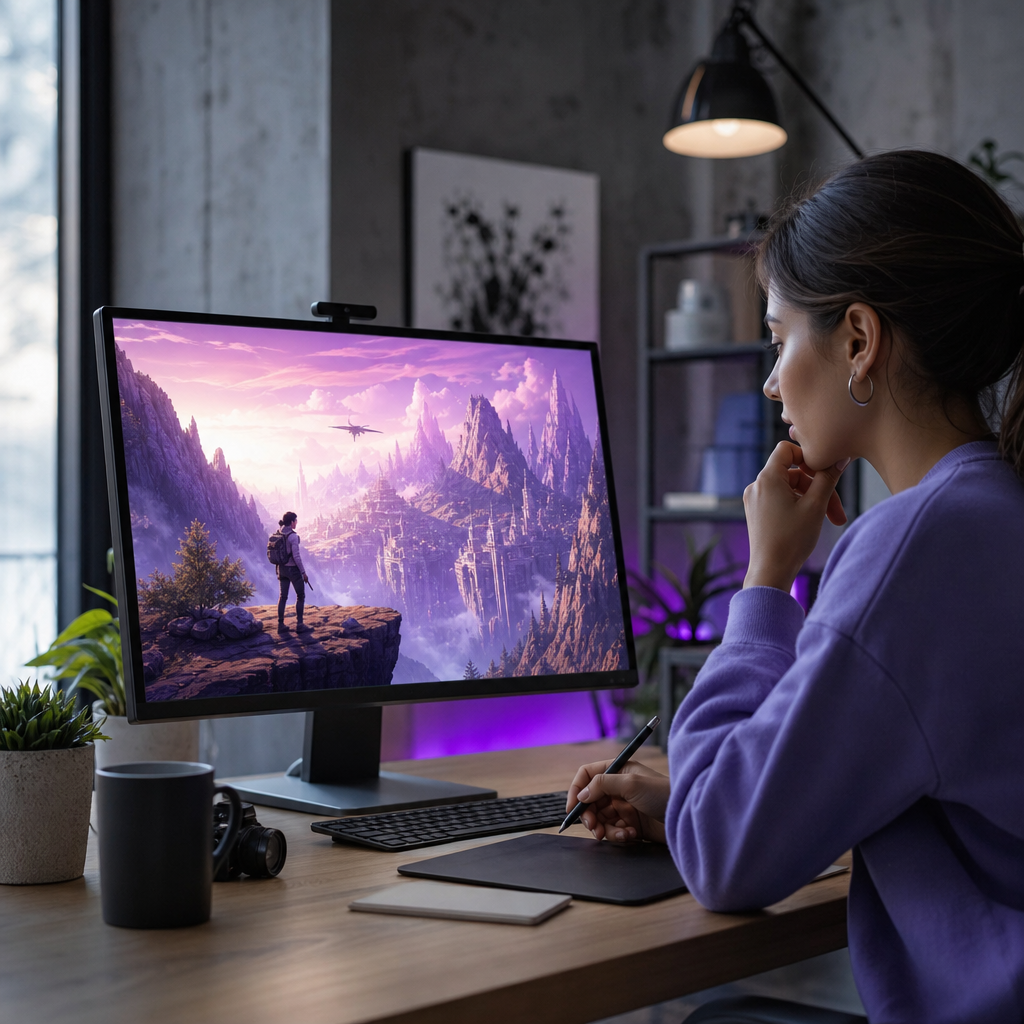
A text to image generator is an AI tool that turns a written description into a brand-new visual. Instead of photographing, drawing, or designing something by hand, you type a prompt—say, a cinematic product photo of a blue running shoe on a wet city street at night—and the system builds an image from that instruction. For creators, marketers, and small teams, it collapses hours of production into seconds, which is exactly why it has become a core part of fast content pipelines.
The real decision, though, is not whether these tools make attractive pictures. It is whether a given generator fits the full job: prompt control, resolution, editing, consistency across a series, and the commercial-use terms behind every output. This guide walks through what the tool actually does, how it works under the hood, where it fits against stock images and design software, and how to judge one before you commit a campaign to it.
Table of contents
What a text to image generator actually does
At its simplest, a text to image generator converts natural-language instructions into a picture. The quality of what comes back depends heavily on how much useful information you give it: the subject, the setting, the visual style, the lighting, the camera angle, the composition, the aspect ratio, and the elements you want included or avoided.
The system interprets those instructions and returns one or more images. Many tools go further than first-shot generation. They can edit an existing image, combine reference images, remove objects, or rewrite a selected area with a new text instruction. Google describes text-to-image AI as technology that can both generate and edit images from text descriptions, which is a useful way to frame the category: it is a creation and editing surface, not just a one-click picture maker.
Our own AI image generator follows the same core model—enter a prompt, generate a visual. The published examples span photorealistic scenes, abstract art, and character designs, outputs run up to 2K resolution (2048 × 2048 pixels), and generated images are available for personal or commercial projects. Those three facts—style range, resolution ceiling, and usage permission—are the ones that matter most when you move from experimenting to publishing.
How a text to image generator works
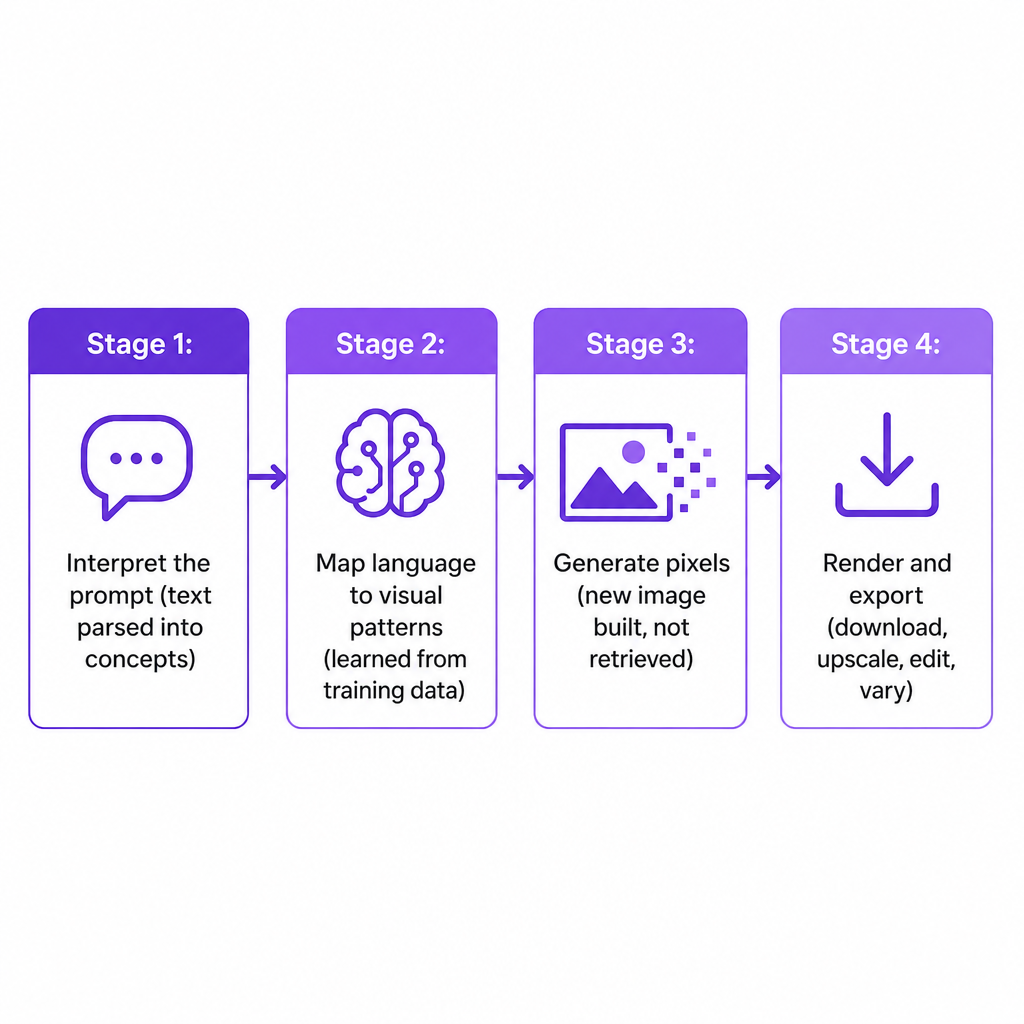
The underlying models are mathematically dense, but the workflow breaks into four connected stages that explain both the magic and the mistakes.
First, the model interprets the prompt. It processes your description with natural-language processing and converts it into a machine-readable representation that captures objects, relationships, style, and context. A prompt like a friendly golden retriever wearing a red bandana, sitting beside a campfire in a pine forest, warm cinematic lighting carries several distinct instructions: the subject (golden retriever), a detail (red bandana), a position (beside a campfire), an environment (pine forest), and a mood (warm, cinematic). The more relevant information you pack in, the easier it is for the model to separate the intended subject from the surrounding detail.
Second, it maps language to visual patterns. These models are trained on large collections of images paired with text, so they learn what words such as portrait, watercolor, studio lighting, or aerial view tend to correspond to visually. This is the part people most often misunderstand: the model does not search a stock library and retrieve a matching file. It constructs a new result from learned patterns.
Third, the system generates pixels. Using the prompt representation, it builds an image to match the requested concepts as closely as it can. Some systems start from random visual noise and refine it into a coherent picture; others use related generative techniques. The key limitation lives here—the model is predicting what fits, not understanding the scene the way a person does. That is why you can get a gorgeous image that still botches hands, anatomy, object relationships, perspective, or written text.
Fourth, the tool renders and exports the result. From there you may be able to download, upscale, edit, or spin off variations. Controls differ by product: some expose style, creativity, or accuracy parameters, while others keep a simple prompt-and-generate flow.
What you can create with text-to-image AI
The category earns its place in a content pipeline because it serves several different visual jobs, each with its own practical caveat.
YouTube thumbnails and channel graphics. Generate thumbnail concepts, backgrounds, characters, and visual hooks without arranging a photo shoot. Build the main visual with AI, then add the final headline and branding in an editor—do not rely on the model to typeset accurate title text.
Social media visuals. Produce background images, campaign concepts, quote-card artwork, and seasonal graphics, and generate several variations so you can test compositions before publishing.
Marketing concepts. Use generated images for early ideation, mood boards, and landing-page concepts. A quick visual helps stakeholders react to an idea before anyone invests in final production.
E-learning and training materials. Create illustrative scenes, characters, and visual examples. When an image represents a technical process or safety procedure, have a subject-matter expert check it.
Storyboards and previsualization. Filmmakers, podcasters, and creative teams can explore locations, costumes, and shot ideas before a shoot.
Product and e-commerce concepts. Visualize packaging ideas, product settings, and advertising directions—without implying a product has features or performance it does not actually have.
Text-to-image versus stock, design software, and image-to-video
A text-to-image generator is not automatically the best tool for every visual task. The right pick depends on how exact, how fast, and how controlled the output needs to be.
| Option | Best suited to | Main limitation |
|---|---|---|
| Text-to-image AI | Original concepts and visuals from descriptions | Details, text, hands, and consistency may need correction |
| Stock images | Fast access to established photography and real-world scenes | Can feel generic or require licensing checks |
| Design software | Precise layouts, brand systems, typography, final production | Takes more time and design skill |
| Custom photo or illustration | Exact products, people, locations, brand-controlled visuals | Usually costs more and takes longer |
| Image-to-video AI | Animating or transforming an existing still image | Starts from an image, not from a text concept |
The distinction with video is worth drawing clearly. If your task is to animate a still you already have, an image-to-video tool is a separate category. If your task is to create the still itself from a description, text-to-image is the more direct route.
Writing a prompt that gets a usable result
A strong prompt reads like a creative brief, not a one-word subject. A reliable structure to work from is: subject + action or pose + setting + composition + style + lighting + format.
Here is that structure in practice:
A small independent coffee shop on a rainy Chicago evening, viewed from across the street, warm window light, documentary photography style, realistic reflections, horizontal composition, no readable signs
That single line fixes the scene, location, viewpoint, mood, style, format, and one explicit exclusion. When you build a prompt, cover the details that change the outcome: what should appear, where it is and what is happening, the composition (close-up, wide, overhead, centered, asymmetrical), the style (editorial photo, 3D render, watercolor, minimal vector), the lighting, the color or palette, the format, and anything that should not appear.
Two habits matter more than a long adjective list. First, keep the prompt specific but not contradictory—something like minimalist, highly detailed, completely empty, crowded market sets competing requirements and makes the result unpredictable. Describe the desired outcome directly, generate a first version, identify the single biggest problem, and revise that one part. Second, treat any text the model renders as unreliable. Image generators routinely produce distorted letters, misspellings, and invented logos, so for thumbnails, ads, course slides, and branded graphics, add important text yourself in a design tool.
What to evaluate before choosing a generator
The best generator is the one that fits your whole workflow, not the one with the prettiest sample image. A handful of criteria separate a demo from a dependable production tool.
Prompt control. Does it understand detailed instructions, honor exclusions, and preserve relationships between objects?
Output quality and resolution. Match the resolution to where the image lands. A social post, a video thumbnail, a slide, and a large print asset have very different requirements. Our text-to-image generator supports outputs up to 2048 × 2048 pixels, which covers most on-screen and web use comfortably.
Style range. If you make varied content, test realistic scenes, illustrations, abstract artwork, characters, and product concepts in the same tool. Our generator lists photorealistic scenes, abstract art, and character designs among its supported types.
Editing and iteration. A good generator makes it practical to fix a near-miss. Look for variations, image editing, reference-image support, and masking so you can keep the parts that already work. Google's description of modern image-generation workflows includes conversational edits, multi-image fusion, and masked editing of selected areas—features that turn a one-shot tool into something you can actually refine.
Consistency. One good image is not a reliable workflow. Test whether a character's appearance, a product's details, a palette, or a visual style holds across multiple generations. This is what makes or breaks YouTube series, online courses, brand campaigns, story projects, and product catalogs.
Commercial-use terms. Before an output goes into a paid campaign, product listing, client project, or monetized channel, read the current terms. Check whether commercial use is permitted, whether attribution is required, whether outputs are exclusive, how uploaded references are handled, and whether third-party trademarks, people, or copyrighted characters raise separate issues. Our product page states generated images are available for personal and commercial use—treat that as a starting point, review the current terms for your specific project, and do not read commercial permission as a guarantee that every output is clear of third-party rights.
Workflow fit. If you produce multilingual videos, image generation is one step among several. A platform that also handles voice, AI dubbing, and video reduces the friction of shuffling assets between tools. Weigh that convenience against the exact quality, control, and export needs of the project.
The risks worth managing
Text-to-image generation is fast and useful, but it is not a replacement for creative judgment or verification. A few failure modes deserve a deliberate guardrail.
The first is misleading or fabricated visuals. A realistic image can imply an event happened when it did not, so never present a generated scene as documentary evidence, a real customer photo, or genuine news imagery. Closely related is impersonation and privacy: avoid deceptive images of real people, especially anything that could damage a reputation, invade privacy, or imply endorsement. NIST identifies synthetic-content concerns including fraud, impersonation, non-consensual intimate imagery, and other harms.
Copyright and trademark are the next trap. A tool's commercial-use policy does not clear every intellectual-property question. Be careful with famous characters, logos, recognizable artists' styles, real people, client-owned assets, and images you upload as references. Use original brand assets where exact identity matters, and get permission before using a person's likeness or a third party's protected material.
Then there is plain inaccuracy. Generated images can include impossible anatomy, wrong objects, incorrect cultural details, or misleading product representations, so a human should review anything used for education, healthcare, finance, safety, public information, or product claims. Finally, consider provenance and disclosure. For high-stakes or public-facing content where audiences could reasonably mistake an image for a real photograph, labeling it as AI-generated is the responsible move. NIST's guidance discusses content provenance, metadata, watermarking, labeling, detection, and authentication as ways to improve transparency around synthetic content.
Is a text to image generator right for you?
Text-to-image AI is a strong fit when you need several concepts quickly, original backgrounds or illustrations, thumbnail and social ideas, storyboards or mood boards, early marketing concepts, or creative variations to test—especially without a full design team on hand.
A designer, photographer, or illustrator is the better call when you need exact product accuracy, a specific real person or location, consistent characters across a large project, precise typography and layout, legally controlled brand assets, documentary authenticity, or complex retouching. In practice the choice is rarely all-or-nothing. Many teams use AI to explore and iterate, then hand the final asset to human design, photography, or editing. If you are producing content in several languages, pairing image generation with voice cloning and dubbing in one place keeps the whole pipeline moving instead of scattering assets across disconnected tools.
Frequently asked questions
What is a text to image generator in simple terms?
It is an AI tool that creates an image from a written description. You describe the subject, setting, style, and other visual details, and the system generates a matching image.
Is text-to-image AI the same as image-to-video AI?
No. Text-to-image AI creates a still image from a prompt. Image-to-video AI starts with an existing still and generates motion or a video clip from it.
Can I use AI-generated images commercially?
It depends on the generator's terms and the image itself. Our generated images can be used for personal or commercial projects, but you should still review current terms and check for third-party rights involving people, logos, characters, and other protected material.
What resolution does our text-to-image generator support?
It supports outputs up to 2K resolution: 2048 × 2048 pixels, which covers most web, social, thumbnail, and slide use.
Why does AI-generated text often look wrong?
Image models are built to create visual patterns, not to typeset text with design-program precision. For important headlines, labels, logos, and product copy, generate the visual first and add the text separately.
Should I disclose that an image was AI-generated?
When viewers could mistake the image for a real photograph or factual record, disclosure is the responsible choice. Labeling and provenance are among the transparency practices NIST discusses for synthetic content.